Nokia WiFi Gateway 3 Product Guide Configure a Gateway 3 (G-240W-E)
Issue: 01 3FE-47464-AAAA-TCZZA 115
Procedure 42 Diagnose connections
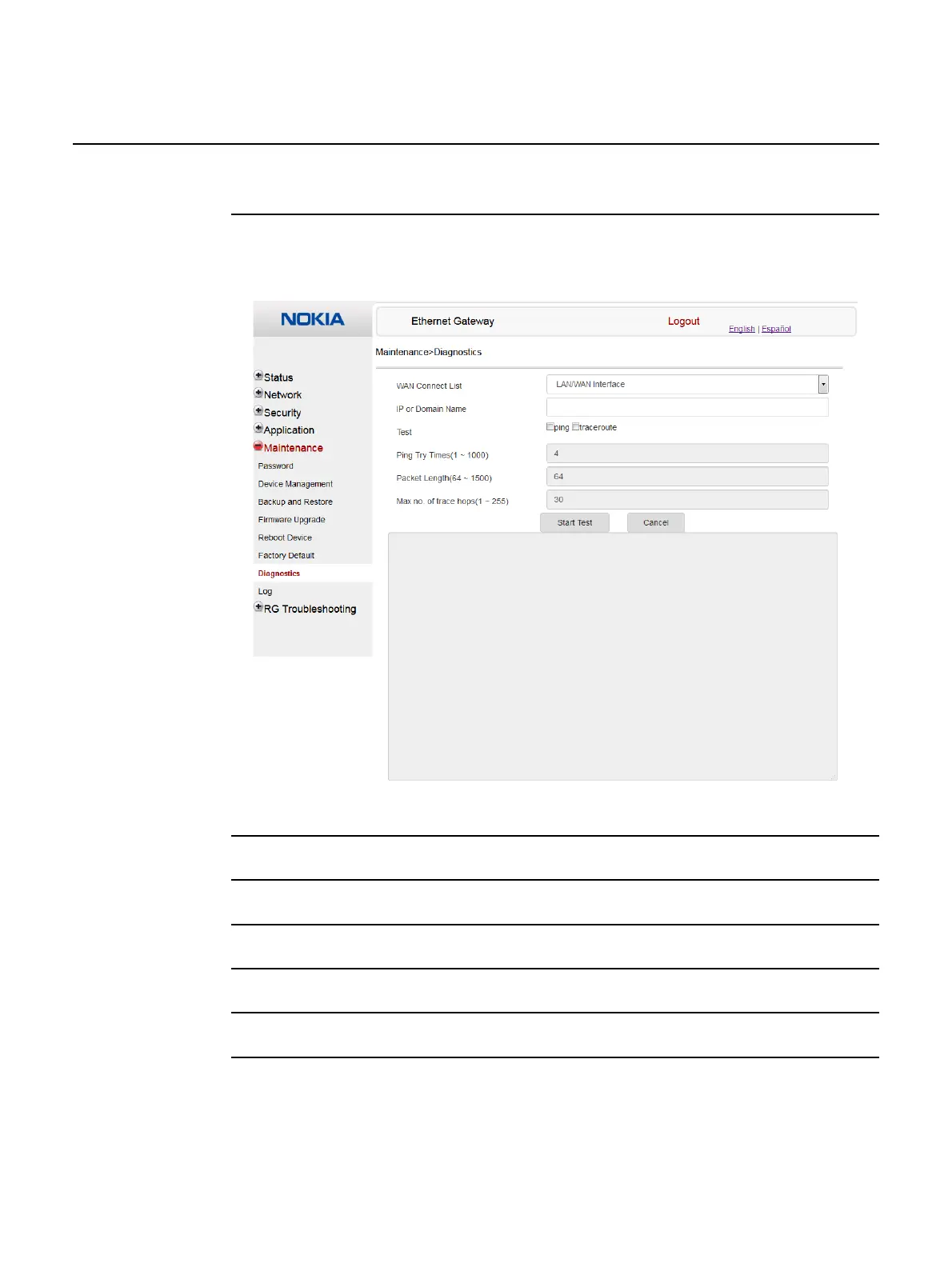
1 Select Maintenance > Diagnostics from the top-level menu in the Ethernet Gateway window,
as shown in Figure 50.
Figure 50 Diagnostics window
2 Choose a WAN connection to diagnose from the drop-down menu.
3 Enter the IP address or domain name.
4 Select the test type: ping, traceroute, or both.
5 Enter the number of ping attempts to perform (1 to 1000); the default is 4.
6 Enter a ping packet length (64 to 1500); the default is 64.
7 Enter the maximum number of trace hops (1 to 255); the default is 30.



 To Next Page