16
PINPOINT
Pinpoint is to find the center or the exact
location of a detected target.
SCORE is a motion detector. In other words, you are
required to move the search coil over the target or the
target over the search coil in order for the device to
detect the target. The pinpoint mode is a non-motion
mode. The device continues to give a signal when the
search coil is kept stationary over the target.
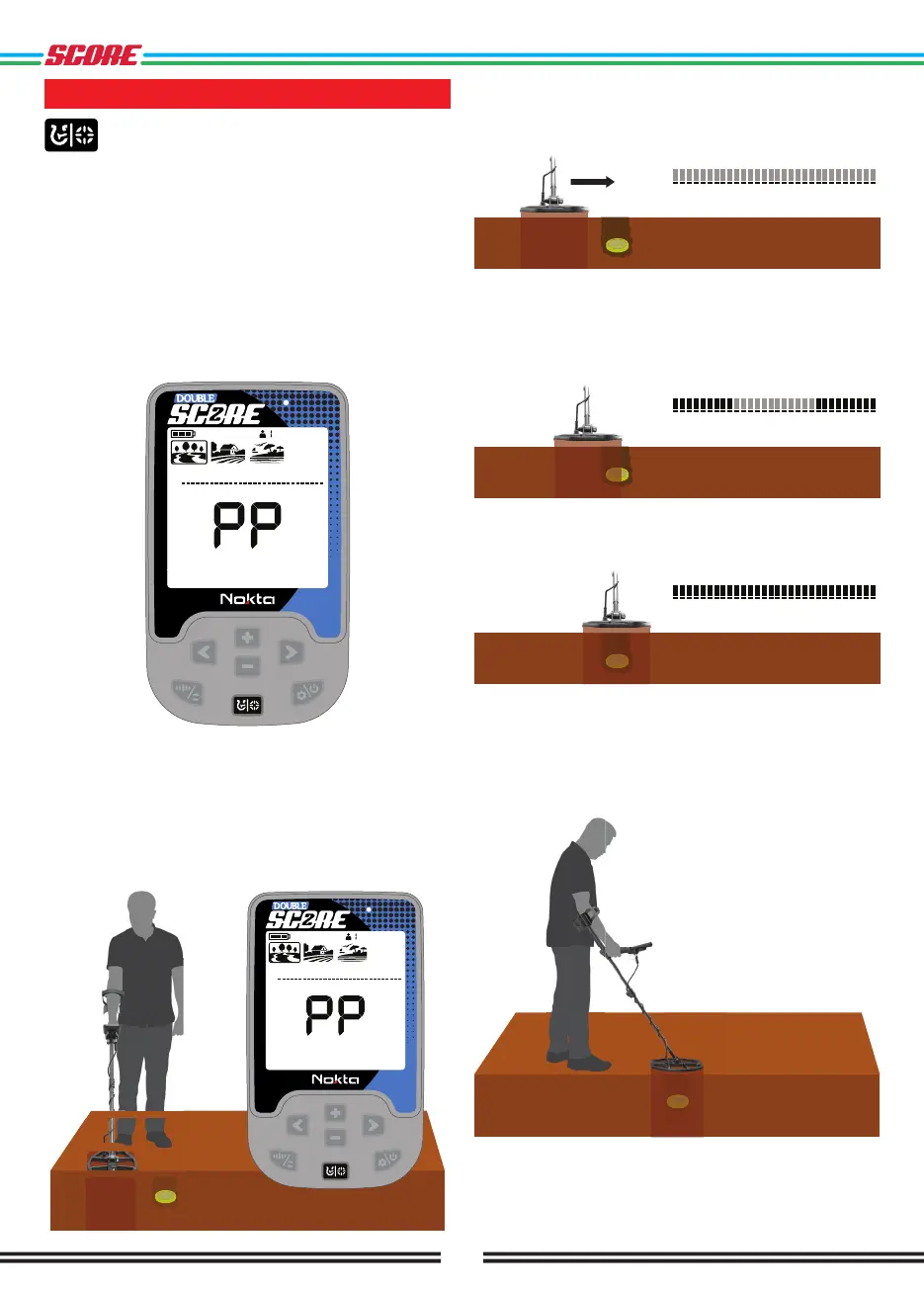
When the Pinpoint & Discrimination Button is pressed,
unused icons are cleared from the screen. PP appears
on the screen.
In the pinpoint mode, the device does not discriminate
metals or provide Target IDs.
To perform pinpoint:
1. After a target is detected, move the search coil
aside where there is no target response and push the
Pinpoint & Discrimination button.
2. Keep the button pressed down and bring the search
coil closer to the target slowly and parallel to the
ground.
3. Signal sound becomes stronger and changes in pitch
while getting closer to the target center and the bars
in the ID Scale start filling up from the outside to the
inside.
4. Mark the position which provides the loudest sound
using a tool or your foot.
5. Repeat the above procedure by changing your
direction 90°. Actions to be performed from a couple
of different directions will narrow the target area and
provide you with the most exact details of the target
location.



 To Next Page