28
10.2. LED Flashlight
It is the headlight used for lighting the area you
are scanning while detecting at night or in dark
locations.
LED Flashlight does not operate when the device is off.
It is recommended to turn it on only when necessary
since its operation consumes extra battery power.
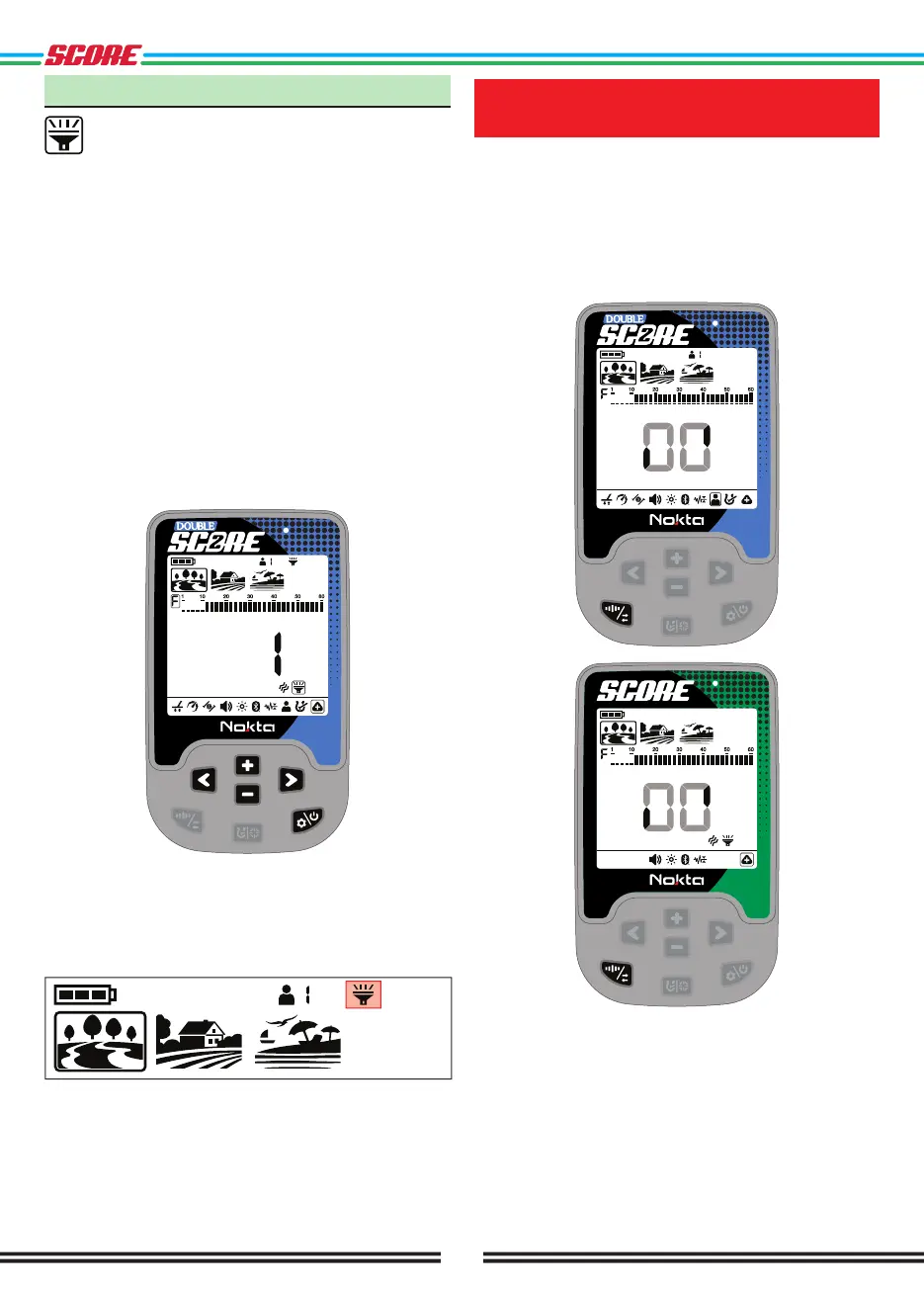
LED Flashlight setting can be set to 0 (off) or to 1 (on).
The LED Flashlight will be off at each start up.
Turning the LED Flashlight On/Off
Press the Power & Settings Button once. Select Sub-
Settings using the Right & Left Buttons. Go to the
top menu by pressing the Plus (+) Button once and
select the LED Flashlight setting with the Right & Left
Buttons.
Turn the flashlight on/off using the Plus (+) & Minus (-)
Buttons.
Press the Pinpoint & Discrimination Button once to go
back to the main-menu.
When the LED Flashlight is on, the flashlight icon will
be displayed in the info section at the top of the screen.
REVERTING BACK TO
FACTORY DEFAULTS
In the settings menu, after selecting the user profile
in DOUBLE SCORE or sub-settings in SCORE, press
and hold the Frequency & Noise Cancellation Button
until the letters Fd appear on the screen. An animation
like below will appear on the screen. Letters Fd will
appear on screen indicating that the factory settings
are restored. Letters Fd will disappear after 2 seconds.



 To Next Page