22
4. Volume
This control allows you to increase or decrease
the device’s volume based on your preference
and environmental conditions.
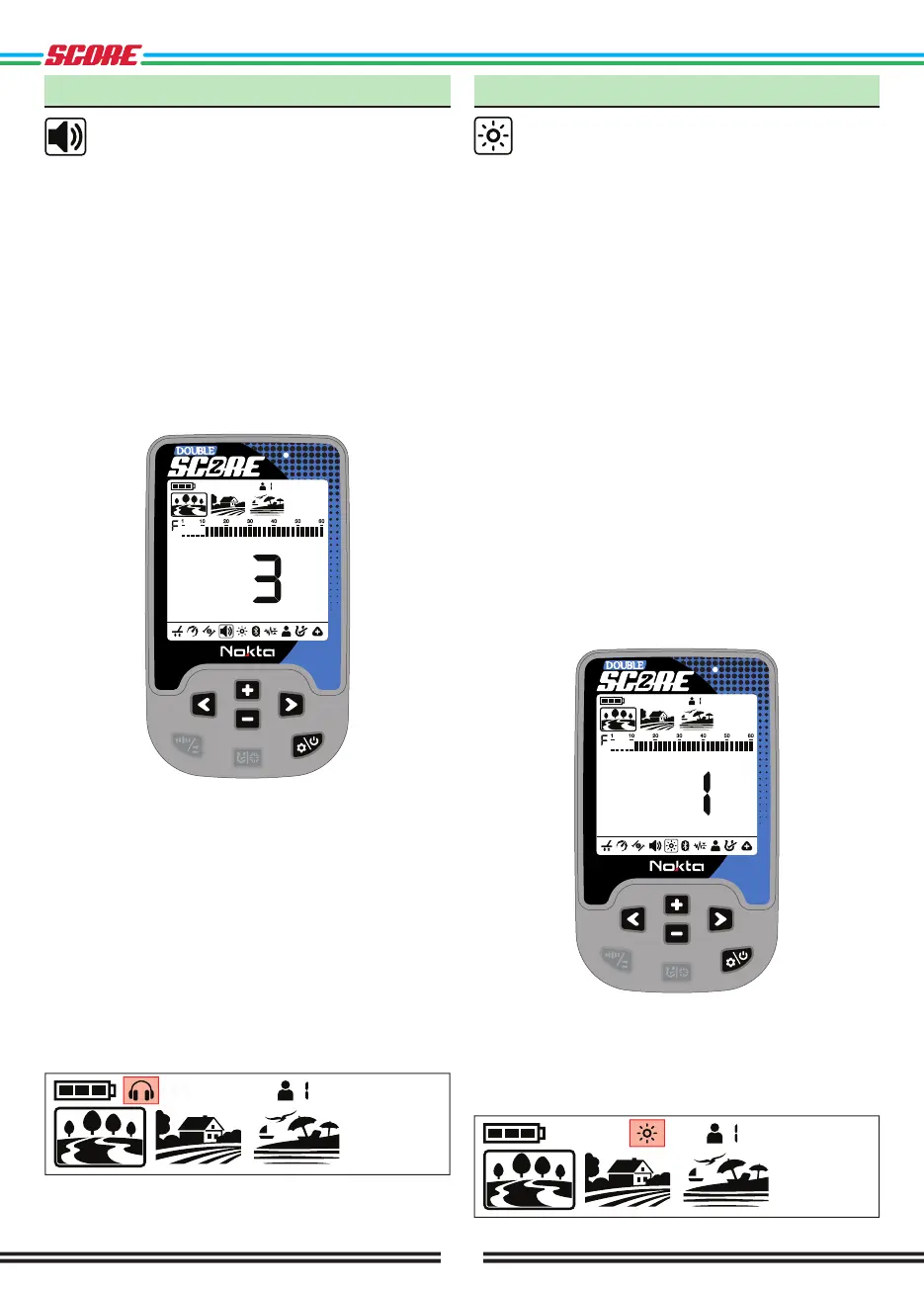
Volume setting consists of 6 levels and it is set to 3 by
default. When you turn off and on the device, it will start
with the last volume level you chose.
This setting is common to all modes; changes will take
effect in all modes.
Adjusting the Volume
Press the Power & Settings Button once. Select volume
using the Right & Left Buttons. The current value will
be displayed on screen. Change the volume level using
the Plus (+) & Minus (-) Buttons.
Press the Power & Settings Button once to go back to
the main screen.
Because the volume level affects power consumption,
we recommend you not to increase it more than
necessary.
You can connect wired headphones to the device with
the headphones adapter cable sold separately. The
volume for the headphones is also adjusted through
the volume setting of the device.
When wired headphones are attached, headphones icon
will appear in the info section at the top of the screen.
5. Backlight
It enables you to adjust the display backlight
level according to your personal preference.
It ranges from 0 to 5 and A1 to A5 . At 0 level, the
backlight is off. At 1-5 levels, it will be continuously lit.
At A1-A5 levels, it lights up only for a short period of
time when a target is detected or while navigating the
menu and then it goes off.
This setting is common to all modes; changes will take
effect in all modes.
You can adjust the keypad backlight level simultaneously
with the display backlight setting. While the backlight
setting is selected, you can turn the keypad backlight
on/off by pressing the Pinpoint & Discrimination button.
The continuous operation of the backlight will affect
power consumption, which is not recommended. The
backlight setting is restored to the final saved setting
when the device is turned off and on again.
Adjusting the Backlight
Press the Power & Settings Button once. Select
Backlight using the Right & Left Buttons. The current
value will be displayed on screen. Change the backlight
level using the Plus (+) & Minus (-) Buttons.
Press the Power & Settings Button once to go back to
the main screen.
When the backlight is on, the backlight icon will be
displayed in the info section at the top of the screen.



 To Next Page