20
Ground Balancing on the Beach
In DOUBLE SCORE, users are provided with a Stability
setting in addition to Ground Balance. This setting
reduces noise and false signals received from the
ground on the beach, allowing for more convenient
searches.
Users, if they wish, can achieve the most suitable
settings for their surroundings by performing an
Automatic Ground Balance. Alternatively, they can
adjust the Stability to best fit their detection conditions.
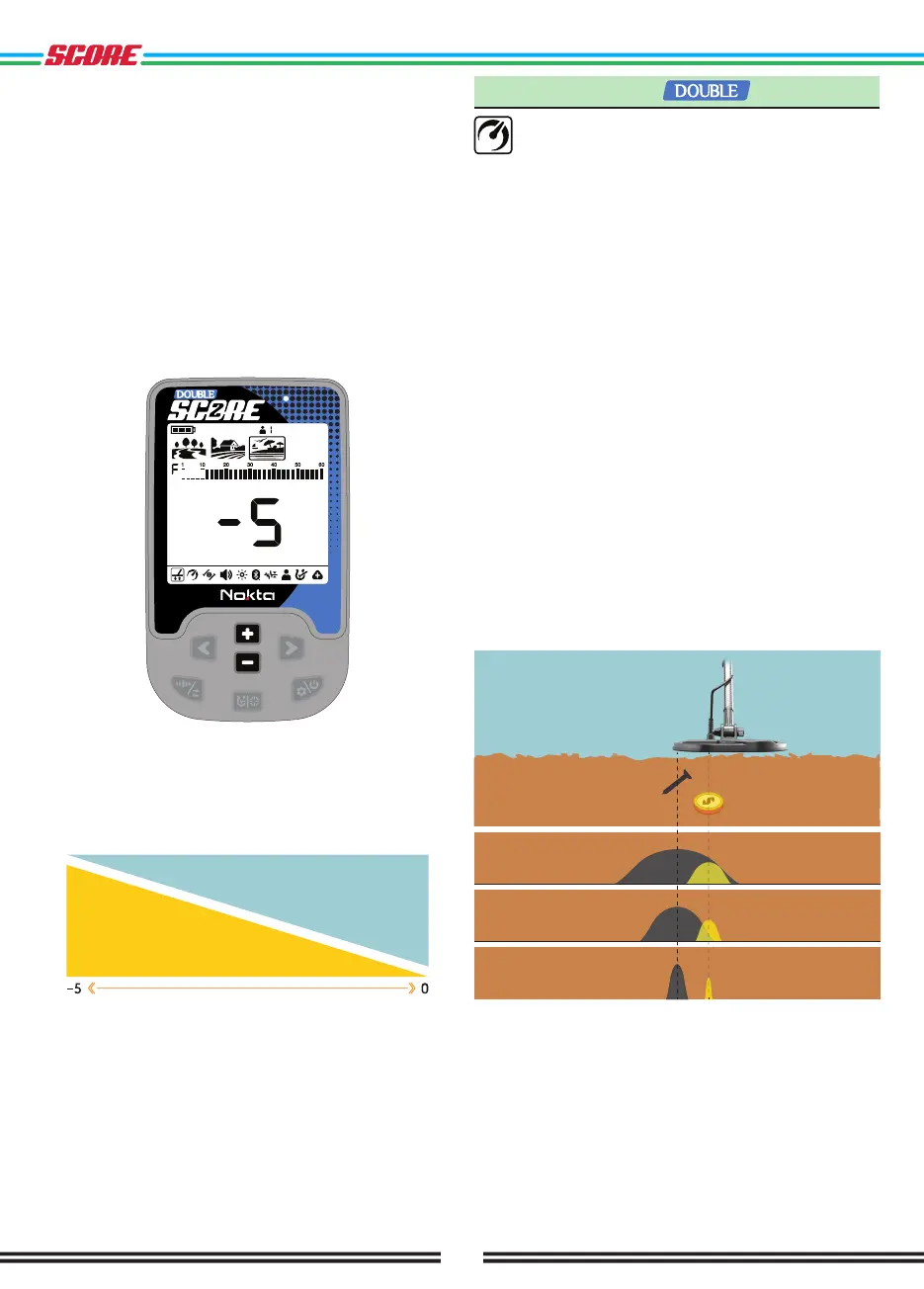
In Beach Mode, users can adjust the Ground Balance
between -1 and -5 to select the appropriate Stability
level for the environment.
The zero (0) level of the Ground Balance represents the
most stable level. Decreasing the Stability level towards
-5 may increase the noises originating from beach
sand and enhance the probability of detecting weak
conductive metals like gold, which give an 11 ID.
Low conductive metals
Stability
2. Recovery Speed
The Recovery Speed setting adjusts the speed
of target response.
It allows for separation between multiple targets in
close proximity.
Recovery Speed setting enables you to detect smaller
targets among trash or ferrous targets.
DOUBLE SCORE Recovery Speed setting can be
adjusted between 1 and 3 with 1 being the slowest and
3 being the fastest.
Recovery Speed setting only affects the mode currently
selected; changes made in one mode do not affect the
others.
When the Recovery Speed setting is set to a low
number, the ability of the device to detect targets in
close proximity decreases but its depth increases.
Similarly, a high Recovery Speed setting (for example 3)
will increase the ability of the device to detect targets
in close proximity but will decrease the depth.
It is recommended that you practice with different
metals placed close to each other before starting to
use this setting.
Low Recovery
Speed
High Recovery
Speed
Medium Recovery
Speed



 To Next Page