24
7. Ground Suppressor
It is used to eliminate false ground signals in
tough terrains.
This setting can be used both in Multi and single
frequencies. It is recommended that you leave this
setting at off position unless needed.
You can adjust the Ground Suppressor value between
0-8 and 0 is the default value.
Ground Suppressor setting only affects the mode
currently selected; changes made in one mode do not
affect the others.
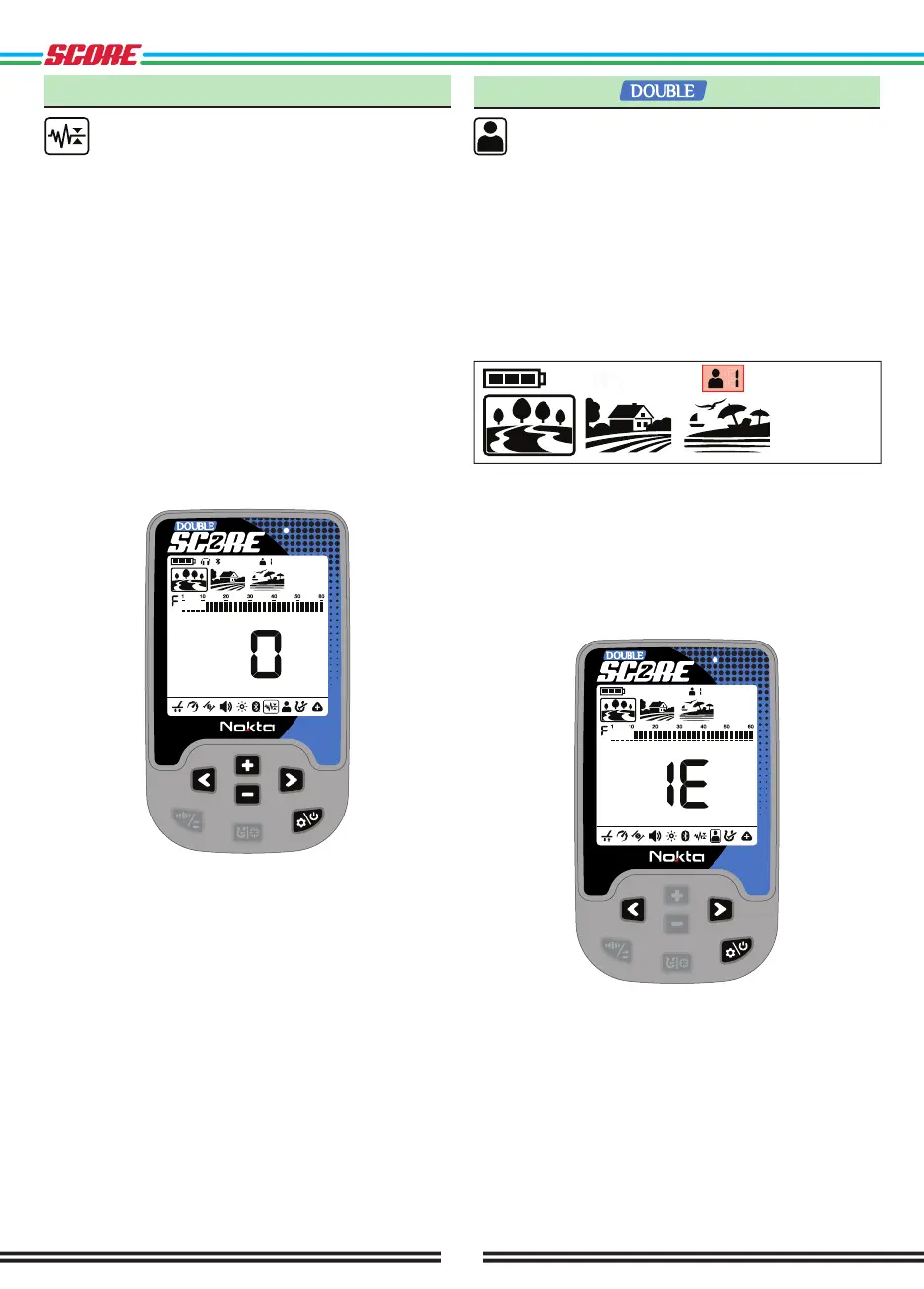
Adjusting the Ground Suppressor
Press the Power & Settings Button once. Use the Right
& Left Buttons to select the Ground Suppressor feature.
The display will show the current Ground Suppressor
value. You can adjust it using the Plus (+) & Minus (-)
Buttons.
8. User Profile
DOUBLE SCORE offers 2 user profiles where you
can save your settings and create 2 different
user profiles.
This is a great feature for users to keep their optimized
settings and to access them instantly later.
All user profiles have DOUBLE SCORE’s default settings.
User profile 1 is the default user profile.
The active user profile in use is shown in the info
section at the top of the screen.
User Profile Setting
Press the Power & Settings Button once. Select the
User Profile setting using the Right & Left Buttons.
The number located on the left side indicates the user
profile number. The letter E on the right means no
profile has been saved and the letter F means that a
user profile has been saved.



 To Next Page