18
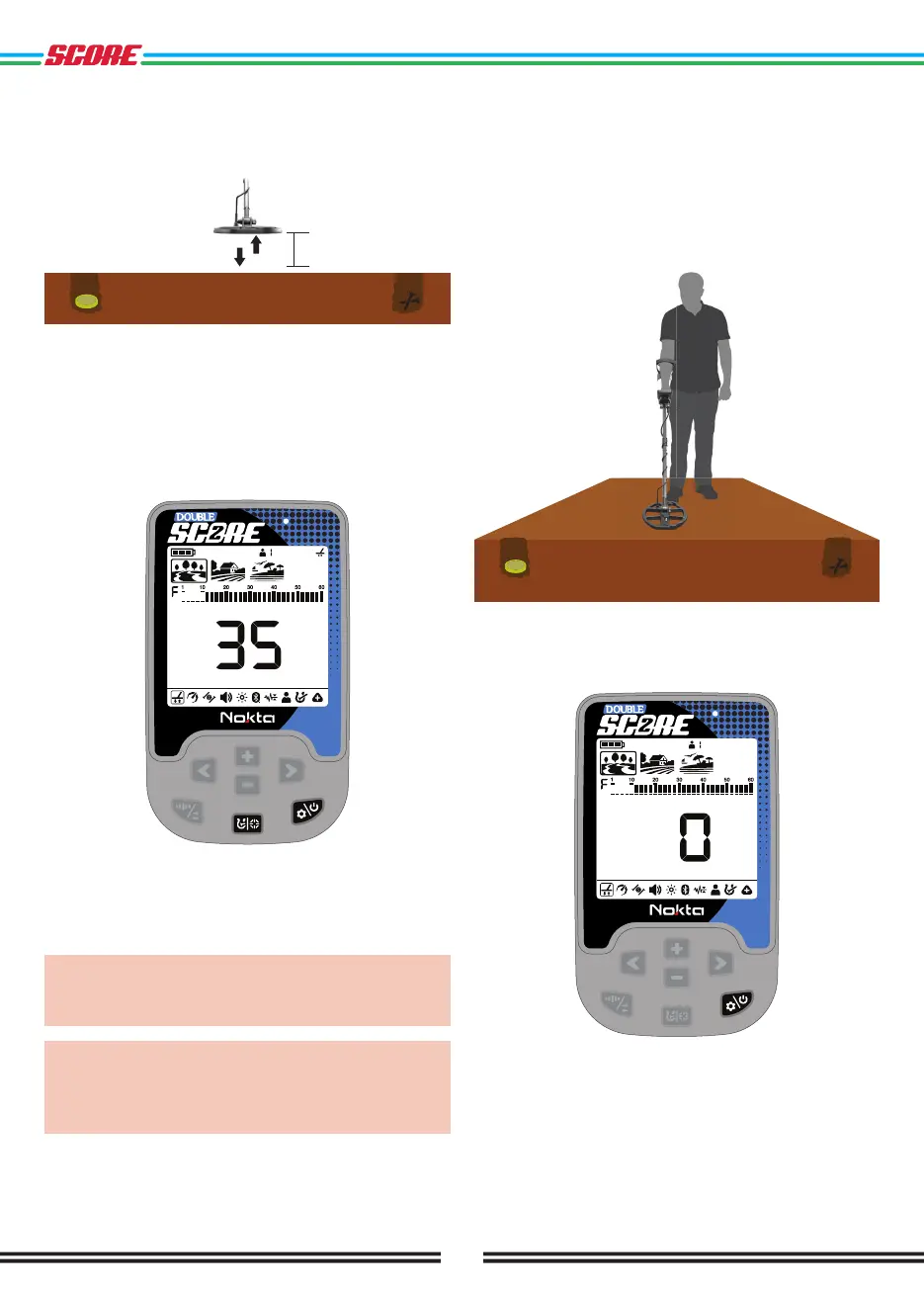
4. Continue until the audio reduces in response to
the ground. Based on ground conditions, it usually
takes about 5-6 pumps for the ground balance to be
completed.
15 - 20 cm
3 cm
5. Upon completion of the ground balance, ground
balance value is shown in the Target ID section on the
display. In order to ensure that the ground balance is
proper, ground balance at least 2-3 times and check
the ground balance values on the display. In general,
the difference between the values shall not be higher
than 1-2 numbers.
6. If you cannot ground balance, it means that either
the ground is too conductive or not mineralized or there
is a target right below the search coil. In such a case,
retry ground balancing at a different spot.
IMPORTANT: DOUBLE SCORE automatically resets
the Ground Balance value to zero (0) when Ground
Balance cannot be done in Park and Field modes.
IMPORTANT: After performing Automatic Ground
Balance in Beach mode, if the Noise Cancellation
feature is activated, please Ground Balance again
for better detection.
Manual Ground Balance
Allows you to manually modify the ground balance
value. It is not preferred mostly because it takes time.
However, it is the preferred option in cases where a
successful ground balance cannot be performed using
other methods or minor corrections are required to the
automatic balance.
1. Find a clear spot without metals.
2. Press the Power & Settings Button to scroll to the
ground balance setting. The ground balance value will
be displayed in the middle of the screen.



 To Next Page