21
Making Connections
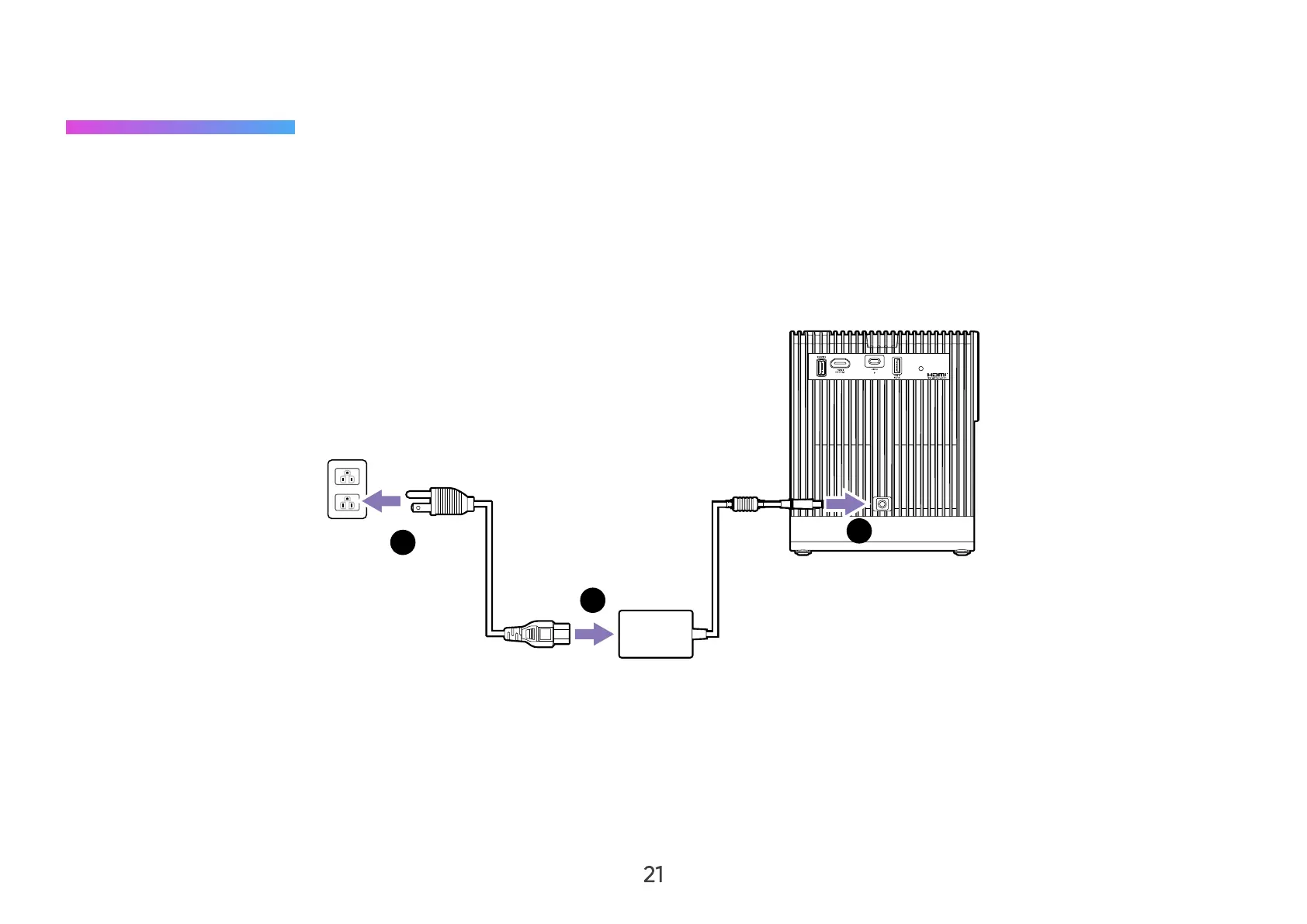
Connecting to Power
DC Power (Power Outlet)
1. Connect the power cord to the power adapter.
2. Connect the power adapter to the DC IN jack at the rear of the projector.
3. Connect the power cord plug to a power outlet.
2
1
3
NOTE: When installing the projector, incorporate a readily accessible disconnect device in the xed wiring, or connect the power
plug to an easily accessible outlet near the unit. If a fault should occur during operation of the projector, use the disconnect
device to switch o the power supply, or disconnect the power plug.
CAUTION:
• Use only the bundled power adapter to charge the battery and supply power to your projector.
• Ensure that your projector is connected to the power adapter before turning it on for the rst time. We strongly recommend that



 To Next Page