4
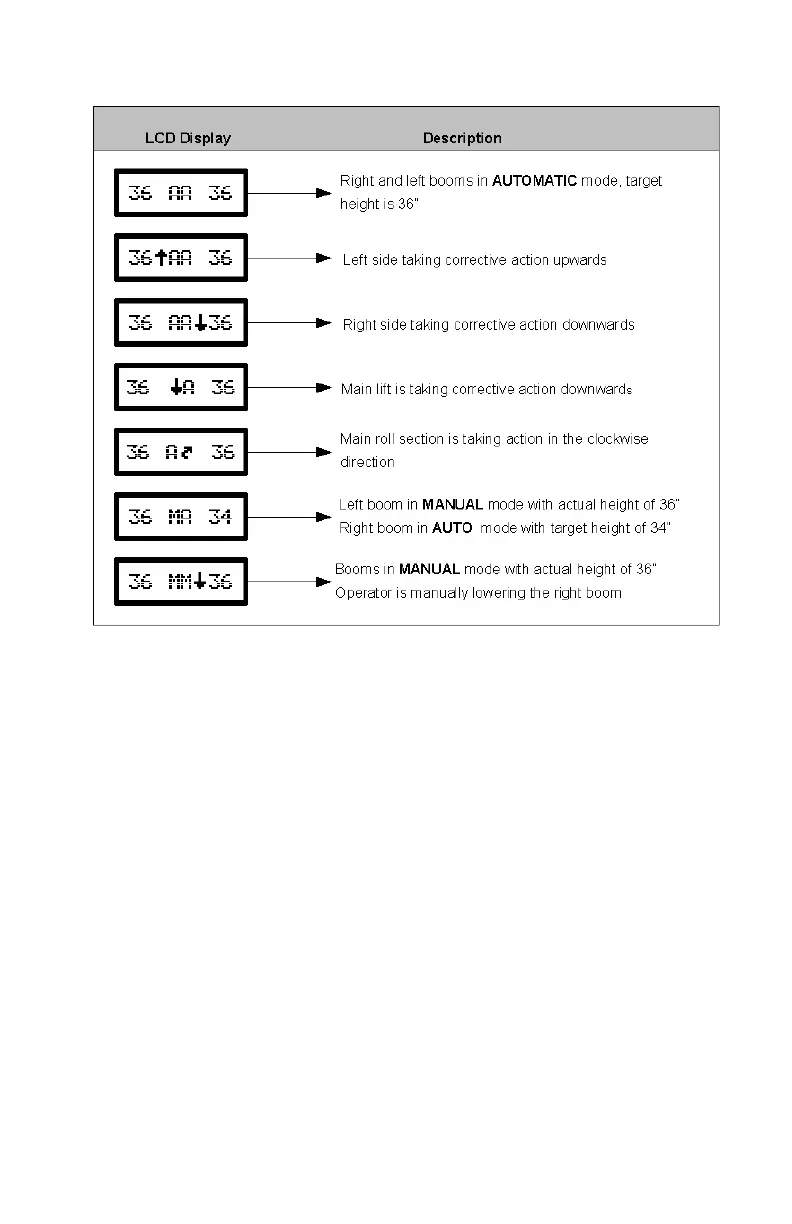
Table 1 – Examples of Normal Operating Screens
3.2 CHANGING TO AUTOMATIC OR MANUAL MODE
From the Normal Operating Screen toggle the control panel "AUTO"
switch to change between MANUAL and AUTO modes
In MANUAL mode, the boom may be controlled as usual with the
boom control switches on the sprayer’s multifunction handgrip
Operating the sprayer’s left or right boom control switches while in
AUTO mode immediately causes that boom to revert to MANUAL
mode.
- the sprayer’s joystick switches override automatic height control
on either the left, right, or both sides
To return to AUTO mode the "AUTO (YES)" switch must be
activated.
The target height (Section 3.3) can be adjusted by momentarily
pressing the sprayer’s main lift control switches (main up or main
down).
Pressing and holding the sprayer’s main up or down switches for more



 To Next Page