NORDAC SK 200E Manual
216 Subject to technical alterations BU 0200 GB
7 Operating status messages
In case of deviation from the normal operating state, frequency inverters and Technology Units generate a
message according to the cause. A differentiation is made between warnings and error messages. If the
frequency inverter is in a "switch-on block" status, the cause of this can also be displayed.
Display of the Technology Unit messages is carried out via parameter (P170). The messages generated for
the freqency inverter are displayed in the relevant array of the parameter (P700).
Frequency inverter switch-on block
If the frequency inverter is in the status "Not ready" or "Switch-on block", the cause is displayed in the third
array element of parameter (P700) (as of software version V1.2 R0)
Display is only possible with the NordCon software or the ParameterBox (SK PAR-3H).
Warning messages
Warning messages are generated (as of software version V1.2 R0) as soon as a defined limit is reached,
which does not however result in the frequency inverter being switched off. These messages can be
displayed via array element [-02] in parameter (P700) until either the cause of the warning is no longer
present or the frequency inverter has gone into fault status with an error message.
Error messages
Errors cause the frequency inverters to switch off, in order to prevent a device fault.
The following options are available to reset a fault (acknowledge):
1. Switching the mains off and on again,
2. By an appropriately programmed digital input (P420 = Function 12),
3. by switching of the “enable” on the frequency inverter to Low (if no
digital input is programmed for
acknowledgement),
4. by a Bus acknowledgement or
5. by P506, the automatic error acknowledgement.
An error message can only be acknowledged if its direct cause is no longer present.
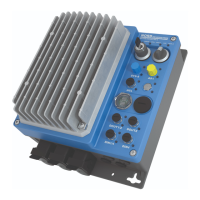
Device LEDs: As supplied, various LEDs (green/red/yellow) are externally visible. These indicate the
actual status of the device (Section 5.1.3.1 / 5.1.3.2)
FI / DS LED: This LED (Section 5.1.3.2) is dual-colour and can therefore indicate both a ready or an
error status of the FI.
Green indicates the standby status and the presence of mains voltage. During operation
an increasingly rapid flashing code indicates the degree of overload of the FI output.
Red indicates the presence of an error by flashing with a frequency which corresponds to
the number code of the fault (Section 7.2).



 To Next Page
 Loading...