Administration / 87
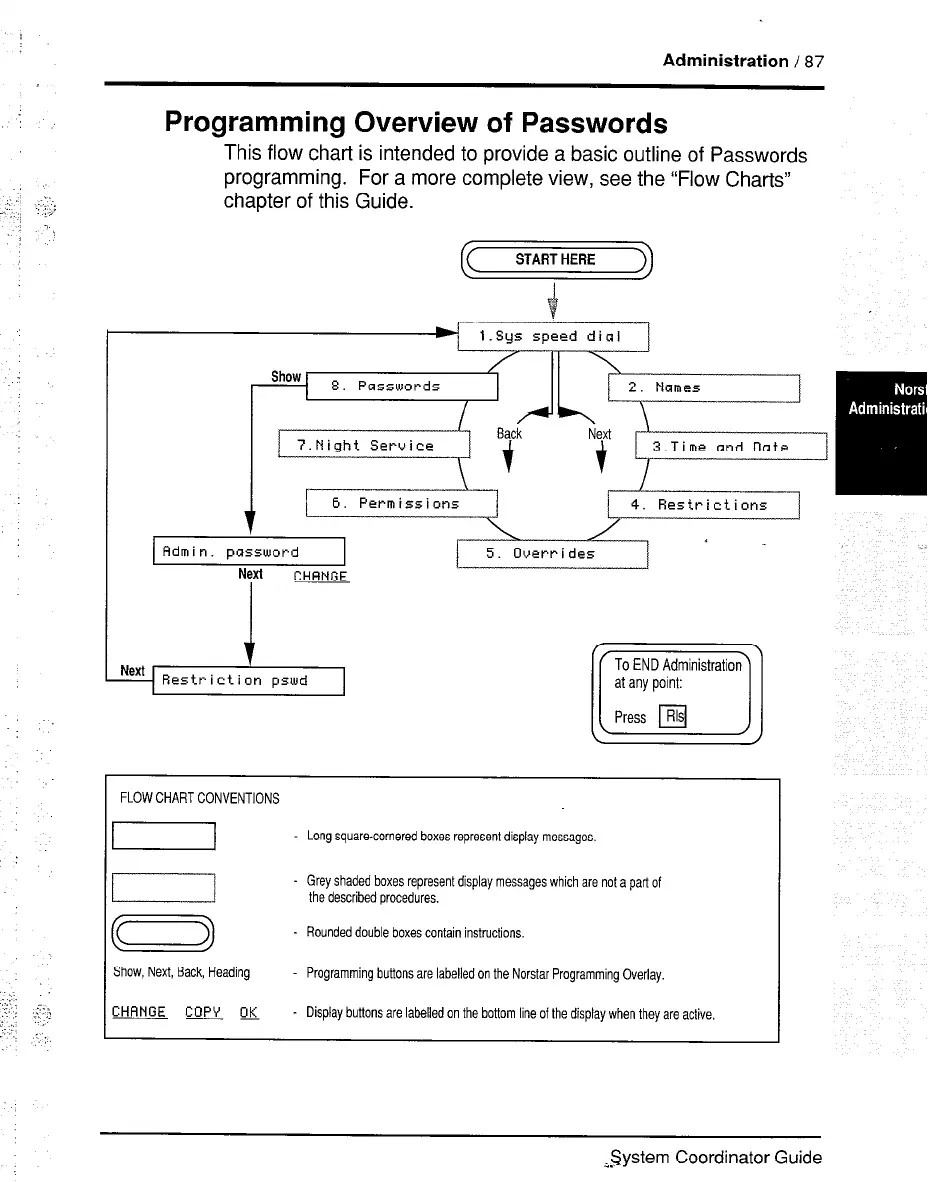
Programming Overview of Passwords
This flow chat-l is intended to provide a basic outline of Passwords
programming. For a more complete view, see the “Flow Charts”
chapter of this Guide.
FLOW CHART CONVENTIONS
I
Long square-cornered boxes represent display messages.
- Grey shaded boxes represent display messages which are not a part of
the described procedures.
m
- Rounded double boxes contain instructions.
Show, Next, Back, Heading
Programming buttons are labelled on the Norstar Programming Overlay.
CHANGE CopV w - Display buttons are labelled on the bottom line of the display when they are active.
I
;Z$ystem Coordinator Guide



 To Next Page