Using your IP Phone 1210
24
IP Phone 1210 display
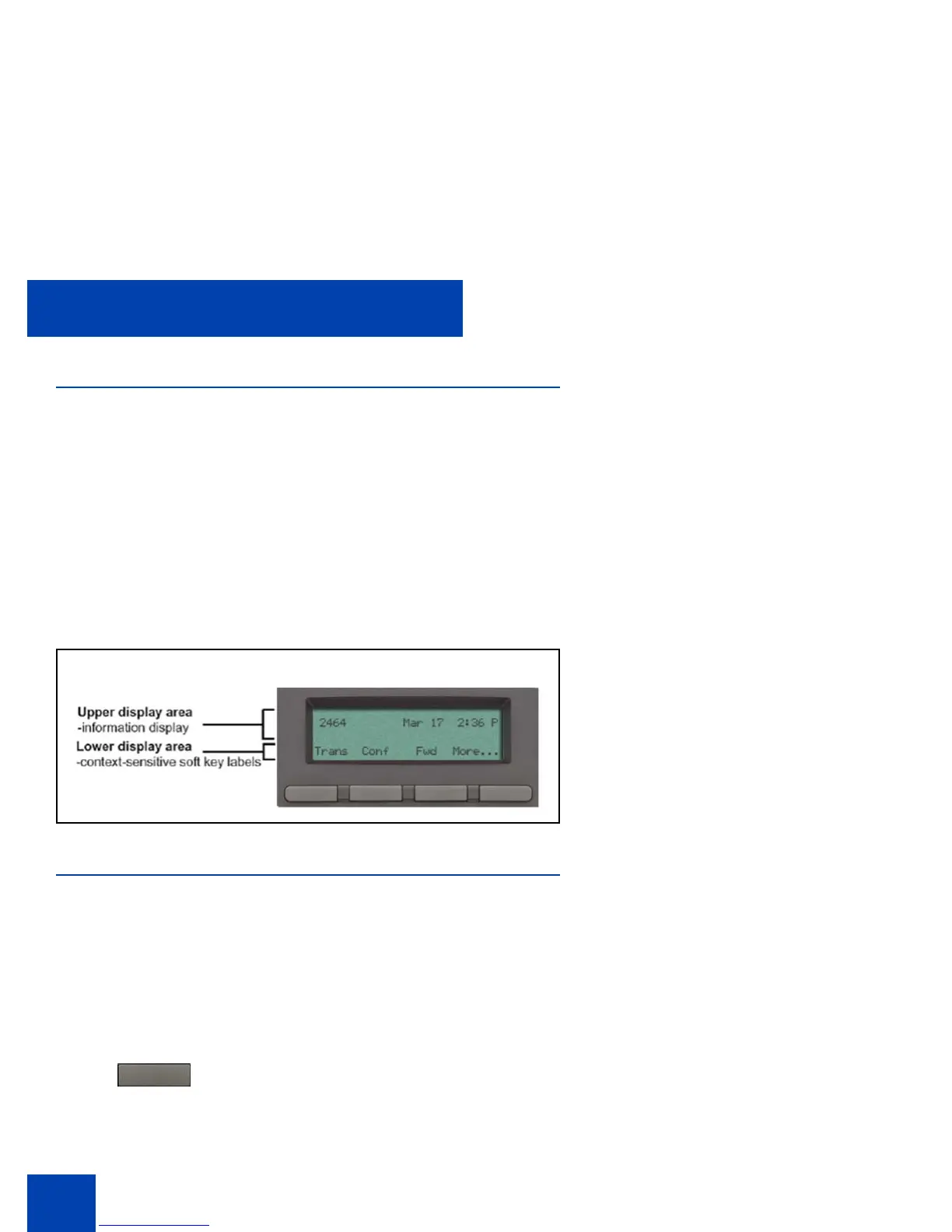
Your IP Phone 1210 display is divided into two display areas:
• The upper display area is for information such as caller number, caller
name, feature prompt string, user-entered digits, date and time (or
call timer, if provisioned in the Telephone Options menu), and
telephone information.
• The lower display area provides labels for the four context-sensitive
soft keys.
Figure 2 on page 24 shows the IP Phone 1210 LCD display screen.
Figure 2: IP Phone 1210 display
IP Phone 1210 controls
This section describes the controls on the IP Phone 1210. Depending on
your geographic region, the IP Phone 1210 includes key caps with
English text labels. In this document, text in parentheses indicates the
labels that appear on the key caps, for example, (Services).
Context-sensitive soft keys are below the
LCD. The soft key label is dynamic and
depends on the active feature. The label
length is a maximum of six characters.
Fwd



 To Next Page