Page 82 957 Operator’s Manual, Rev. B
Chapter 6 - Understanding the Waypoints Function
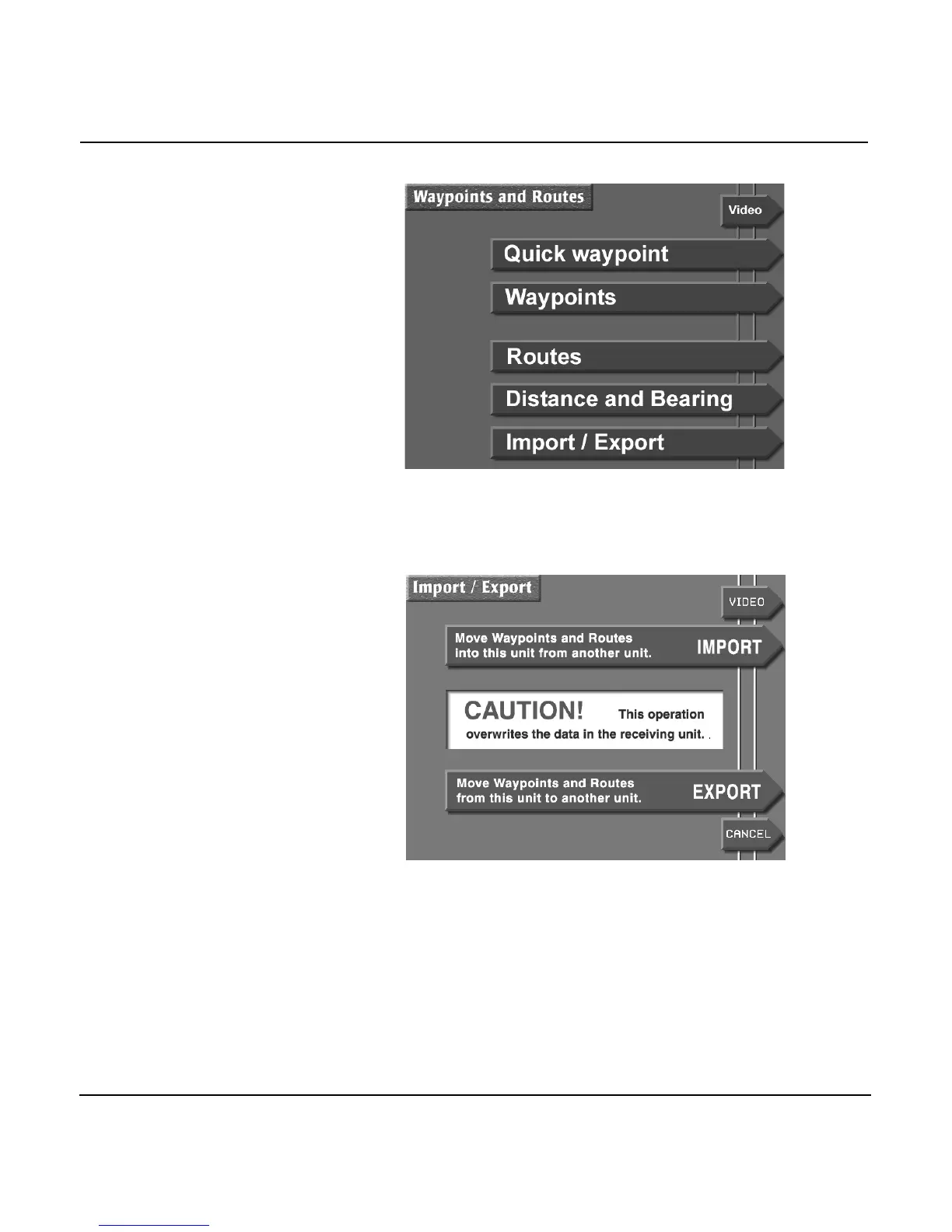
3. Press the IMPORT/EXPORT menu key to display the
IMPORT/EXPORT screen.
4. Press the EXPORT menu key to display the EXPORT
DATA screen. The status bar in the center of the screen
displays the message READY TO TRANSFER to show that
the transfer is ready to start.
5. Before transferring, check the communication link
between the two units by pressing the TEST COMM key. If
the status bar now displays the message REMOTE LINK
OK, you may begin to transfer waypoints.


 To Next Page