AFP-3030 Installation Manual — P/N DOC-01-037:B 25/08/2016 20
Installing a Replacement Zone Mimic (ACM-ZM) Installation
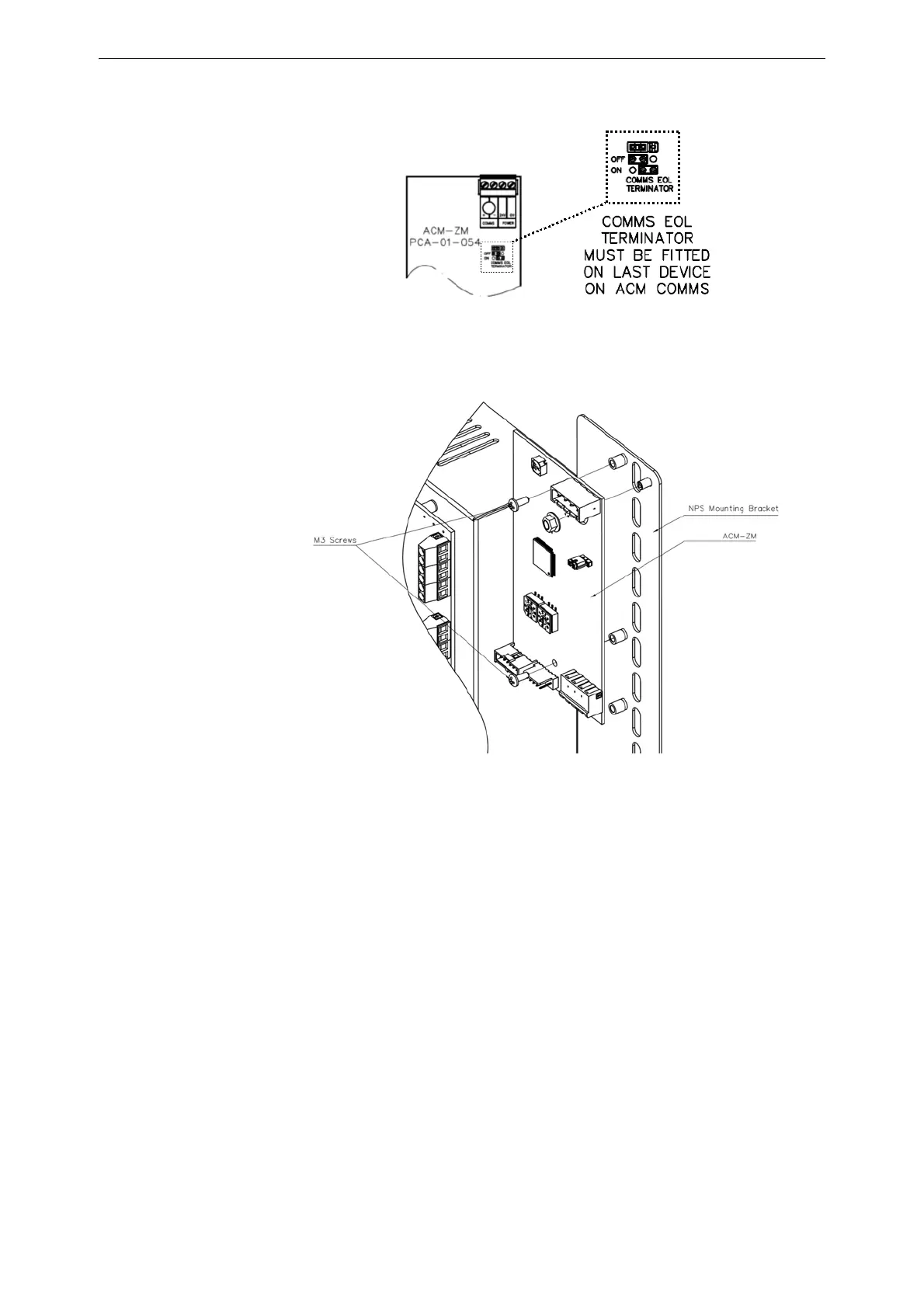
4. If the ACM-ZM is the last device on the line, set the Comms EOL Terminator jumper to the
ON position; otherwise, leave the Comms EOL Terminator jumper in the OFF position.
5. Secure the ACM-ZM to the spacers on the NPS mounting bracket using two (2) M3 screws, as
shown in Figure 3.13. Ensure that the ACM-ZM is mounted with the Comms/Power header at
top right.
3.8.1 Installing a Zone Mimic Expansion Card (AEM-ZM)
The Zone Mimic Expansion card increases the number of feedback LEDs on the ACM-ZM. The
additional LEDs can be programmed to represent the active state of any zones or outputs connected
to the panel.
1. Screw the AEM-ZM to the vacant threaded spacers beneath the ACM-ZM card on the NPS
Mounting Bracket, as shown in Figure 3.14.
2. Connect the replacement ACM-ZM to the fire panel as per the relevant drawing in
Appendix C, “Schematics”, on page 46.
Figure 3.12 ACM-ZM termination jumper settings
Figure 3.13 Mounting the ACM-ZM



 To Next Page
 Loading...