29 AFP-3030 Installation Manual — P/N DOC-01-037:B 25/08/2016
Installation Connecting a FAAST Intelligent Aspiration Detector
3.13 Connecting a FAAST Intelligent Aspiration Detector
The FAAST Intelligent Aspiration detector may be used to provide early warning fire protection
using aspiration sensing technology.
FAAST Wiring:
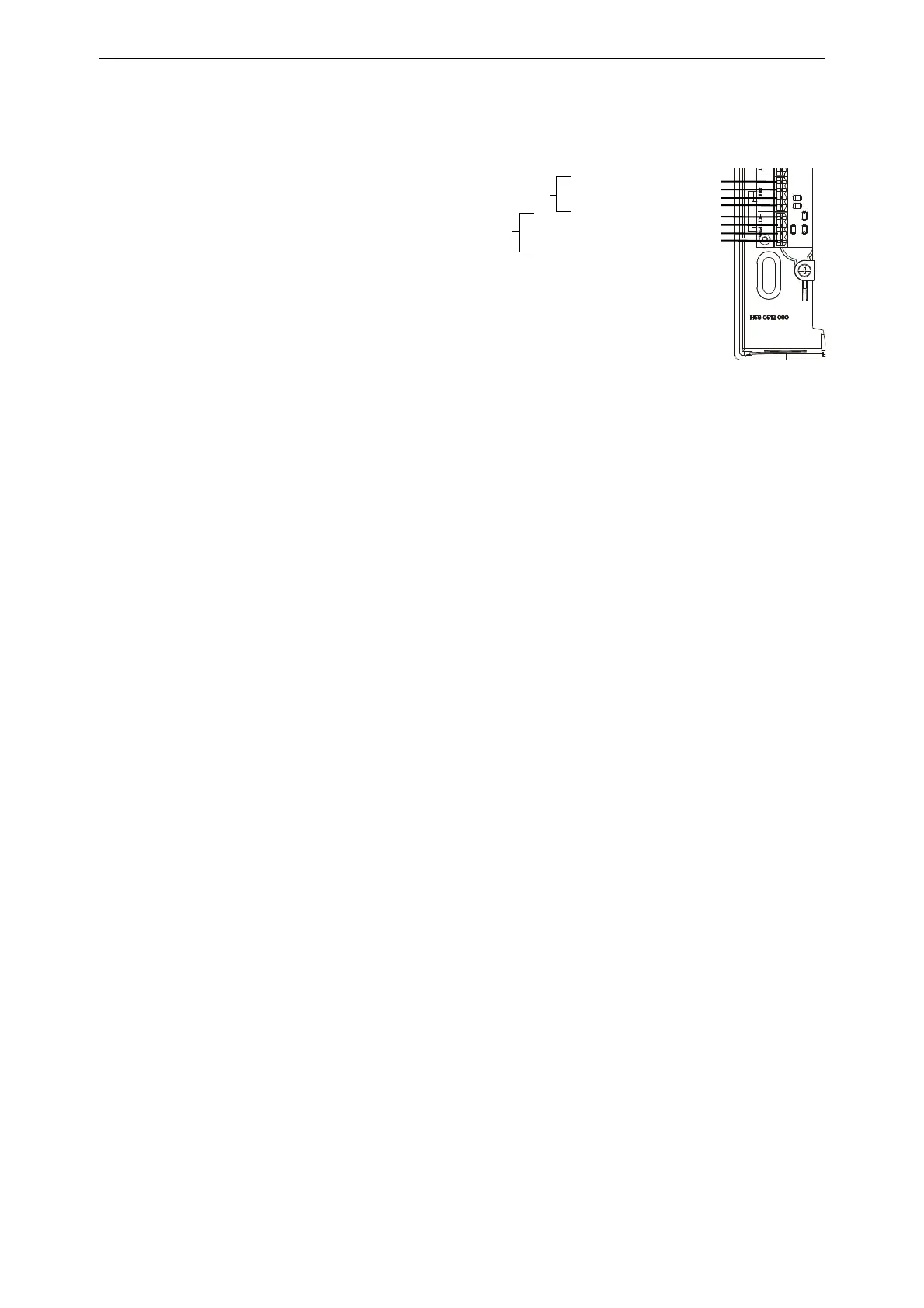
Figure 3.22 shows the wiring for
the FAAST detector to the AFP-
3030.
For additional installation
information for the FAAST
detector, refer the FSA-8000 FAAST
Installation and Maintenance
Instruction document (I56-3903)
and the SLC Wiring Manual
(51253).
3.14 Connecting a PC for Programming
A PC running the VeriFire® Tools programming utility can upload and download the operating
program of the control panel when attached to J15 USB Connection, J1 Network/Service
Connection (NUP) or to the second Network/Service connection on an attached wire or fibre
version of the NCM or HS-NCM. Refer to the VeriFire® Tools CD for instructions.
FAASTTermBlk.wmf
To Next SLC Device +
From FACP or Previous Device +
To Next SLC Device -
From FACP or Previous Device -
Figure 3.22 FSA-8000A Connection to the FACP
To Next Device +
From Power Supply or Previous Device +
To Next Device -
SLC
Connection
24V External
Power
From Power Supply or Previous Device -



 To Next Page
 Loading...