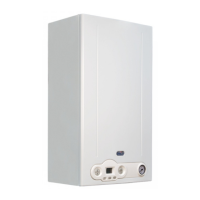
11
Instructions for the user
1.3 Boiler operation
1.3.1 Switching on
DANGER
It is presumed that the boiler has been installed by a qualied installer, it has been commissioned and is ready to operate correctly.
• Open the gas shut-o cock.
• Turn the master switch installed ahead of the boiler to ON.
• The display turns on and indicates the function currently active (see Interpreting boiler status from display indications on page 10).
• Select the boiler operating mode: OFF/SUMMER/WINTER/CH ONLY (see button (C) in Fig. 1 Control panel on page 8).
• Set desired CH temperature (see CH function on page 11).
• Set desired DHW temperature (see DHW function on page 12).
• Set the desired room temperature on the ambient thermostat inside the home (if installed).
WARNING
After a prolonged period with the boiler not in use, and with LPG red boilers in particular, some starting diculty may be
encountered.
Before starting the boiler switch on another gas powered device (e.g. kitchen range).
Beware that even by following this procedure, the boiler might still experience some starting diculties and shut down once or
twice. Press the “RESET” button to restore boiler operation.
1.3.2 Selecting the operating mode
To select the boiler operation mode press C Operating mode selection.
Whenever button is pressed, the following modes are enabled in sequence: "SUMMER", "WINTER", "CH ONLY", "OFF".
"SUMMER" operating status
When the "SUMMER" mode is enabled, only the DHW production function is active.
"WINTER" operating status
When the "WINTER" mode is enabled, both DHW and CH functions are active.
"CH ONLY" operating status
When the "CH ONLY" mode is enabled, only the heating water production function is active.
"OFF" operating status
When the "OFF" mode is enabled, no function is active.
1.3.3 CH function
To set the heating water temperature, press +/- CH buttons.
The CH temperature setting range is from +35 °C to +78 °C.
During temperature setting, the
symbol ashes on the screen and the CH current temperature setting is displayed.
When the CH system requests heat from the boiler, the LCD displays the CH symbol
and the current CH ow water temperature.
The waiting time between one boiler ignition and the following one, used to prevent boiler frequent turning on and o, ranges between 0 and
10 minutes (default value: 4 minutes), and can be edited with the P11 parameter.
Should water temperature in the system fall below set minimum value, between 35°C and 78°C (default value 40°C) to be edited with the P27
parameter, the waiting time is reset and the boiler re-ignites.
The burner ON symbol
shows while the burner is operating.



 To Next Page