8
Instructions for the user
1. Instructions for the user
1.1 Control panel
2
1
10
5
6
8 7
C DB
A F G
9
3 4
E
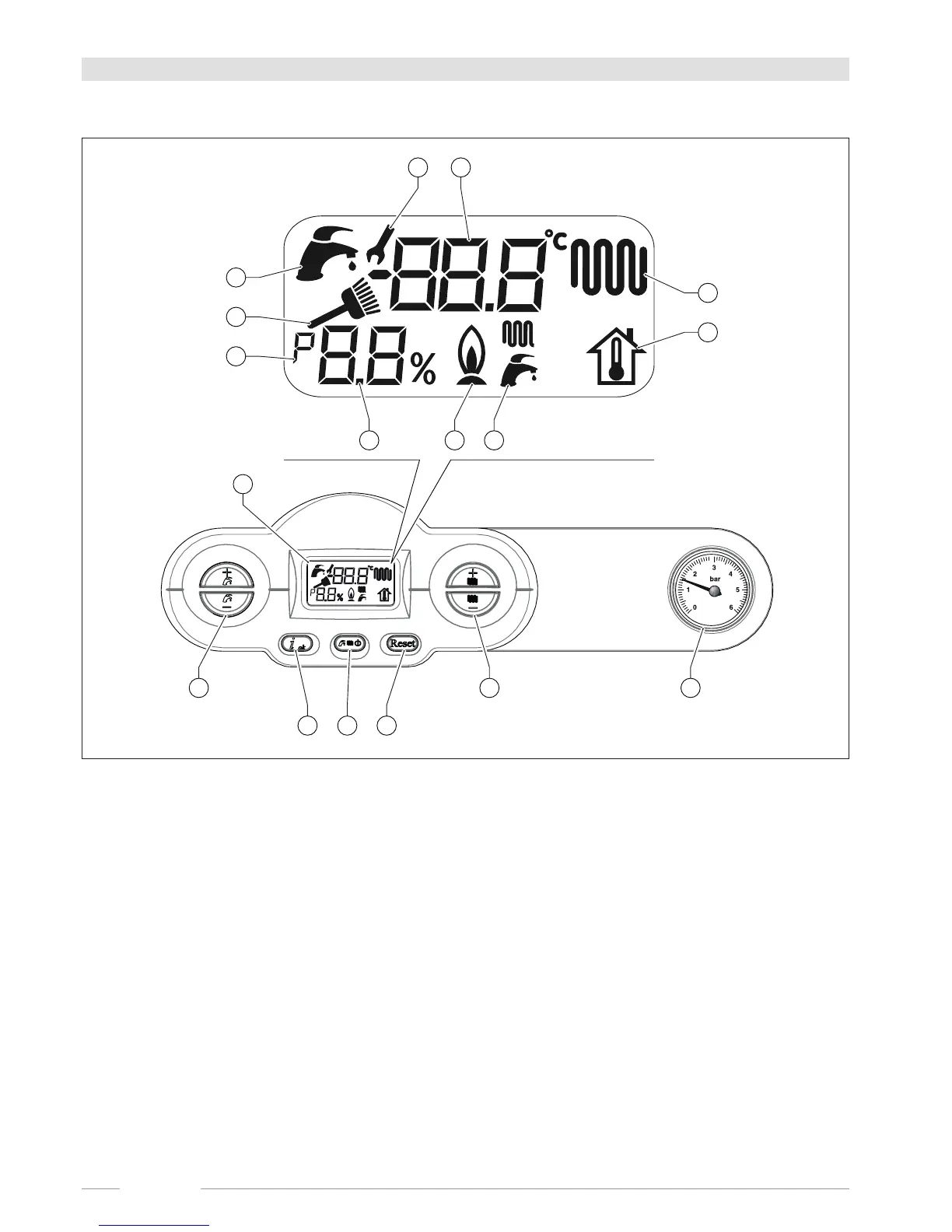
Fig. 1 Control panel
A. DHW setting (+/- DHW).
B. Parameter conrmation and information request.
C. Operating status selection.
D. Alarm reset and back to the starting page during parameter selection.
E. LCD display.
F. CH water temperature (+/- CH) and parameter settings.
G. Heating system water pressure gauge.



 To Next Page