Synthesizing
S
ynth mode is selected with alternate presses of the PLAY button and synth patches are selected using
t
he encoder to the right of the LCD screen, as detailed in the Getting Started Guide. Make sure that the
M
enus/Audio button has not been pressed if attempting to scroll to another sound, as the encoder is used
to edit Synth or Audio Menu pages when either of the LEDs above the button are lit. The synth can then be
played using the keyboard, joystick (pitch-bend/modulation) and Touchpad (filter frequency and resonance,
or other parameters set in the 2-D controls Menu).
Editing a Synth Patch
Editing a Synth Patch can be done in a number of ways. The most popular synth parameters are
accessed using the knobs and buttons, which are all labeled to show the parameters being adjusted.
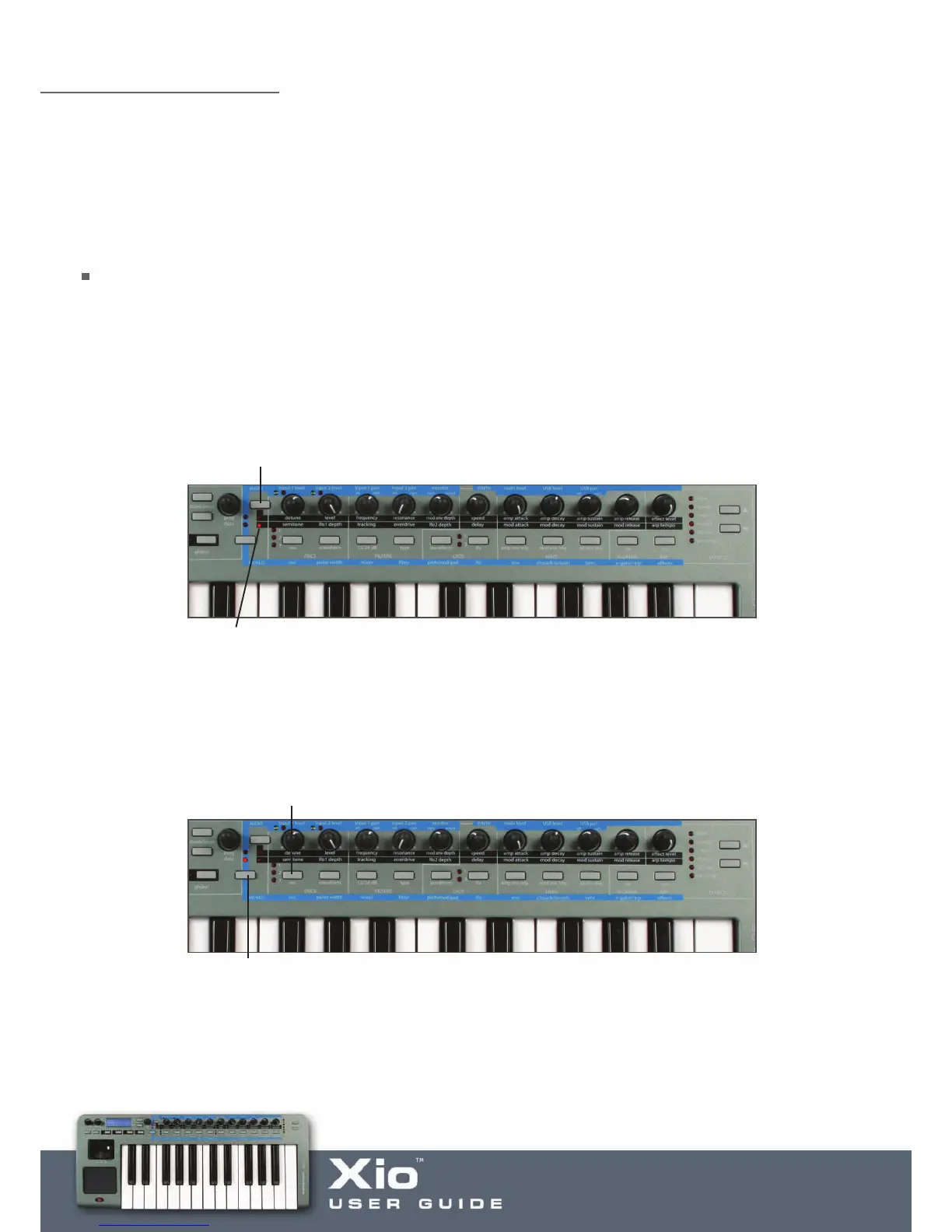
However, as there are only 11 of each, there is a button to change the function of the knobs. With the
top LED illuminated, the knobs modify the upper row of parameters. Pressing the button to the left of the
knobs will then change the knobs function to the lower row of parameters, as follows:
Furthermore, to access the whole host of other Synth parameters available for editing, a serious of different
Menus can be activated. For example, the oscillator section also has Octave select, portamento control and
so on. To access these, the Osc Menu needs to be activated. This is done by pressing the Menus/Audio
button, so that the lower LED lights, and then pr
essing the button directly above ‘osc’ as follows:
If the Menus/Audio button is held for too long, making the upper LED light (activating the Audio parameters
across the knobs), then simply press it again to cancel and then once more to make the lower LED light.
P
ress the Group A/B button to switch the function of the
k
nobs between the upper and lower row of parameters
With the lower LED lit, the bottom row of parameters is active
Press the Menus/Audio button to activate Menus
mode (so that the bottom LED lights). Do not press
and hold the button as this activates Audio mode
Once in Menus mode, press the button above osc (on the blue strip) to activate the Oscillators Menu






 To Next Page