NOVUS AUTOMATION www.fieldlogger.net 52/104
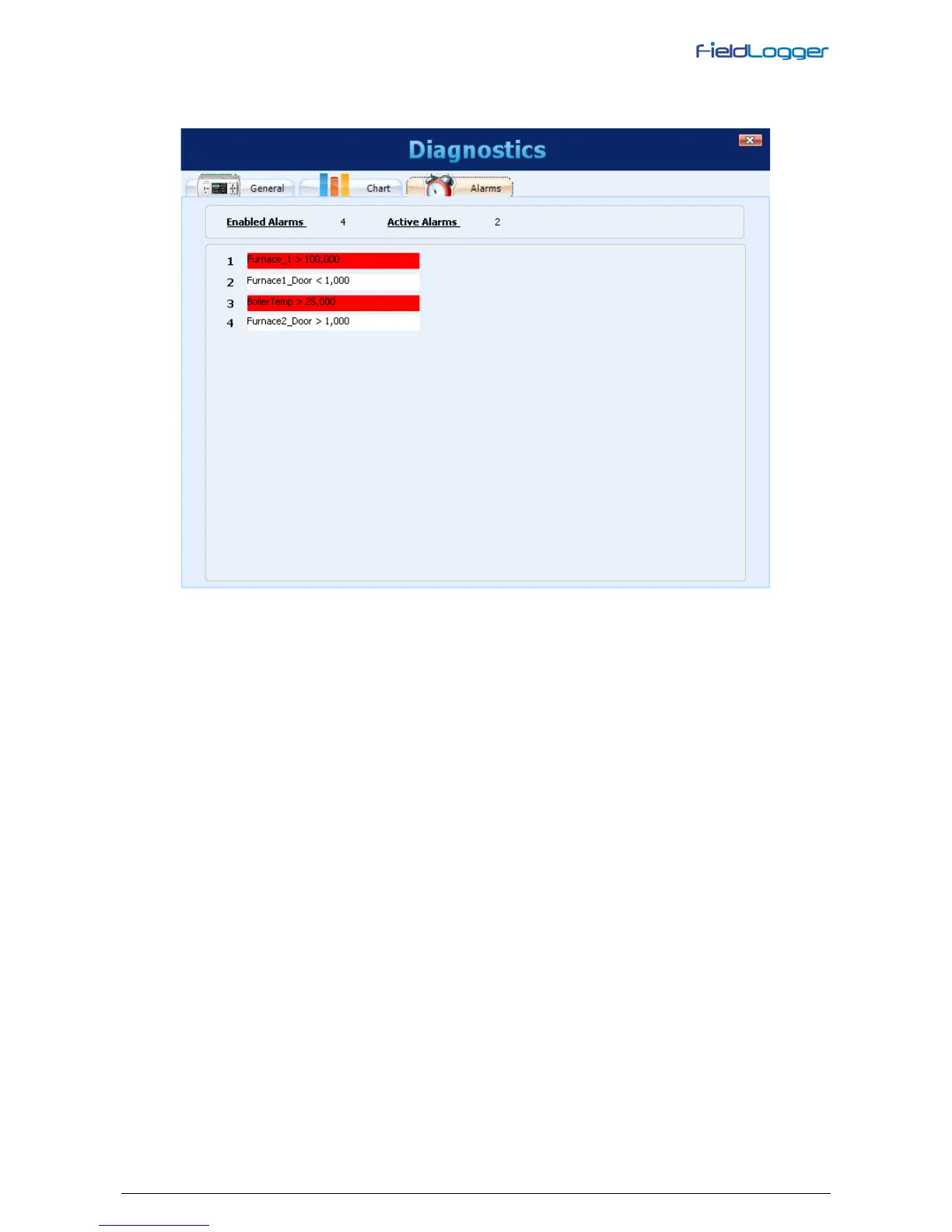
Selecting the Alarms tab, you can check the real-time status of all configured alarms or events. At the top, there is an
indication of how many alarms are enabled and how many are in a state of alarm. In the list below, the settings for each
alarm are shown. If the alarm is active, its configuration is shown in red.
Diagnostics - Monitoring Alarms


 To Next Page