●Language
OSD LanguageSelect your preferred On Screen Display language
You can also select your preferred language of following items by pressing
1st Preferred Subtle
2st Preferred Subtle
1st Preferred Audio
2st Preferred Audio
Digital Teletext Language
Analog Teletext Language
31
Lock: Press the buon to set on or off
Keypad Channel: Press the buon to set on or off
Parental Guidance: Press the to adjust the rang or set off
Change Pin Code: Press the ENTER to change the password
●LCN On/Off Toggle LCN on and off
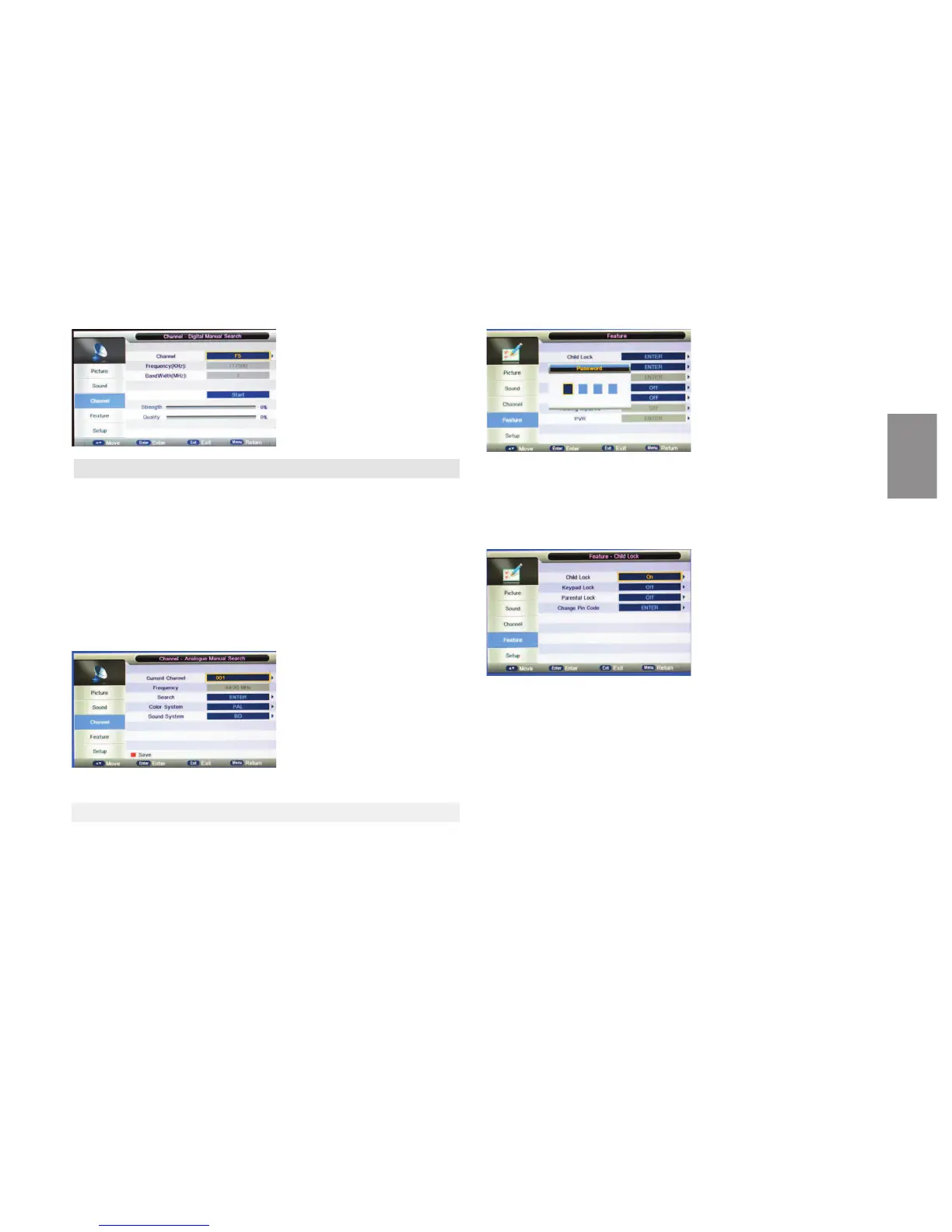
Child Lock
The feature lock prevent unauthorized operaon of the TV ,unless 4-digit
password is entered. The default password is 0000, aer you enter the pass-
word, the Lock Menu is shown.
5.6 ATV MANUAL TUNING
You can manually store analogue channels
Press
◄ / ►buon to select channel.
Press▼/ ▲buon to move the cursor onto ‘search’, press ENTER to start se-
arching
Generally it is not necessary to make adjustments on Color System and Sound
System.
When a channel is found,the searching process will stop,the channel will be
saved with current channel number.
lf the program is not your expected one,please press the
◄ / ► buon to
connue the searching.Press the EXIT buon to exit.
5.7 SETTINGS MENU
ENGLISH



 To Next Page