11
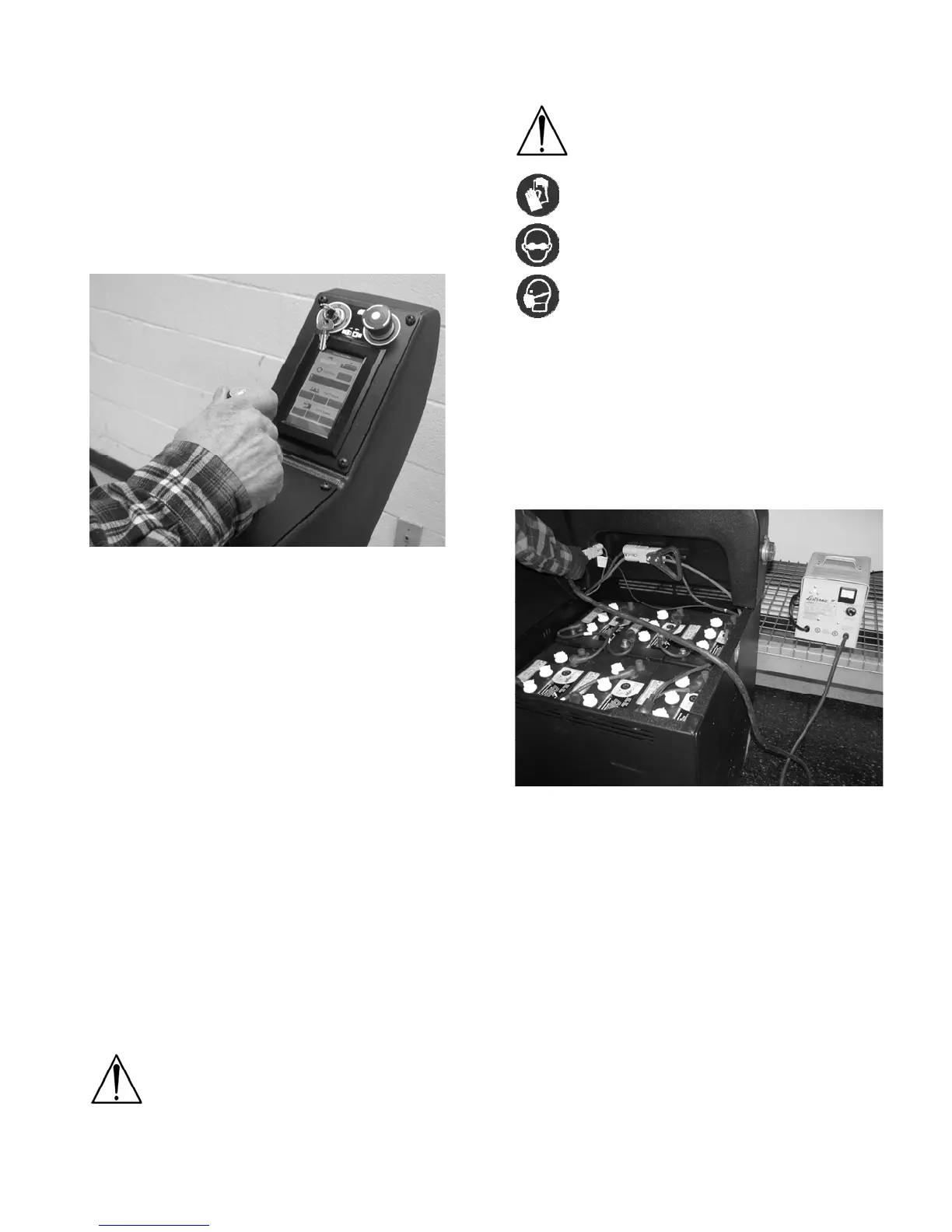
Turn on brush switch located in the Pad Motor
Section of the main screen.
Select pad pressure. The pad pressure will be set
on low when the machine is first turned on. Always
start in low pressure and add pressure as
necessary.
Select the desired burnishing or drive speed. The
drive speed will be on low when the machine is first
turned on. NSS recommends using slow or
medium speed for burnishing. High speed is for
transporting the machine only.
Burnishing the floor
Move the joystick forward to activate the Pad and
Drive Motors. Note: The further the joystick is
moved from center the faster the machine will go.
Always move the joystick slowly to avoid sudden
machine movements.
To maneuver the machine, point the joystick in the
desired direction.
Drive the machine at a speed that produces your
desired burnishing results. Note: It is possible to
drive too fast and reduce the machines
performance.
Drive the machine in a straight path and overlap
the burnishing path by a few inches.
Avoid any floor fixtures or uneven floor transitions
that may damage the pad, pad driver or dust skirt.
Avoid bumping the machine into posts or walls.
For heavily scuffed floors reduce the speed to
ensure optimum burnishing performance.
Pay attention to the AMP meter in the Pad Motor
section of the Main screen. Always run the pad
motor in the middle of the green area. Never run in
the red area.
Bring the machine to a complete stop before getting
off. Operator injury and or machine damage could
occur.
Always remove the key when leaving the machine
unattended.
CAUTION: This Machine must be moving
at all times when the pad is rotating or the
floor may be damaged.
MAINTENANCE
ALWAYS turn OFF the Key Switch and
remove the key before performing any
maintenance or repairs to this machine.
FOR SAFETY: When servicing equipment,
wear appropriate personal protection
equipment as needed.
FOR SAFETY: When servicing batteries,
wear appropriate personal protection
equipment as needed. Avoid contact with
battery acid.
If contact with battery acid occurs:
Skin – Rinse with cold water for 15 minutes.
Eyes – Flush with cold water for 15 minutes.
Internal – Drink lots of water or milk. Seek medical
attention immediately.
Daily Maintenance
Charge the Batteries
Park the machine in a well ventilated area.
Recharge the batteries every day or when
indicated by the Battery Meter.
NEVER let the batteries sit overnight after the
machine has been run for 1hr or more.
NEVER let the electrolyte level fall below the tops
of the plates. This will damage the batteries
immediately, and void the warranty.
Check charger cords for exposed wires and
damaged plugs before using.
To recharge the batteries, connect the charger cord
with the Anderson connector into the Anderson
connector on the machine under the seat plate.
Plug the battery charger into an electrical outlet.
Charge the batteries with the Seat Plate open.
Important: It can take up to 16 hours to charge the
batteries. Be sure to allow plenty of time for
charging to avoid damaging your batteries.
See charging instructions for more details.




 To Next Page