EasyManua.ls Logo

NTI ENVIROMUX E-16D - User Manual

Default Icon
150 pages
Print Icon
To Next Page IconTo Next Page
Loading...
MAN154 Rev Date 4/30/2020
E-16D/-5D/-2D
Enterprise Environment Monitoring System
Installation and Operation Manual
ENVIROMUX
®
Series
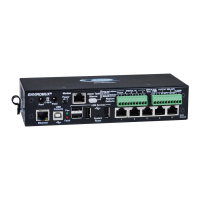
Front View of E-5D
Front View of E-2D
Front and Rear View of E-16D

Table of Contents

Other manuals for NTI ENVIROMUX E-16D

Questions and Answers

  • M
    marcus39Aug 17, 2025
    Why can't I access ENVIROMUX Measuring Instruments by NTI through my browser?
    • A
      Aaron RamirezAug 17, 2025
      There might be several reasons why you cannot access the ENVIROMUX through your browser. First, the browser you are using might not be supported. Second, you may be trying to connect to the wrong IP address; ensure you are typing the correct IP address into the browser's URL field, using the Discovery Tool to identify it if unknown. Third, you might not be authorized; in this case, you should consult the administrator for your username and password.
  • E
    elizabeth03Aug 20, 2025
    Why am I not receiving e-mail alert messages from my NTI ENVIROMUX E-16D Measuring Instruments?
    • N
      njohnsonAug 20, 2025
      If you are not receiving email alert messages from your NTI Measuring Instruments ENVIROMUX, there are several potential causes. First, check that the Ethernet cable is properly connected. Second, ensure that the correct IP address is provided for the SMTP server by checking all Network Settings. Third, verify that your user profile is correctly configured, including selected groups and correct contact settings. Finally, check the SMTP server policies for any restrictions on the email address.
  • A
    amandasullivanAug 22, 2025
    What to do if the Device Discovery tool will not work for NTI ENVIROMUX E-16D Measuring Instruments?
    • D
      Deanna HarmonAug 22, 2025
      If the Device Discovery tool for your NTI Measuring Instruments ENVIROMUX is not working, it could be due to a couple of reasons. Ensure that Java is installed on your computer. If Java is already installed, verify that your PC and the ENVIROMUX are on the same physical network.
  • J
    Jeffrey CaldwellAug 25, 2025
    Why is Ethernet cascading not working on my NTI Measuring Instruments?
    • M
      Matthew SalazarAug 26, 2025
      If Ethernet cascading is not working on your NTI Measuring Instruments ENVIROMUX, ensure that the correct IP address of the Slave unit is entered into the Master configuration. Also, make sure the Slave is configured as “Ethernet Slave”. If you are behind a firewall, ensure that port 5919 is open to allow the ENVIROMUX to pass data through.
  • A
    Anthony JonesAug 28, 2025
    Why is the beacon not illuminating on my NTI ENVIROMUX E-16D?
    • K
      Kristina VincentAug 28, 2025
      If the beacon is not illuminating on your NTI Measuring Instruments ENVIROMUX, check the wire connections to ensure they are properly connected. Also, verify that the beacon is rated at 12VDC, 180mA or less. Finally, ensure that the sensor is configured to power-ON the beacon by checking the sensor configuration and making sure Beacon is selected under “Alert Notifications”.
  • J
    Joe GomezAug 31, 2025
    Why is the siren not making noise on my NTI Measuring Instruments?
    • S
      srowlandAug 31, 2025
      If the siren is not making noise on your NTI Measuring Instruments ENVIROMUX, check the wire connections to ensure they are properly connected. Also, verify that the siren is rated at 12VDC, 180mA or less. Finally, ensure that the sensor is configured to power- ON the siren by checking the sensor configuration and making sure Siren is selected under “Alert Notifications”.
  • S
    Steven CooperSep 2, 2025
    What does it mean if the “Pwr” LED is blinking on NTI ENVIROMUX E-16D Measuring Instruments?
    • G
      gregoryolsenSep 2, 2025
      If the “Pwr” LED is blinking on your NTI Measuring Instruments ENVIROMUX (E-16D only), it could indicate two different states. If it's blinking once per second, it means the power is OFF, and the battery backup is powering the ENVIROMUX; in this case, restore AC power to the ENVIROMUX. If it's blinking rapidly, it means the discovery tool is in use; close the Discovery Tool to stop the blinking.
  • J
    Jose ShawSep 5, 2025
    What to do if ENVIROMUX Measuring Instruments by NTI will not recognize sensor?
    • C
      Cynthia RaymondSep 5, 2025
      If your NTI Measuring Instruments ENVIROMUX will not recognize a sensor, it might be because the previously used sensor port was never cleared from memory upon removal. To resolve this, click on “???” in the summary page, then click on “Configure “ button, and finally click on “Remove” at the bottom of the Configure page to remove the sensor and clear the port.
  • W
    williamsloganSep 8, 2025
    Why doesn't the sensor page display current readings on my NTI ENVIROMUX E-16D Measuring Instruments?
    • W
      Wendy MurraySep 8, 2025
      If the sensor page on your NTI Measuring Instruments ENVIROMUX does not display the current readings, it may be because Java scripts cannot be displayed due to Java not being enabled in your browser. To fix this, enable Java Scripts and Java in your browser settings.
  • A
    Andrew MuellerSep 12, 2025
    Why does the sensor status alternate between “normal” and “no answer” on NTI Measuring Instruments?
    • A
      anitaadamsSep 12, 2025
      If the sensor status alternates between “normal” and “no answer” on the summary page and you are receiving alert notifications about sensors being disconnected and then reconnected, it is likely due to electronic noise being induced into the sensor cables. This noise causes errors in RS485 communication between the ENVIROMUX and the sensor. To resolve this, change the unshielded CATx cable to the RJ45 sensor(s) to shielded cable to reduce the noise being introduced.

Summary

INTRODUCTION

Features Overview

Details the ENVIROMUX's multiplatform support, user capabilities, and alert methods.

FEATURES AND FUNCTIONS

Front Panel Interface and Connectors

Describes front panel LEDs, buttons, and various connectors for sensors and peripherals.

INSTALLATION

Mounting Instructions

Details rack mounting for E-16D and E-5D/-2D, including DIN rail options.

Sensor Attachment

RJ45 Sensor Ports

How to connect sensors via RJ45 connectors, including power limitations.

Digital In Terminals

Connecting contact sensors via terminal blocks, including voltage and current limits.

Serial and Ethernet Connectivity

Establishing serial (RS232/USB) and Ethernet connections for control.

Power Connection-E-16 D

Power Connection- E-5 D;-2 D

OVERVIEW - USE AND OPERATION

User Management and Alerts

Managing users and configuring alert settings.

DEVICE DISCOVERY TOOL

USE AND OPERATION VIA WEB INTERFACE

Log In and Enter Password

Steps to log into the ENVIROMUX web interface using username and password.

Monitoring Functions

Alarm Information

Lists all sensors that are currently in an alarm state.

Summary Page Display

Displays data for all monitored items, categorized by type.

External Sensor Status

Information about external sensors connecting via RJ45.

Alarm Summary

Sensor Alert Settings

Configuring alert delay, thresholds, and notification methods for sensors.

External Sensors

RS485 Sensor Management

How RS485 sensors are detected and managed via the web interface.

Contact Sensors

Adding and Configuring Contact Sensors

How to add and configure contact sensors to RJ45 ports or Digital Inputs.

Digital Inputs

Monitor Output Relay

IP Devices

IP Sensors

SNMP Sensors

Events for Smart Alerts

Administration

System Configuration

Configuring system settings like time, date, NTP, and language.

Network Setup

Configuring network settings like IP, DNS, and DHCP.

User Configuration

Managing user accounts, privileges, and contact settings.

Security Configuration

Configuring security settings including authentication and IP filtering.

Firmware Update

Procedure for updating the ENVIROMUX firmware.

Reboot the System

Smart Alerts

Event Configuration

Defining and configuring events to trigger Smart Alerts.

Smart Alert Configuration

Configuring Smart Alerts using events or sensor data and logical functions.

LOG Management

FRONT PANEL CONTROLS AND LED INDICATORS

BATTERY BACKUP

USB and Serial Connectivity

E-16 D SPECIFICATIONS

E-5 D SPECIFICATIONS

E-2 D SPECIFICATIONS

WIRING METHODS

TROUBLESHOOTING

Common Problems and Solutions

A guide to common issues and their resolutions.

NTI ENVIROMUX E-16D Specifications

General IconGeneral
ModelENVIROMUX E-16D
Product TypeEnvironmental Monitoring System
Number of Sensor Ports16
Communication InterfaceEthernet
Temperature SensorsSupported
Humidity SensorsSupported
Sensor Types SupportedTemperature, Humidity, Water, Dry Contact
ProtocolsHTTP, HTTPS, SNMP, SMTP
Alerts viaEmail, SMS, SNMP
Operating Temperature0°C to 50°C (32°F to 122°F)
Humidity Range0% to 95% non-condensing
MountingRack mountable (1U)

Related product manuals