NTI ENTERPRISE ENVIRONMENT MONITORING SYSTEM
75
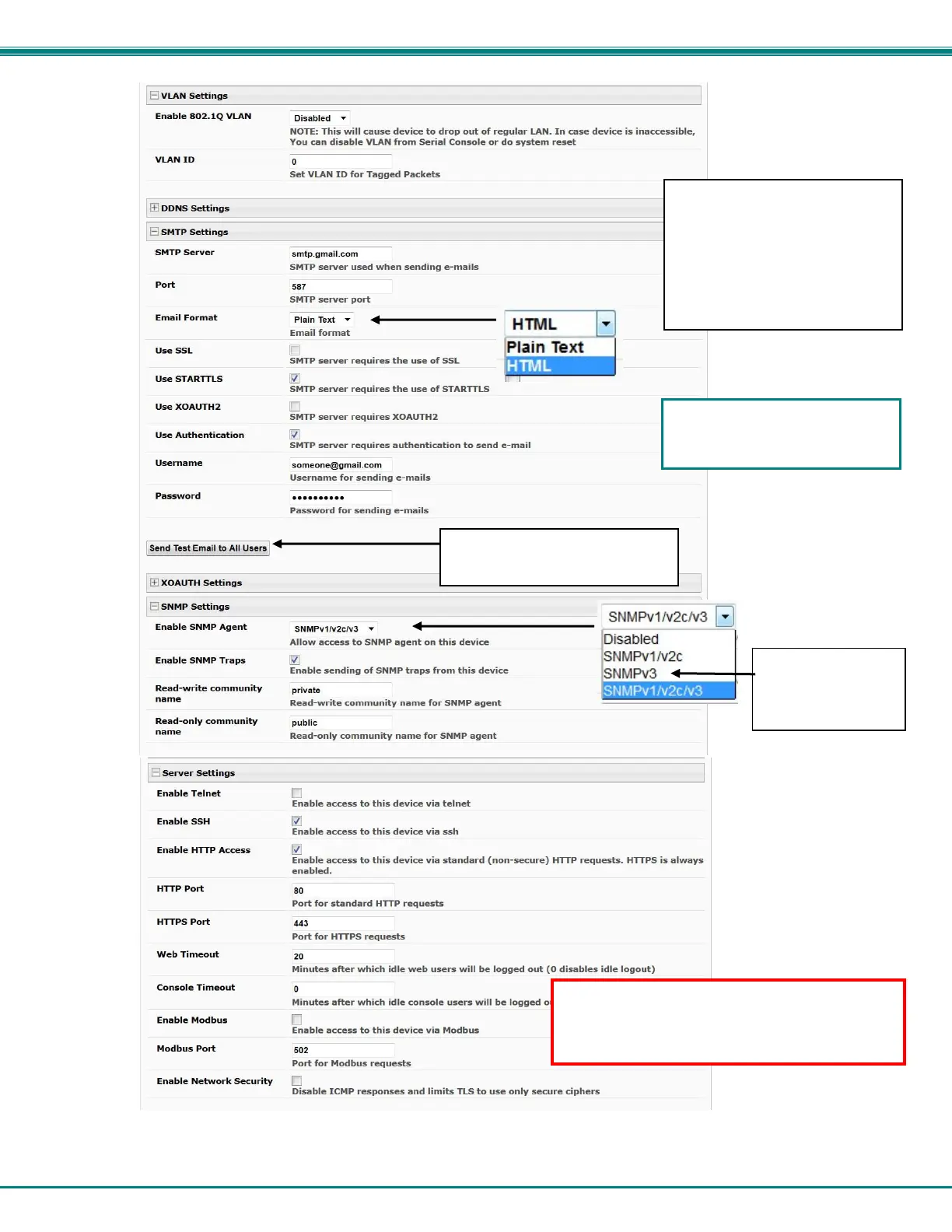
Figure 85- Configure SMTP, SNMP, and security settings
Common SMTP Port numbers:
Default: 25 (Not secure)
SSL: 465 (Secure)
TLS: 587 (Secure)
Contact your network
administrator for required
settings.
For a guide to setting up the
ENVIROMUX for sending email
messages, see page 119.
For maximum
security for SNMP
messages, use
“SNMPv3”
If the ENVIROMUX is going to be behind a
firewall (router) ensure the ports needed are
set to open for network access. See
com
lete list of
orts on
a
e 167.
Use this button to send a test
email to all configured users.



 To Next Page