EasyManua.ls Logo

NTI ENVIROMUX Series User Manual

NTI ENVIROMUX Series
150 pages
To Next Page IconTo Next Page
Page #1 background imageLoading...
Page #1 background image
MAN154 Rev Date 4/30/2020
E-16D/-5D/-2D
Enterprise Environment Monitoring System
Installation and Operation Manual
ENVIROMUX
®
Series
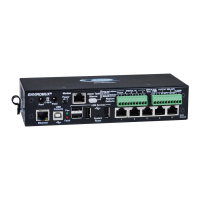
Front View of E-5D
Front View of E-2D
Front and Rear View of E-16D

Table of Contents

Other manuals for NTI ENVIROMUX Series

Questions and Answers:

NTI ENVIROMUX Series Specifications

General IconGeneral
Product TypeEnvironmental Monitoring System
Temperature Range-40°C to 85°C
Power Supply12V DC or 24V AC
Network InterfaceEthernet 10/100 Mbps
Alarm NotificationsEmail, SNMP
Sensor Types SupportedTemperature, Humidity, Water, Airflow
Power12V DC or 24V AC
Operating Temperature-40°C to 85°C
MountingWall or Rack Mount
Communication InterfacesEthernet
Data LoggingYes
ComplianceCE, RoHS

Summary

Introduction

Installation and Connectivity

Mounting and Physical Setup

Instructions for rack mounting E-16D, E-5D, E-2D units and DIN rail installation.

Sensor and Device Connections

Connecting various sensors, digital inputs, and output devices to ENVIROMUX.

Network and Serial Communication

Setting up Ethernet, RS232, modem, and console connections for control and alerts.

System Operation and Interface

Overview of Use and Operation

General overview of ENVIROMUX control interfaces and features.

Device Discovery Tool

Tool for locating NTI devices and configuring network settings.

Web Interface Navigation and Login

Accessing and logging into the ENVIROMUX web interface.

System Configuration and Management

System and Network Settings

Configuring time, NTP, backup, network, enterprise, and firmware update settings.

User and Security Management

Managing user accounts, privileges, LDAP, RADIUS, and IP filtering.

Firmware Updates

Process for updating the ENVIROMUX firmware to the latest version.

Alerts and Troubleshooting

Smart Alerts Configuration

Setting up custom events and smart alerts for advanced notifications.

Troubleshooting Common Issues

Solutions for common operational problems and error messages.

Device Specifications

E-16D Hardware Specifications

Detailed specifications for E-16D ports, power, and physical dimensions.

E-5D Hardware Specifications

Detailed specifications for E-5D ports, power, and physical dimensions.

E-2D Hardware Specifications

Detailed specifications for E-2D ports, power, and physical dimensions.

Related product manuals