
EasyManua.ls Logo

NTI ENVIROMUX-16D - User Manual

NTI ENVIROMUX-16D
135 pages
Print Icon
To Next Page IconTo Next Page
Loading...
MAN154 Rev Date 1/30/2014
ENVIROMUX-16D/-5D/-2D
Enterprise Environment Monitoring System
Installation and Operation Manual
ENVIROMUX
®
Series
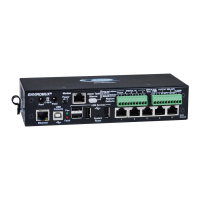
Front View of ENVIROMUX-5D
Front View of ENVIROMUX-2D
Front and Rear View of ENVIROMUX-16D

Table of Contents

Other manuals for NTI ENVIROMUX-16D

Questions and Answers

  • J
    Jaclyn LewisAug 17, 2025
    Why am I not receiving email alert messages from my NTI Measuring Instruments?
    • J
      johnnyrothAug 17, 2025
      There might be several reasons why you are not receiving email alerts from your NTI Measuring Instruments ENVIROMUX. It could be due to a disconnected Ethernet cable, so check your Ethernet cable connections. Ensure that the IP address provided for the SMTP server is correct. Verify that your user profile is correctly configured, including group selections and contact settings. Also, the email address might not be accepted by the SMTP server due to server restrictions; check the SMTP server's policies.
  • K
    Kristy CantuAug 19, 2025
    Why can't I access ENVIROMUX NTI Measuring Instruments through my browser?
    • J
      John GarciaAug 19, 2025
      If you cannot access the NTI Measuring Instruments ENVIROMUX through your browser, there are a few potential causes. First, the browser you are using might not be supported. Also, you might be trying to connect to the wrong IP address; ensure you're typing the correct IP address into your browser's URL field. Lastly, it's possible that your user account is not authorized; contact your administrator for the correct username and password.
  • R
    Roger HickmanAug 22, 2025
    Why is the Device Discovery tool not working for my NTI Measuring Instruments?
    • J
      Jeanette MartinezAug 22, 2025
      If the Device Discovery tool isn't working for your NTI Measuring Instruments ENVIROMUX, it could be due to a couple of reasons. First, Java might not be installed on your system. Make sure you download and install Java. Another reason could be that your PC and the ENVIROMUX are on different physical networks; ensure they are both on the same physical network.
  • M
    matthew16Aug 25, 2025
    What to do if I cannot access ENVIROMUX user interface with direct Ethernet connection on NTI Measuring Instruments?
    • Z
      Zachary CastilloAug 26, 2025
      If you're unable to access the ENVIROMUX user interface with a direct Ethernet connection for your NTI Measuring Instruments, it could be because Telnet is not enabled. You must enable Telnet through the web interface. Another possible cause is that the cable is not wired correctly; ensure the cable is wired pin-to-pin (1 to 1, 2 to 2, etc.).
  • S
    Stephanie CooperAug 27, 2025
    What to do if ENVIROMUX NTI Measuring Instruments will not recognize sensor?
    • C
      Charles AlvarezAug 27, 2025
      If your NTI Measuring Instruments ENVIROMUX is not recognizing a sensor, it could be that the previously used sensor port was never cleared from memory upon removal. To resolve this, click on “???” in the summary page, then click on “Configure“ button, and then click on “Remove” at the bottom of the Configure page to remove the sensor and clear the port.
  • L
    lori04Aug 30, 2025
    What does it mean if the “Pwr” LED is blinking on my ENVIROMUX-16D NTI Measuring Instruments?
    • M
      mark77Aug 30, 2025
      If the “Pwr” LED is blinking on your ENVIROMUX-16D NTI Measuring Instruments, it indicates a specific condition. A blink rate of 1/sec means the power is off, and the battery backup is powering the ENVIROMUX; restore AC power to resolve this. Rapid blinking indicates the discovery tool is in use; there is nothing wrong, simply close the Discovery Tool to stop the blinking.
  • A
    Ashley BarrSep 2, 2025
    Why do sensors connected to RJ45 Sensor ports stop working on my NTI Measuring Instruments?
    • E
      Edward FlynnSep 2, 2025
      If sensors connected to the RJ45 Sensor ports stop working on your NTI Measuring Instruments ENVIROMUX, it may be because the sensors applied collectively exceed the current rating. Disconnect the sensors and wait approximately 10 minutes for the fuse inside the ENVIROMUX to reset. For ENVIROMUX-16D, ensure the load of all 8 sensors per row does not exceed 500 mA.
  • L
    Laura ThompsonSep 5, 2025
    How to troubleshoot not receiving e-mail alert messages on NTI Measuring Instruments?
    • K
      Kyle NicholsSep 5, 2025
      There might be several reasons why you are not receiving email alerts from your NTI Measuring Instruments ENVIROMUX. It could be due to a disconnected Ethernet cable, so check your Ethernet cable connections. Ensure that the IP address provided for the SMTP server is correct. Verify that your user profile is correctly configured, including group selections and contact settings. Also, the email address might not be accepted by the SMTP server due to server restrictions; check the SMTP server's policies.
  • B
    Brandon BanksSep 7, 2025
    What to do if the beacon is not illuminating on NTI Measuring Instruments?
    • T
      Todd WilliamsSep 8, 2025
      If the beacon is not illuminating on your NTI Measuring Instruments, check the wire connections to ensure they are properly connected. Make sure the beacon is rated at 12VDC, 180mA or less. Also, verify the sensor configuration to ensure the beacon is selected under “Alert Notifications” (-16D).
  • S
    Sandy HernandezSep 10, 2025
    What to do if the siren is not making noise on NTI Measuring Instruments?
    • M
      mooregregorySep 12, 2025
      If the siren is not making noise on your NTI Measuring Instruments, check the wire connections to ensure they are properly connected. Ensure the siren in use is rated at 12VDC, 180mA or less. Also, check the sensor configuration to ensure the siren is selected under “Alert Notifications” (-16D).

Summary

INSTALLATION

Sensor Attachment

Guides on connecting various sensors to the ENVIROMUX via RJ45 or terminal blocks.

SYSTEM OPERATION

Sensors

Describes the types of sensors supported and how they connect to the ENVIROMUX.

Alerts

Details how to configure alerts and the various notification methods available.

Use and Operation via Web Interface

Details logging into and navigating the web interface for system monitoring and configuration.

Summary Page

Describes the summary page for an at-a-glance overview of monitored system status.

CONFIGURATION

RS485 Sensors

Details the types of RS485 sensors supported and how they are managed by the ENVIROMUX.

Contact Sensors

Guides on adding and configuring contact sensors connected via RJ45 or Digital Input terminals.

Digital Inputs

Explains the configuration of digital input sensors connected via terminal blocks.

Monitor Output Relay

Details how to monitor and control external devices connected to the ENVIROMUX output relays.

IP Devices

Covers monitoring IP addresses, configuring ping settings, and setting up alerts for IP devices.

Administration

Covers system-wide settings including network, users, groups, security, and firmware updates.

System Configuration

Explains time settings, configuration backup/restore, and language selection options.

Security

Details user authentication methods (Local, LDAP, X509) and IP Filtering for system security.

IP Filtering

Explains how to configure IP rules to control network access to the ENVIROMUX.

ADVANCED FEATURES

Smart Alerts

Covers configuring custom alert scenarios using events and logical functions for advanced notifications.

TROUBLESHOOTING

Troubleshooting Chart

Lists common problems, their causes, and solutions for resolving ENVIROMUX operational issues.

NTI ENVIROMUX-16D Specifications

General IconGeneral
BrandNTI
ModelENVIROMUX-16D
CategoryMeasuring Instruments
LanguageEnglish

Related product manuals