EasyManua.ls Logo

NTI ENVIROMUX E-2D - User Manual

Default Icon
150 pages
Print Icon
To Next Page IconTo Next Page
Loading...
MAN154 Rev Date 4/30/2020
E-16D/-5D/-2D
Enterprise Environment Monitoring System
Installation and Operation Manual
ENVIROMUX
®
Series
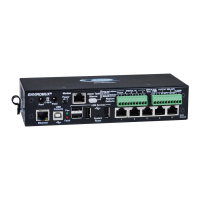
Front View of E-5D
Front View of E-2D
Front and Rear View of E-16D

Table of Contents

Other manuals for NTI ENVIROMUX E-2D

Questions and Answers

  • E
    Elizabeth TaylorAug 17, 2025
    Why can't I access ENVIROMUX Measuring Instruments by NTI through my browser?
    • J
      Jennifer BurnsAug 17, 2025
      There might be several reasons why you cannot access the ENVIROMUX through your browser. First, the browser you are using might not be supported. Second, you may be trying to connect to the wrong IP address; ensure you are typing the correct IP address into the browser's URL field, using the Discovery Tool to identify it if unknown. Third, you might not be authorized; in this case, you should consult the administrator for your username and password.
  • S
    Stephanie SandersAug 20, 2025
    Why am I not receiving e-mail alert messages from my NTI ENVIROMUX E-2D?
    • M
      Monica DavisAug 20, 2025
      If you are not receiving email alert messages from your NTI Measuring Instruments ENVIROMUX, there are several potential causes. First, check that the Ethernet cable is properly connected. Second, ensure that the correct IP address is provided for the SMTP server by checking all Network Settings. Third, verify that your user profile is correctly configured, including selected groups and correct contact settings. Finally, check the SMTP server policies for any restrictions on the email address.
  • S
    Samuel GarciaAug 22, 2025
    What to do if the Device Discovery tool will not work for NTI ENVIROMUX E-2D?
    • E
      ejohnsonAug 22, 2025
      If the Device Discovery tool for your NTI Measuring Instruments ENVIROMUX is not working, it could be due to a couple of reasons. Ensure that Java is installed on your computer. If Java is already installed, verify that your PC and the ENVIROMUX are on the same physical network.
  • M
    manningdebraAug 26, 2025
    Why is Ethernet cascading not working on my NTI ENVIROMUX E-2D Measuring Instruments?
    • J
      Jessica IbarraAug 26, 2025
      If Ethernet cascading is not working on your NTI Measuring Instruments ENVIROMUX, ensure that the correct IP address of the Slave unit is entered into the Master configuration. Also, make sure the Slave is configured as “Ethernet Slave”. If you are behind a firewall, ensure that port 5919 is open to allow the ENVIROMUX to pass data through.
  • S
    Stephen KelleyAug 28, 2025
    Why is the beacon not illuminating on my NTI Measuring Instruments?
    • E
      Eric DavidsonAug 28, 2025
      If the beacon is not illuminating on your NTI Measuring Instruments ENVIROMUX, check the wire connections to ensure they are properly connected. Also, verify that the beacon is rated at 12VDC, 180mA or less. Finally, ensure that the sensor is configured to power-ON the beacon by checking the sensor configuration and making sure Beacon is selected under “Alert Notifications”.
  • R
    Ryan OliverAug 30, 2025
    Why is the siren not making noise on my NTI ENVIROMUX E-2D?
    • E
      erikareevesAug 31, 2025
      If the siren is not making noise on your NTI Measuring Instruments ENVIROMUX, check the wire connections to ensure they are properly connected. Also, verify that the siren is rated at 12VDC, 180mA or less. Finally, ensure that the sensor is configured to power- ON the siren by checking the sensor configuration and making sure Siren is selected under “Alert Notifications”.
  • E
    Elizabeth MonroeSep 2, 2025
    What does it mean if the “Pwr” LED is blinking on NTI ENVIROMUX E-2D Measuring Instruments?
    • K
      kylemahoneySep 2, 2025
      If the “Pwr” LED is blinking on your NTI Measuring Instruments ENVIROMUX (E-16D only), it could indicate two different states. If it's blinking once per second, it means the power is OFF, and the battery backup is powering the ENVIROMUX; in this case, restore AC power to the ENVIROMUX. If it's blinking rapidly, it means the discovery tool is in use; close the Discovery Tool to stop the blinking.
  • G
    Gregory WilliamsSep 5, 2025
    What to do if ENVIROMUX Measuring Instruments by NTI will not recognize sensor?
    • T
      Taylor FrazierSep 5, 2025
      If your NTI Measuring Instruments ENVIROMUX will not recognize a sensor, it might be because the previously used sensor port was never cleared from memory upon removal. To resolve this, click on “???” in the summary page, then click on “Configure “ button, and finally click on “Remove” at the bottom of the Configure page to remove the sensor and clear the port.
  • J
    James YorkSep 8, 2025
    Why doesn't the sensor page display current readings on my NTI ENVIROMUX E-2D?
    • C
      christinabuckSep 8, 2025
      If the sensor page on your NTI Measuring Instruments ENVIROMUX does not display the current readings, it may be because Java scripts cannot be displayed due to Java not being enabled in your browser. To fix this, enable Java Scripts and Java in your browser settings.
  • G
    gomezmarkSep 12, 2025
    Why does the sensor status alternate between “normal” and “no answer” on NTI ENVIROMUX E-2D?
    • H
      harriscynthiaSep 12, 2025
      If the sensor status alternates between “normal” and “no answer” on the summary page and you are receiving alert notifications about sensors being disconnected and then reconnected, it is likely due to electronic noise being induced into the sensor cables. This noise causes errors in RS485 communication between the ENVIROMUX and the sensor. To resolve this, change the unshielded CATx cable to the RJ45 sensor(s) to shielded cable to reduce the noise being introduced.

Summary

Introduction to ENVIROMUX

Key Features and Functions

Overview of ENVIROMUX capabilities, ports, LEDs, and control methods.

INSTALLATION AND SETUP

Physical Mounting and Hardware

Instructions for rack, wall, and DIN rail mounting of ENVIROMUX units.

Sensor and Device Connections

Connecting sensors (RJ45, Digital In), alarms, output devices, and power.

Network and Serial Connectivity

Setting up Ethernet, RS232, modem, and USB connections.

Power Supply Options

Details on E-16D dual/DC power and E-5D/-2D AC adapter connections.

SYSTEM OPERATION AND MANAGEMENT

Operational Overview

General usage, sensors, IP assignment, user management, and alerts.

Data Logging and Alerting

Configuring data logs, email, Syslog, SNMP, and modem alerts.

Web Interface Access and Navigation

Logging in, accessing the summary page, and understanding the web interface.

Monitoring Device Status

Real-time status of sensors, IP devices, cameras, and power supplies.

System Administration

Configuring system settings, network, users, security, firmware, and cascading.

Smart Alert Configuration

Creating custom alerts based on events and logical functions.

NTI ENVIROMUX E-2D Specifications

General IconGeneral
ModelENVIROMUX E-2D
Dimensions4.5" x 3.5" x 1.25" (114mm x 89mm x 32mm)
Weight0.5 lbs (0.23 kg)
Number of RJ45 ports1
Frequency50/60 Hz
Power Consumption3W
EnclosurePlastic
TypeEnvironmental Monitoring Device
Input Channels2
Humidity Range0 to 100% RH
Network InterfaceEthernet
ProtocolsHTTP, SNMP, SMTP
Remote ManagementWeb browser interface
Storage Temperature-40 to 85 °C
Humidity0 to 100% RH
MountingWall Mount
ComplianceCE, FCC, RoHS

Related product manuals