NTI ENTERPRISE ENVIRONMENT MONITORING SYSTEM
23
Remote RS232 Device Control
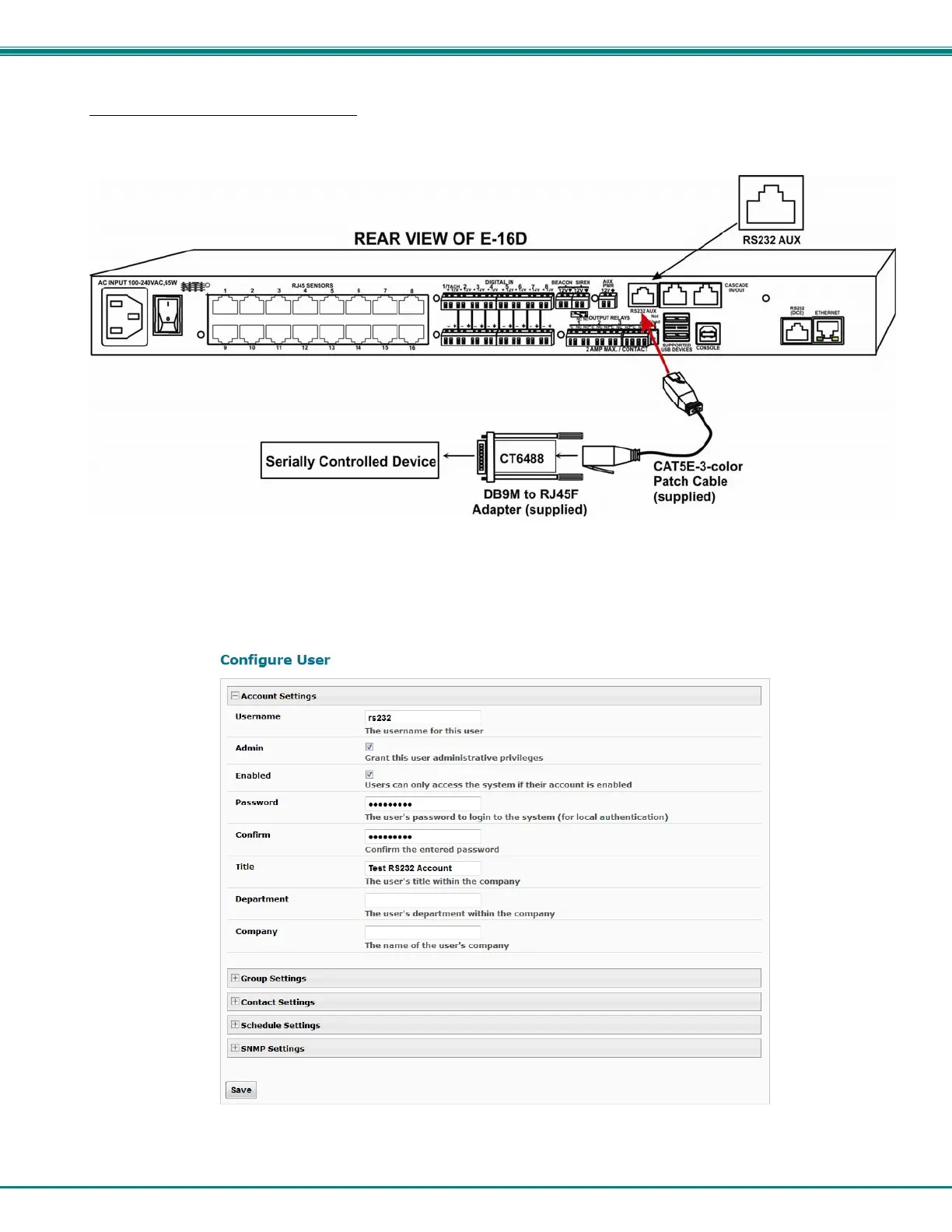
The “RS232 AUX” port can be used to connect a remote serially-controlled device (E-5D and -16D only). Once connected, a
user named “rs232” can login to the ENVIROMUX from a command prompt and begin sending commands directly to the serial
device.
Figure 24- Connect serially controlled device
To control a remote serially-controlled device from the “RS232 AUX” port:
1. Configure the “Auxiliary Serial Port” under System Configuration (page 68) as a Remote Serial Port with the correct
parameters for communication with the device.
2. Setup a user named “rs232” (must be lowercase letters) with password under User Configuration (page 82)
Figure 25- Create user "rs232"



 To Next Page