NTI ENTERPRISE ENVIRONMENT MONITORING SYSTEM
24
3. Open a SSH client program (Putty, Tera Term, etc.), connect to the ENVIROMUX by entering the IP address of the
ENVIROMUX.
Note: Make sure your SSH client is a recent version. Older SSH clients will not work with the ENVIROMUX.
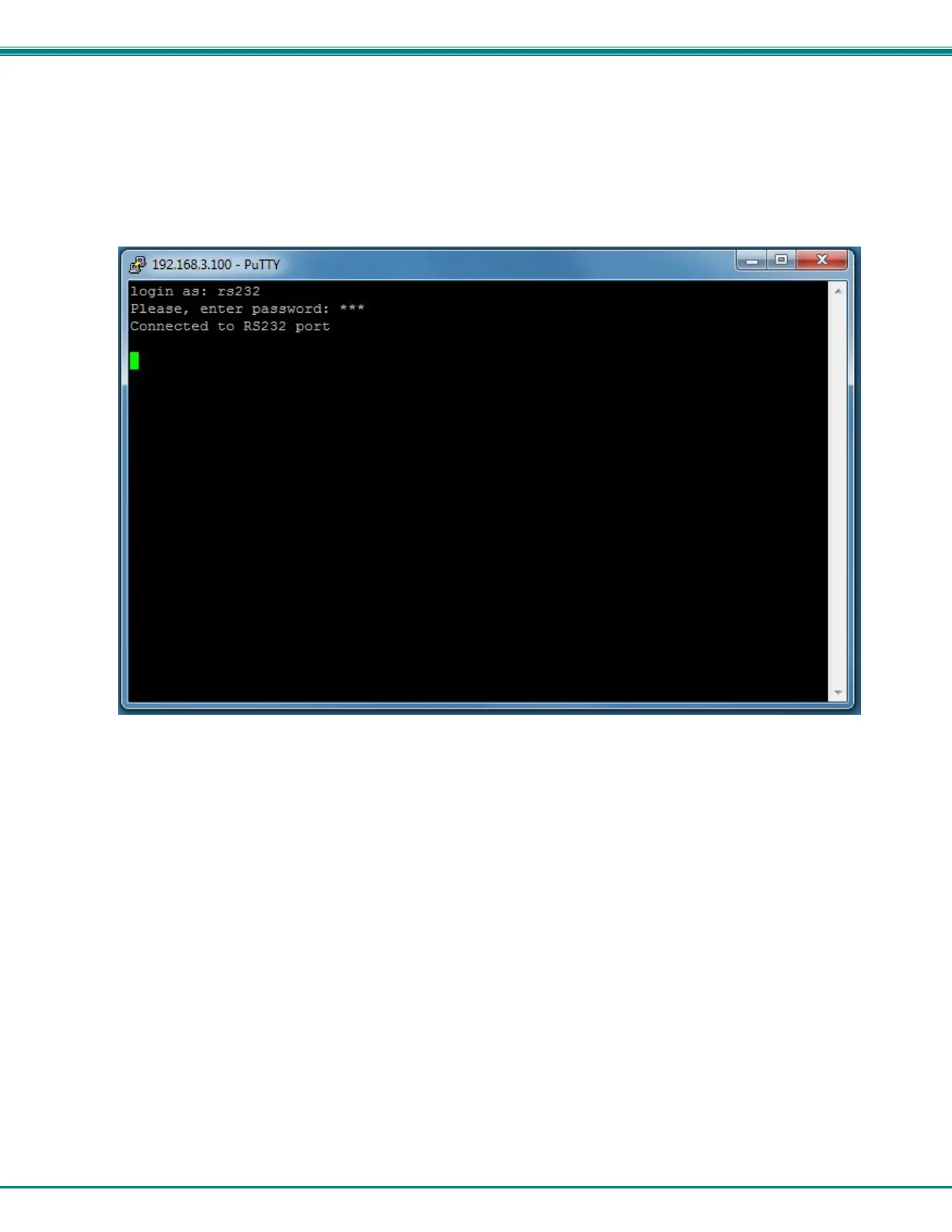
4. When prompted for a login, enter “rs232”.
5. When prompted, enter the password you have assigned.
With a successful login you will receive the message “Connected to RS232 port”. You are now ready to send commands
directly to the connected serially controlled device.
Figure 26- Connection to serial device successful
To exit the connection, close the command window.



 To Next Page