Operating Instruction and Documentation
MCS 7500 Flex (Bluetooth)
- 18 -
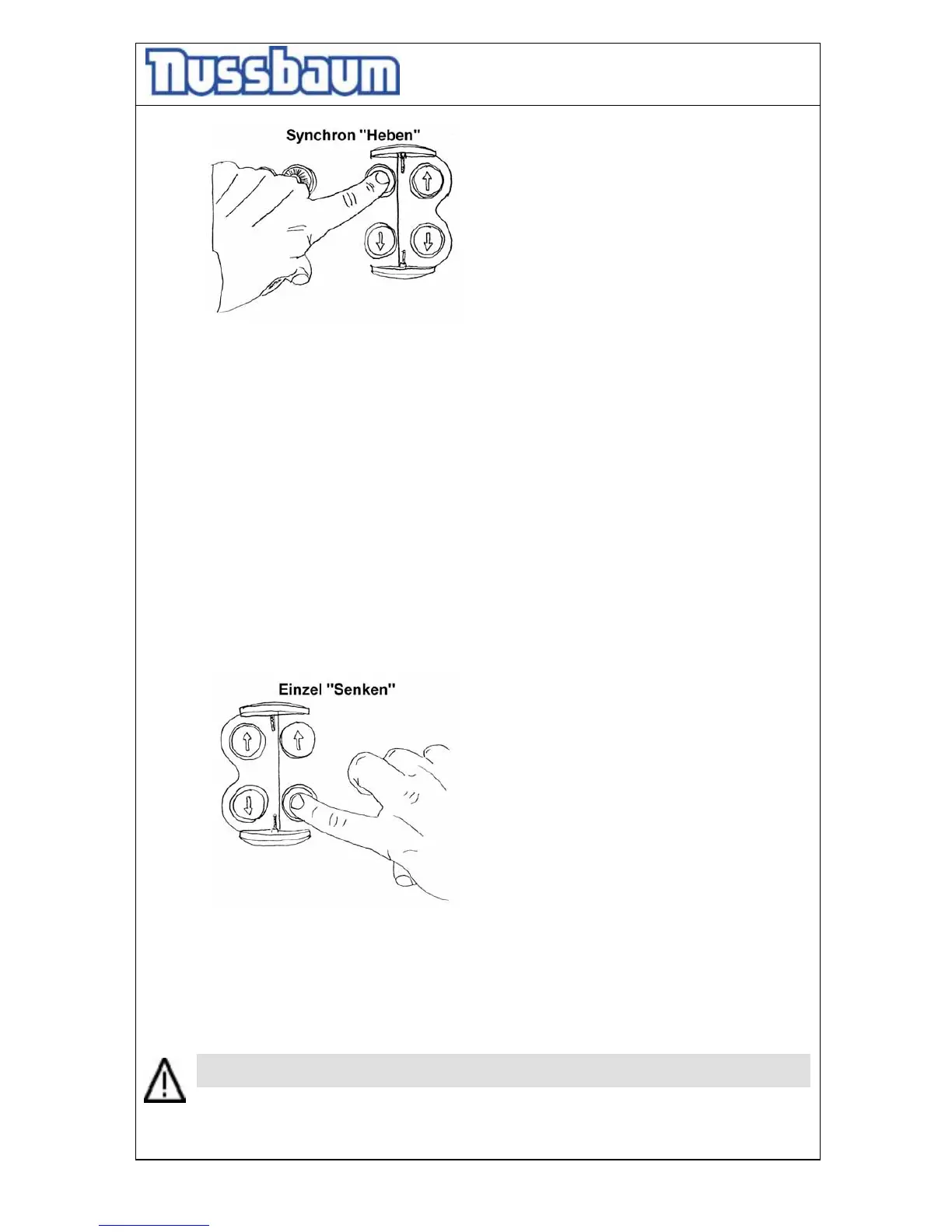
pic 11: synchronous mode “lifting”
• Lift the vehicle on the working height
• Observe the complete process.
5.6 Single-Mode „Lowering“
• Check the dangerous places of the lift and be sure that there are no objects or people in
the immediate area of the lift or on the lift.
• Lower the vehicle on the working height or the lowest position.
Press the button „lowering“ (synchronous see pic. 8) at the operating unit. The MCS
raises a little bit (unlocking the safety device), before the lowering starts.
• The mobile lift stops approx. 240 mm over the floor. Control the dangerous places of the
mobile lift and be sure that there are no objects or people in the immediate area of the lift
or on the lift. Press the button “ lowering” until the lift again. You hear an acoustic signal
until the lift reaches the lowest position.
• The MCS which are standing on a higher level, lower with the “single-mode”. Turn the
plastic cover at the respective operating unit and press the button „lowering“ (single).
Bild 12: single-mode “lowering”
• Observe the complete process.
• When the lifts are in the lowest position the mobile lifts can be removed. Raise the MCS
with the hand lever (read chapter 5.1).
5.7 Axle-mode
Before dismounting heavy parts (motor, axle, set of gears) check the center of gravity.
Otherwise a malfunction can lead it to damages or lead to danger for body and lives.




 To Next Page