9
1-2-3-GO
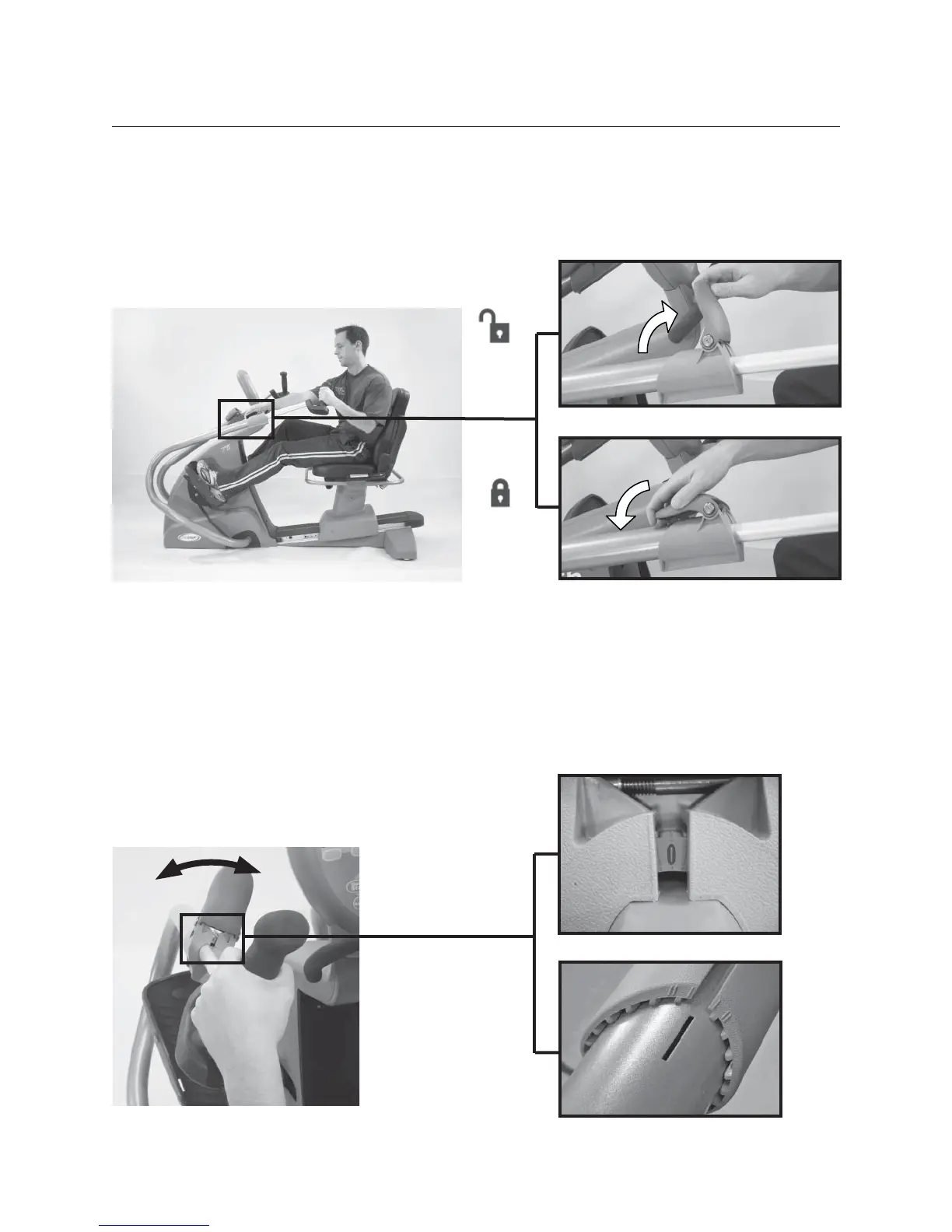
• Lift blue release lever on arms to unlock arm handles.
• Adjust handles until elbow is slightly bent when arm is almost fully extended
(for many people this may be the same number as their seat position).
• Press blue release lever down to lock
into position.
3B. ADJUST ARM ROTATION
(T5
XR
MODEL ONLY)
• Lift the blue release lever to unlock the upper arm and rotate the arm (in or
out).
• Each number or click represents a rotation of 10 degrees. Once set, push the
blue release lever down to lock.
3A. ADJUST HANDLE DISTANCE
Clinician View
User View


 To Next Page