21
Manager Mode
Manager Mode allows authorized personnel to change factory default settings (see
listing of default settings on the following page).
To enter the Manager Mode:
• Press the How To Use soft key button.
• Press down arrow to the Contact and
Product heading and press Enter.
Once in the Contact and
Product screen:
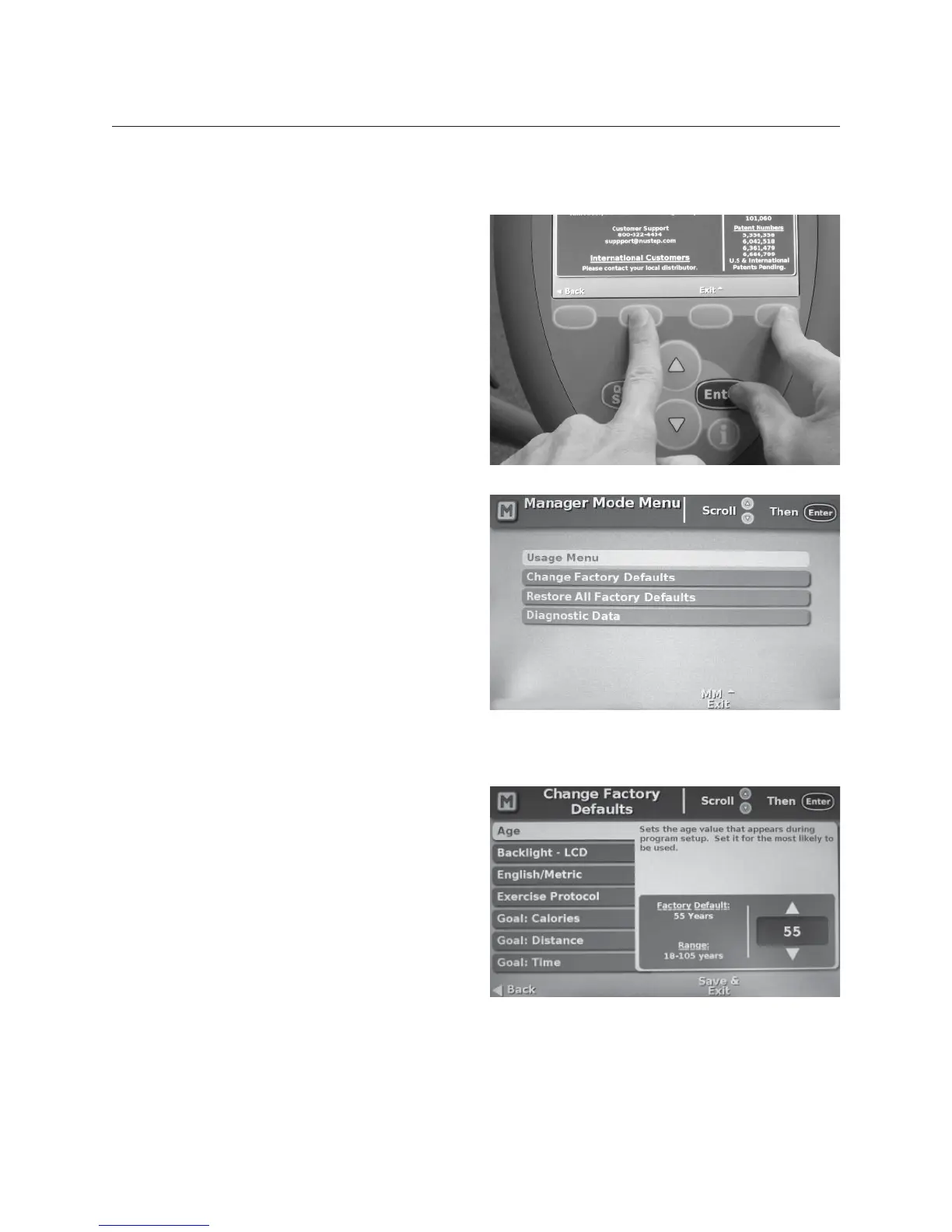
• Simultaneously press and hold the 2nd
and 4th soft key buttons then press
Enter (as shown).
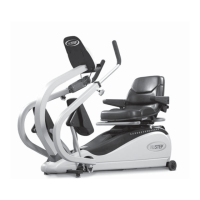
Usage Menu
View cumulative statistics, fi rmware
version, and user workout data.
Change Factory Defaults
Allows you to customize settings to your
needs.
Restore All Factory Defaults
Globally restores all factory defaults.
Diagnostic Data
Calls up diagnostic screen.
To change a default setting:
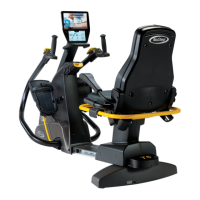
• Select Change Factory Defaults.
• Scroll up or down to access that
setting, e.g. Age.
• Press Enter and the selected default
will highlight in red.
• Use the up or down arrows to select
the new default setting (the console
shows both the factory default and the
range for each setting).
• Press Enter to set the new default.
• Use scroll to access other settings.
• Press Save & Exit anytime to save your
settings and exit manager mode.


 To Next Page