17
Viewing and Exporting Product and
Workout Data
From the Usage Menu in Manager
Mode, users may view cumulative
product statistics, cumulative user
statistics and the last 200 individual
user workouts. The Usage Menu can
only be accessed from the Manager
Mode Menu.
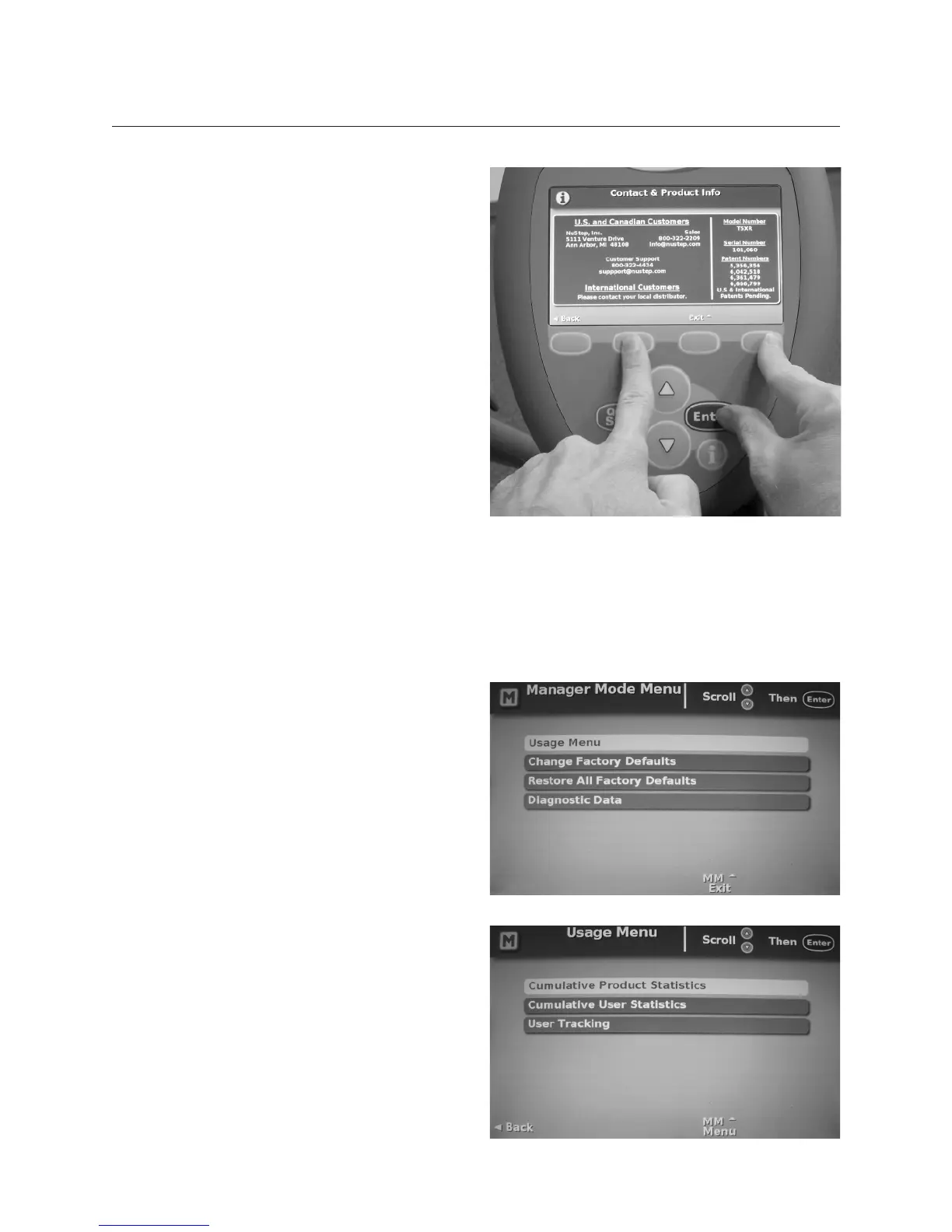
To enter Manager Mode:
• Press the How to Use soft key
button.
• Press down arrow to the Contact
and Product heading and press
Enter.
• Once in the Contact and Product
screen, simultaneously press and
hold the second soft key button,
the fourth soft key button and
Enter (as shown).
Select Usage Menu from the Manager
Mode Menu screen.
From the Usage Menu, select
Cumulative Product Statistics,
Cumulative User Statistics or User
Tracking to view or export data.
Viewing and Exporting Data


 To Next Page