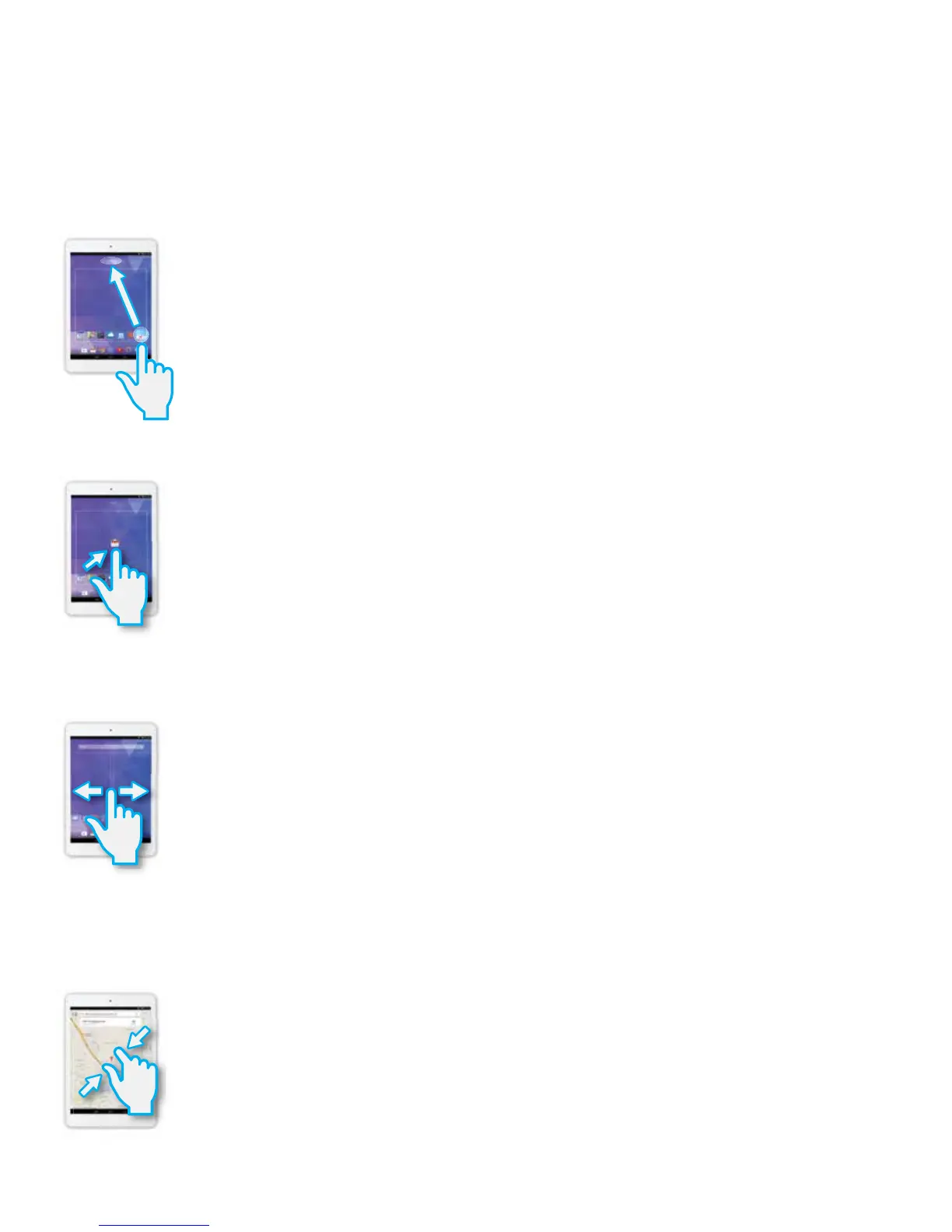
Common Finger Gestures
Touch and Hold to Delete:Touchandholdyourngeronanon-screenAppuntilalightglow
appears around it. This is often used for deleting an item from the tablet.
Drag: To move an object, or activate functionality, Touch and Hold an App until it glows, then
“drag”ittoanotherlocationonthescreenwithoutliftingyournger.
Slide/Swipe: A motion often used to move through menus, pictures and multiple
selections.Taporickyourngerintothedirectionyouwanttomovetoward.
Pinch to Zoom: In some apps (such as Maps, Browser, and Gallery), you can zoom in and out by
placingtwongersonthescreenatonce,andpinchingthemtogether(tozoomout)orspreading
them apart (to zoom in.)
10















 To Next Page