16
Owner’s Manual
PRESETS (Continued)
Preheating: While the unit reaches the appropriate temperature for the function
selected, the display will show “PH”, indicating that it is preheating. Once the
unit reaches the appropriate pressure, it will shift from preheating to the selected
preset cooking time. Once pressure has built inside the pressure cooker, “PH”
will display and change to “P”, followed by the amount of time it will remain
under pressure.
Pressure: The function selected will determine the amount of pressure time. For
example, if the display shows “P0:10” (pressure time) the colon or “:” will ash to
indicate that the pressure cooker is under pressure and the timer is counting down.
Auto Warm Feature: When cooking is complete, the pressure cooker
automatically switches to the warm function. Default warm time changes
depending on the Preset used.
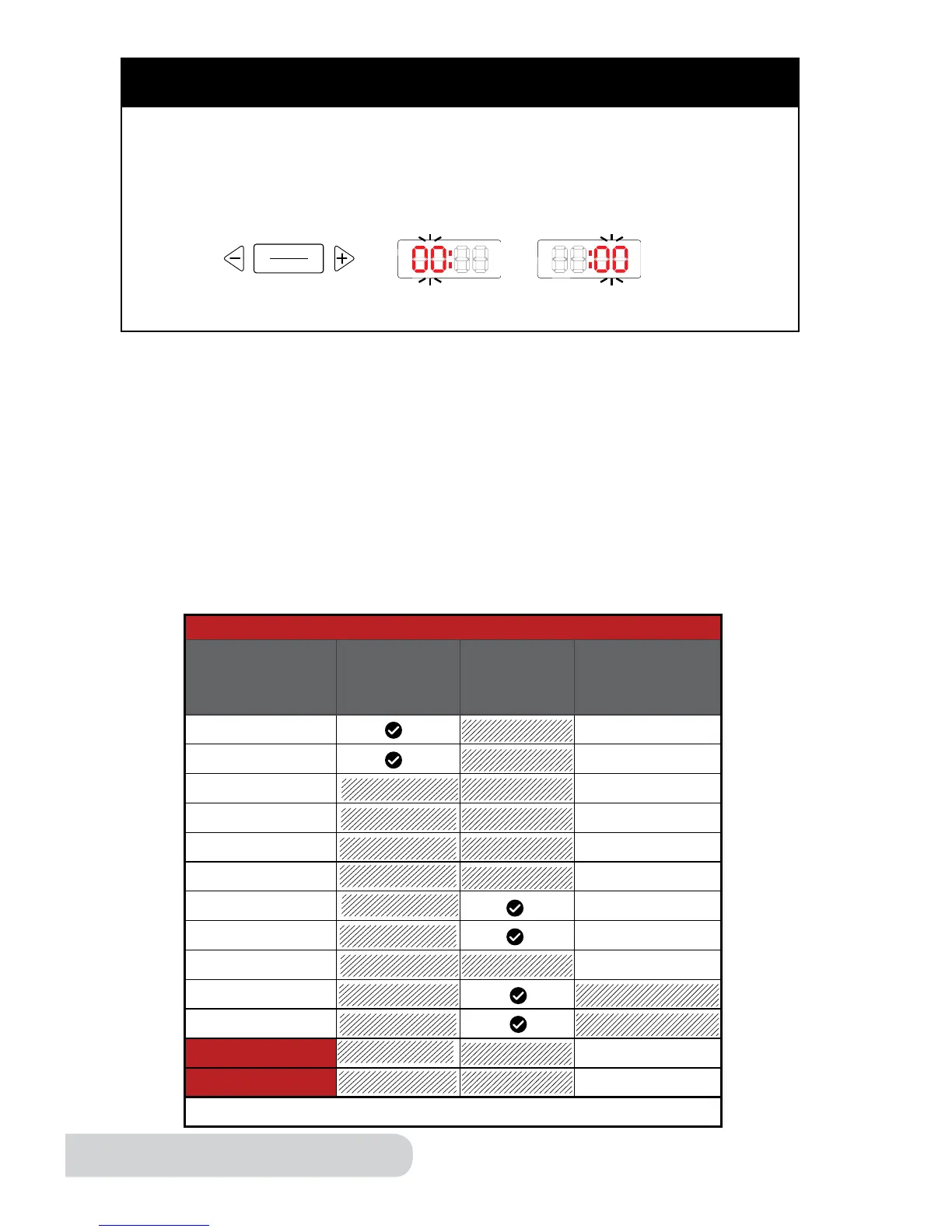
Auto Warm Feature
Presets Indenitely*
Auto
Shutoff
Time
(Hours:
Minutes)
Rice unlimited
Multi Grain unlimited
Soup 04:00
Meat/Stew 02:00
Poultry 01:00
Beans 04:00
Fish 00:30
Steam/Veggies 00:30
Potatoes 01:00
Bake
Canning
Time 04:00
Slow Cook 04:00
*End by pressing “start/stop”.
hours/minutes
Press the “hours/minutes” button to set the time when using the “time”
function or to increase or decrease the cooking duration when cooking in
“manual” mode. The blinking digits reect whether hours or minutes are
selected. Pressing “+” and “-” will increase or decrease the cooking time.
minuteshours


 To Next Page