NVIDIA DGX B200 User Guide
Control Description
Power Button Press to turn the DGX B200 system on or o.
▶ Green ashing (1 Hz): Standby (BMC
booted)
▶ Green ashing (4 Hz): POST in progress
▶ Green solid On: Power On
ID Button Press to have the blue LED turn On or blink (con-
gurable through the BMC) as an identier dur-
ing servicing.
It also causes an LED on the back of the unit to
ash as an identier during servicing.
Fault LED Amber On: System or component faulted
1.1.7.2 With the Bezel Removed
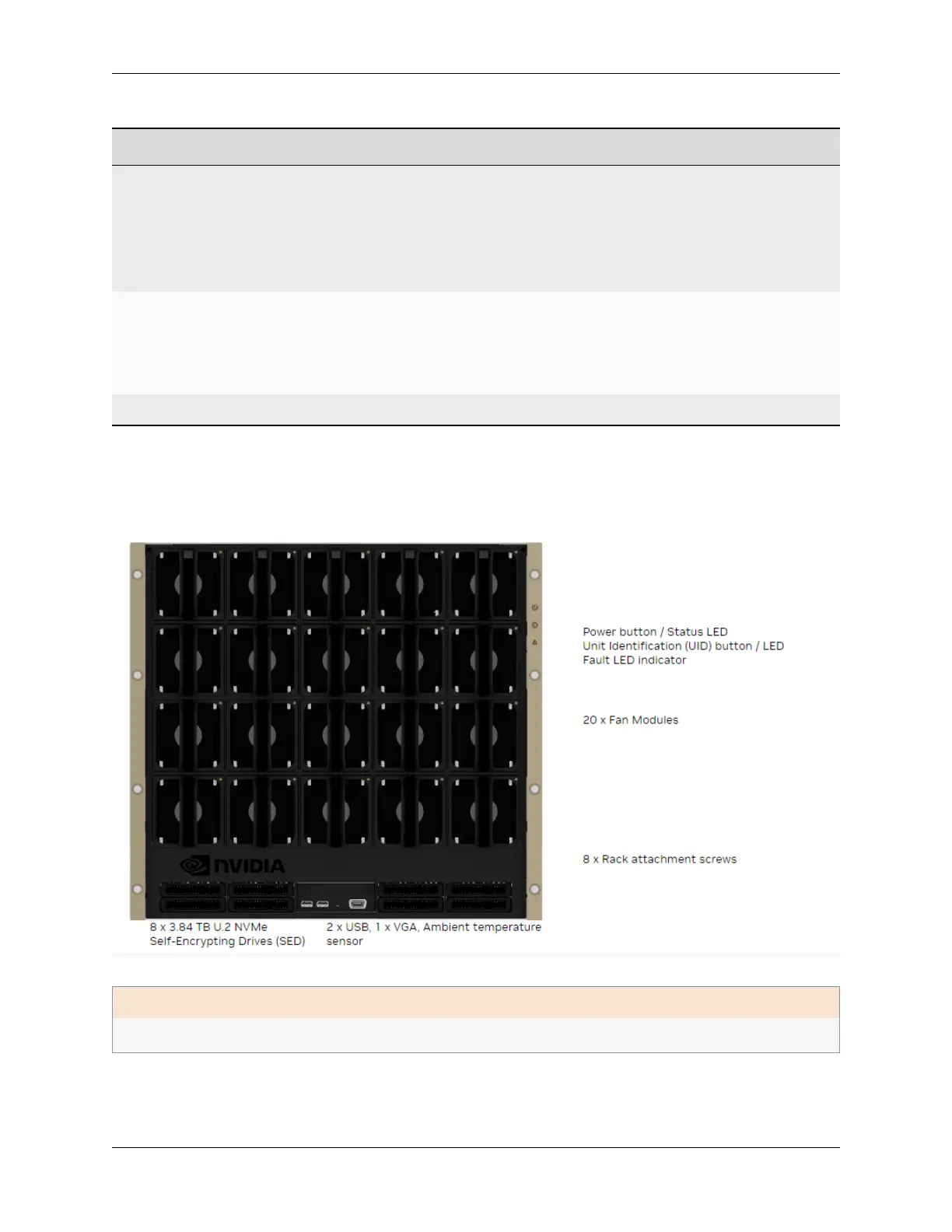
Here is an image of the DGX B200 system without a bezel.
ǩ Important
Refer to the section First Boot Setup for instructions on how to properly turn the system on or o.
8 Chapter 1. Introduction to NVIDIA DGX B200 Systems















 To Next Page