NVIDIA DGX B200 User Guide
6.6. Using the Remote Console
To use the remote console, perform the following steps:
1. Click Remote Control from the left-side navigation menu.
2. Click Launch KVM to start the remote KVM and access the DGX system console.
6.7. Setting Up Active Directory, LDAP, or
E-Directory
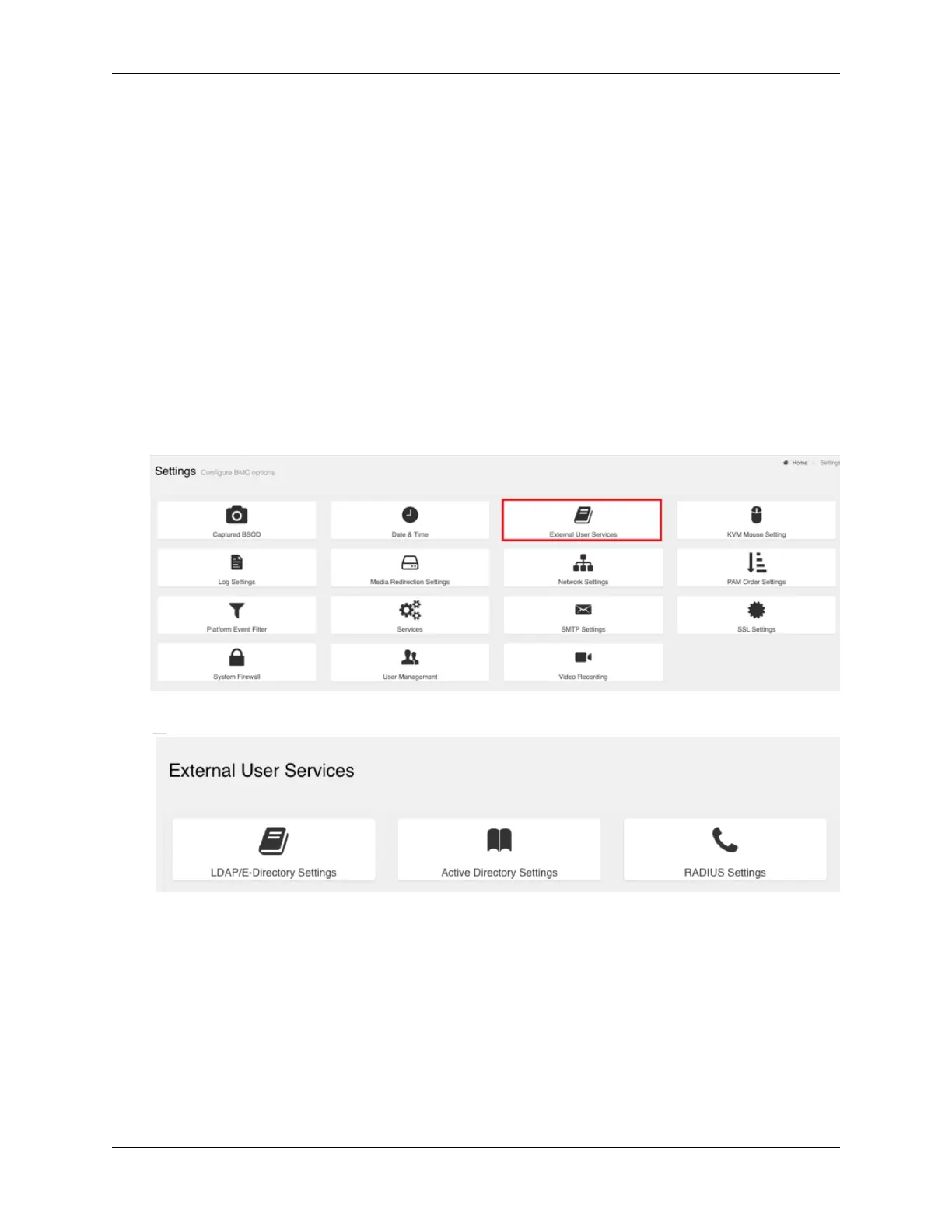
To set up Active Directory, LDAP, or E-Directory, perform the following steps:
1. From the side navigation menu, click Settings > External User Services.
2. Click Active Directory Settings or LDAP/E-Directory Settings and follow the instructions.
6.8. Conguring Platform Event Filters
From the side navigation menu, click Settings and then click Platform Event Filters.
46 Chapter 6. Using the Baseboard Management Controller (BMC)















 To Next Page