NVIDIA DGX B200 User Guide
1. Scroll to the specic item and press Enter.
2. Enter the appropriate information in the dialog, and then press Enter.
6. When you nish making the changes, press F10 to save and exit.
6.5. Changing the BMC Login Credentials
6.5.1. Username and Password Requirements
Refer to the following requirements for the username:
▶ Must be a string of 1 to 16 alphanumeric characters.
▶ Must start with an alphabetical character.
▶ Case-sensitive
▶ Special characters - (hyphen), _ (underscore), and @ (at sign) are allowed.
Refer to the following requirements for the password:
▶ Must be between 13 to 20 characters in length.
▶ Case-sensitive
▶ Special characters that must be preceded by a \ (backslash) character: !"&'();<>`|}~\
▶ Special characters that do not require any special consideration: #$%*+,-.∕:=?@[]^_{
6.5.2. Procedure
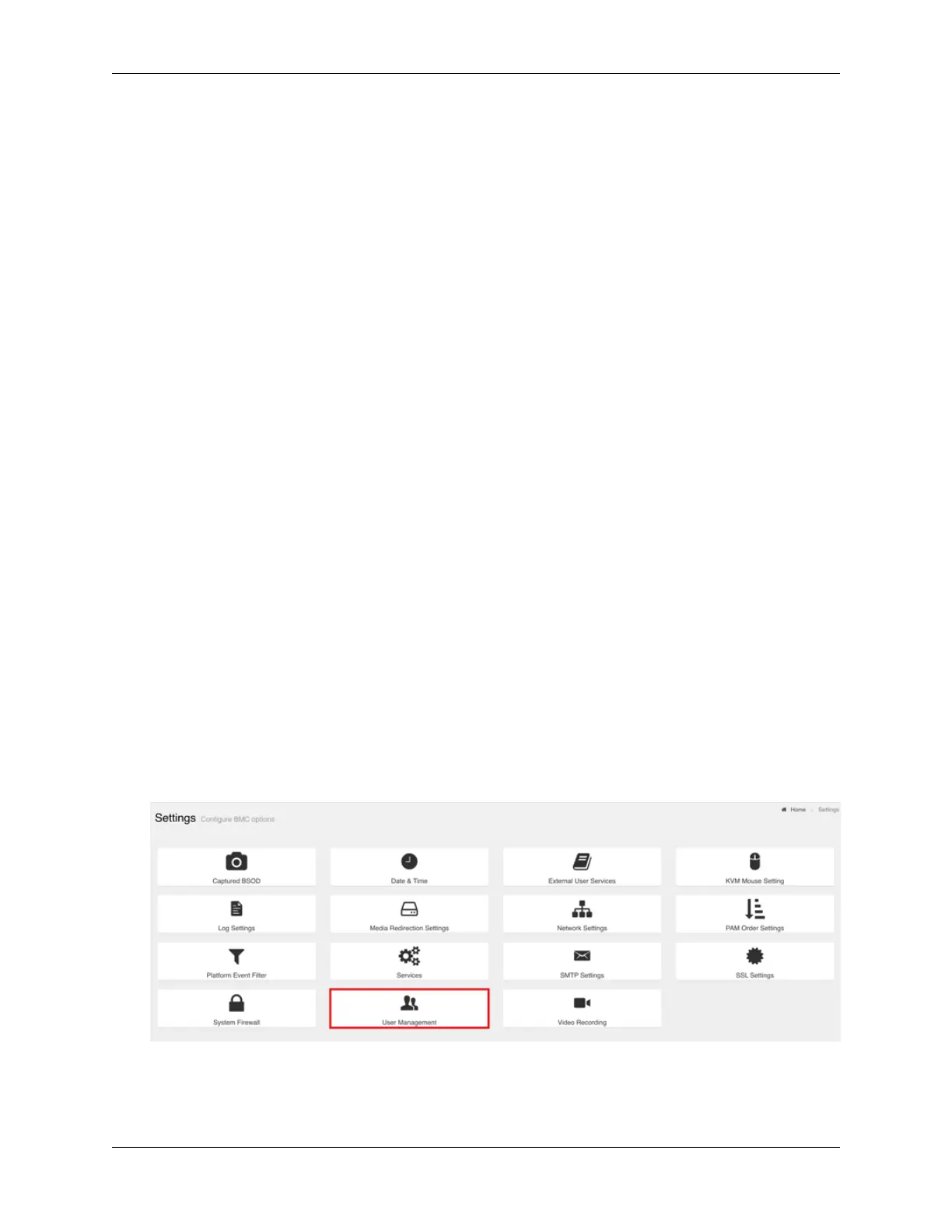
To change your credentials or add or remove users, perform the following steps:
1. Select Settings from the left-side navigation menu.
2. Select the User Management card.
3. Click the help icon (?) for information about conguring users and creating passwords.
4. Log out and then log in with the new credentials.
6.5. Changing the BMC Login Credentials 45















 To Next Page