NVIDIA DGX B200 User Guide
Table 4: Motherboard Controls
Control Description
Power Button Press to turn the system On or O.
ID LED Button It blinks when the ID button is pressed from the front of the unit to help identify
the unit that needs servicing.
BMC Reset
Button
Press to manually reset the BMC.
See Network Connections, Cables, and Adaptors for details on the network connections.
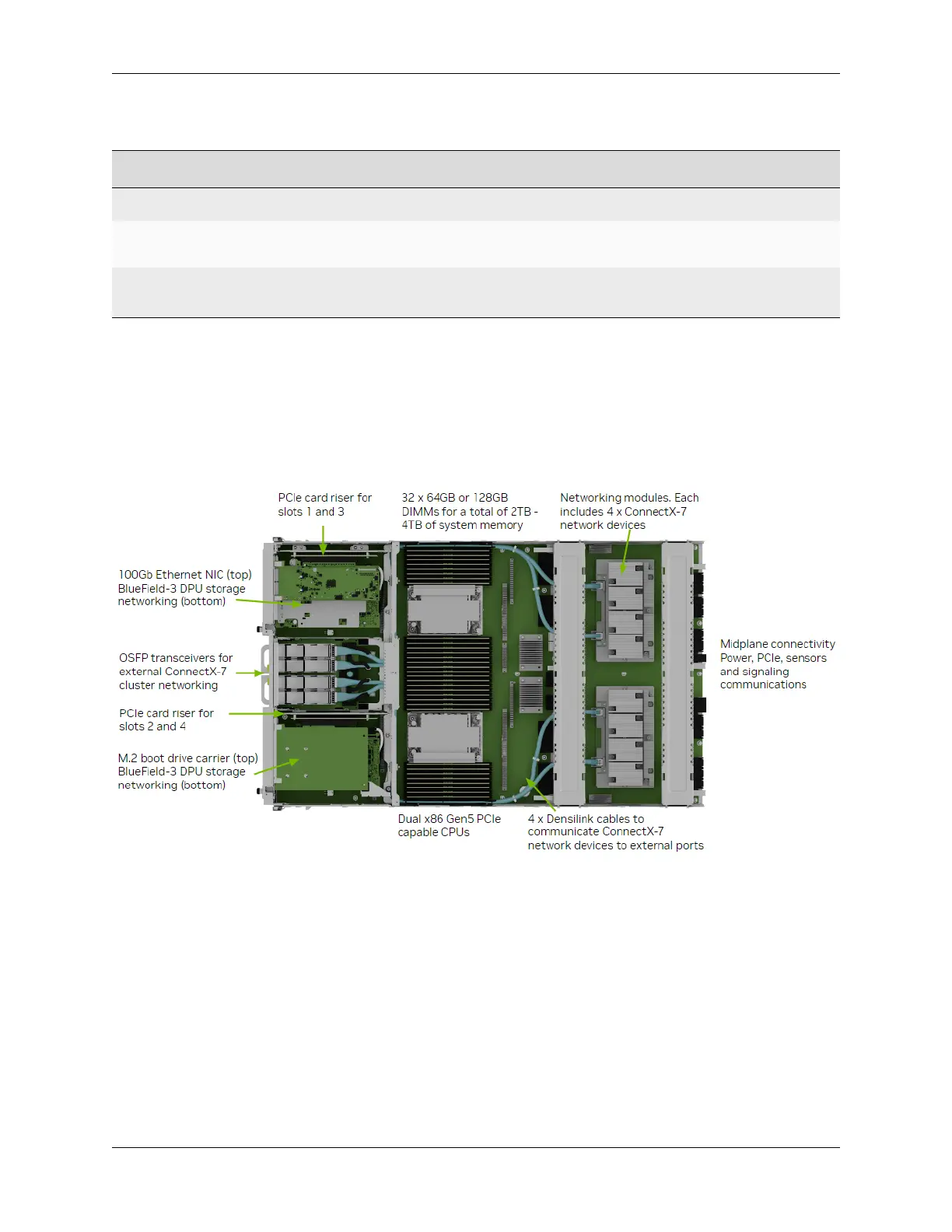
1.1.10. Motherboard Tray Components
The following image shows the motherboard tray components in the DGX B200 system.
1.1.11. GPU Tray Components
Here is an image of the GPU tray components in the DGX B200 system.
10 Chapter 1. Introduction to NVIDIA DGX B200 Systems















 To Next Page