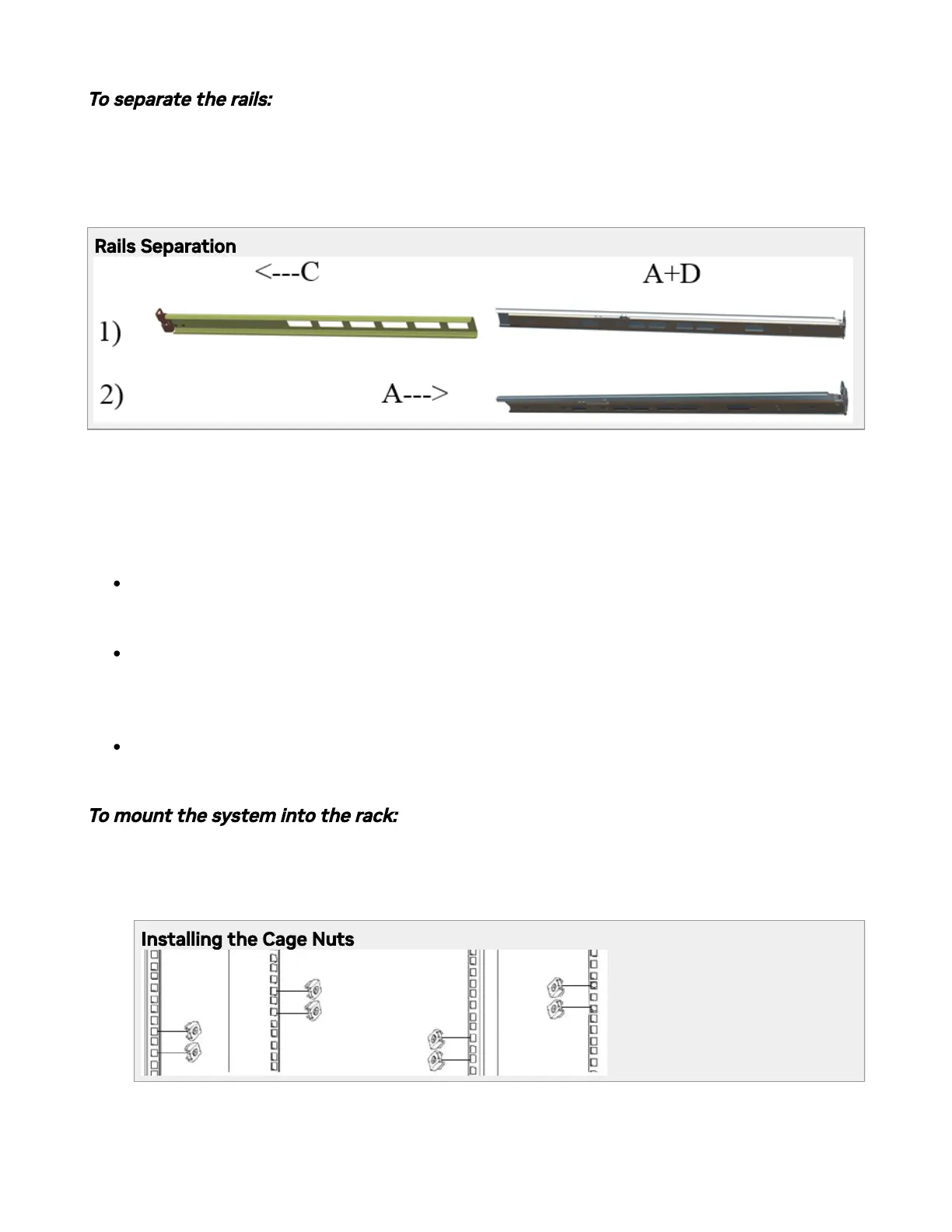
To separate the rails:
1. Separate rail C from sliders A/B + D.
2. Extend the rail assembly by pulling the extension outwards (D).
Rails Separation
Before mounting the system to the rack, select the way you wish to place the system. Pay
attention to the airow within the rack cooling, connector and cabling options.
While planning how to place the system, review the following points:
Make sure the system airow is compatible with your installation selection. It is
important to keep the airow within the rack in the same direction.
In case there are cables that cannot bend within the rack or in case more space is
needed for cable bending radius, it is possible to recess the connector side or the
FRU side by 3.15” (8cm) by optional placement of the system’s rails.
The FRU side is extractable. Mounting the sliding rail inverted to the system will allow
you to slide the FRU side of the system, in and out.
To mount the system into the rack:
1. Install 10 cage nuts (E) into the desired 1U slot of the rack: 4 cage nuts in the non-
extractable side and 6 cage nuts in the extractable side.
Installing the Cage Nuts



 To Next Page