Instruction Manual CyberScan pH 11 / 110
52
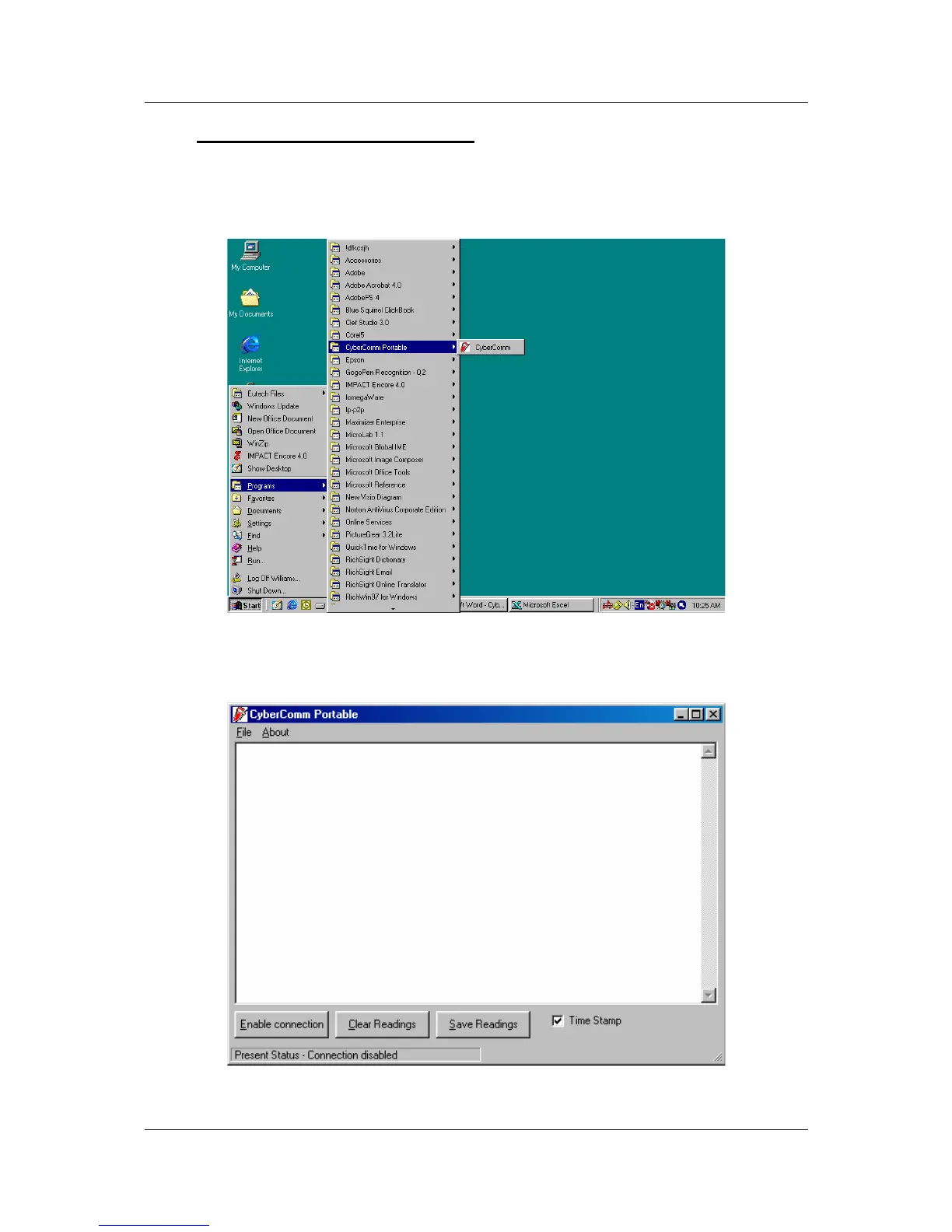
10.3 Running CyberComm Portable
Before running the DAS program, please ensure that the RS232 cable is connected
between the computer’s serial port and the meter’s port. See section 3.4 -
Connecting the RS232C Cable (Only for pH 110) on page 9.
Figure 54: Run the CyberComm Software program
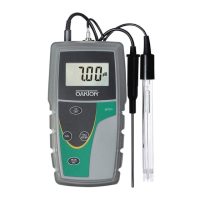
Figure 55: The opening screen will appear as above


 To Next Page