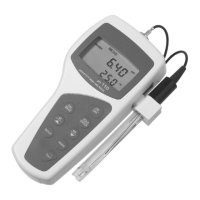
Instruction Manual CyberScan pH 11 / 110
61
13 TROUBLE-SHOOTING
PROBLEM PROBABLE CAUSE REMEDIAL ACTION
Nothing is displayed when
the ON/OFF key is
selected.
1. Batteries not in place.
2. Batteries (+ & - poles) not
in correct polarity.
3. Weak batteries.
1. Insert batteries.
2. Re-insert batteries in the
correct polarity.
3. Replace batteries or
attach AC adapter.
Unstable reading 1. Insufficient reference
electrolyte in electrode.
2. Broken electrode.
3. External “noises” or
induction (e.g. electrical
‘noise’ caused by a
nearby motor).
4. Dirty electrode.
1. Fill electrode with
reference electrolyte.
2. Replace electrode.
3. Move or switch off
interfering device.
4. Clean the electrode.
Rejuvenate if necessary.
Recalibrate the meter
with the cleaned probe.
Slow responses. 1. Dirty/Oily electrode. 1. Clean electrode.
Rejuvenate if necessary.
Meter is not responding to
key press.
1. HOLD mode in operation.
2. Internal program error.
1. Cancel HOLD mode.
2. Reset all internal
programs by re-inserting
battery.


 To Next Page