Materials 25
4
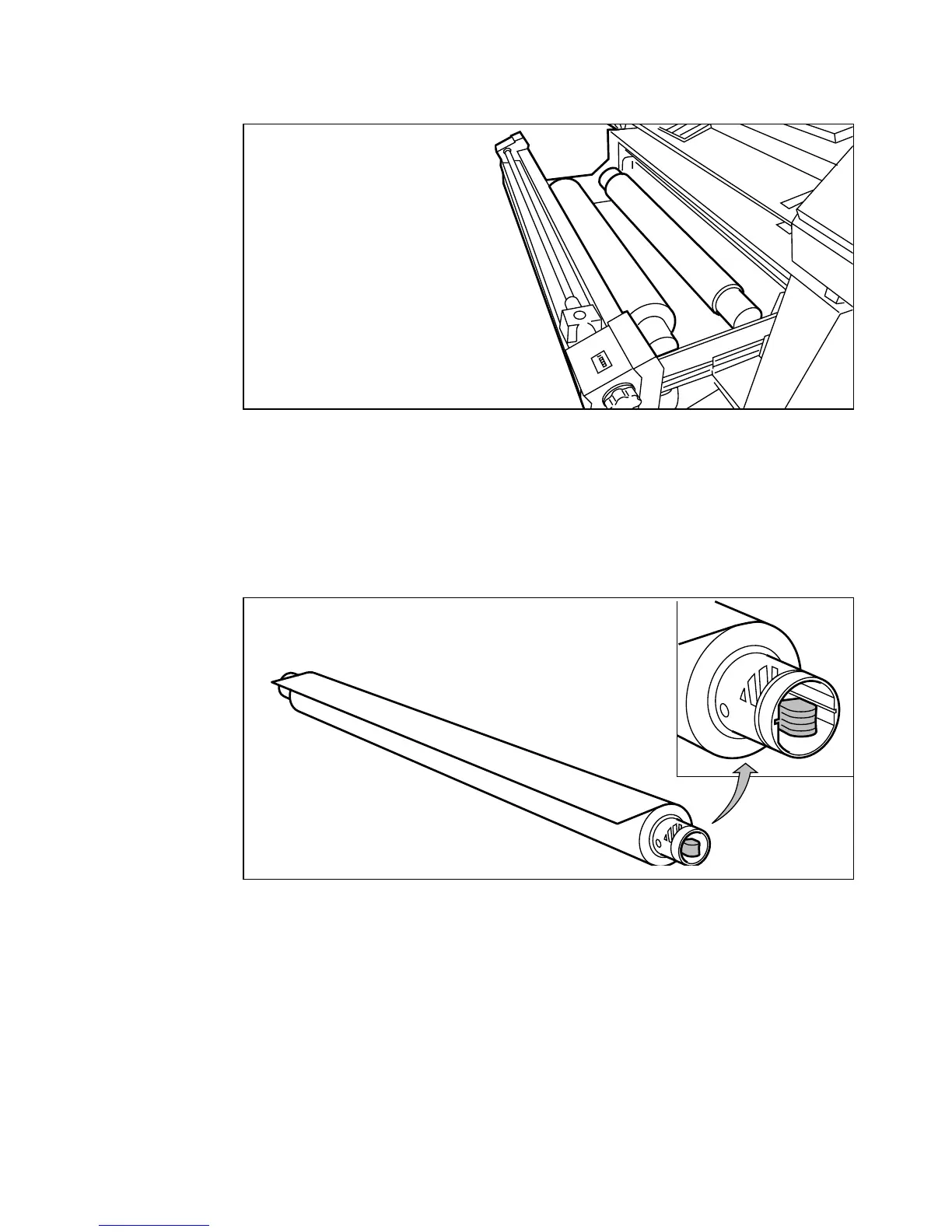
If you want to insert a new roll, remove one of the roll holders from the drawer.
(see figure 14)
[14] Removing the roll holder from the drawer section
5
Put a new roll on the holder as follows:
6
Remove the (empty) roll from the roll holder while pressing the knob
(see figure 15).
7
Slide the roll holder in the new roll of copy material while pressing the knob
Note:
Keep the guide lines (A0, A1 etc.) at the right side, as shown in figure 15.
[15] Pressing the knob
8
Align the copy material roll with the appropriate lines on the roll holder while
pressing the knob.
34"
A0
36"



 To Next Page