3: Operation
30 225-00000-000-11-201604
Reference – click to update the stored reference measurement.
Dark – click to update the stored dark measurement.
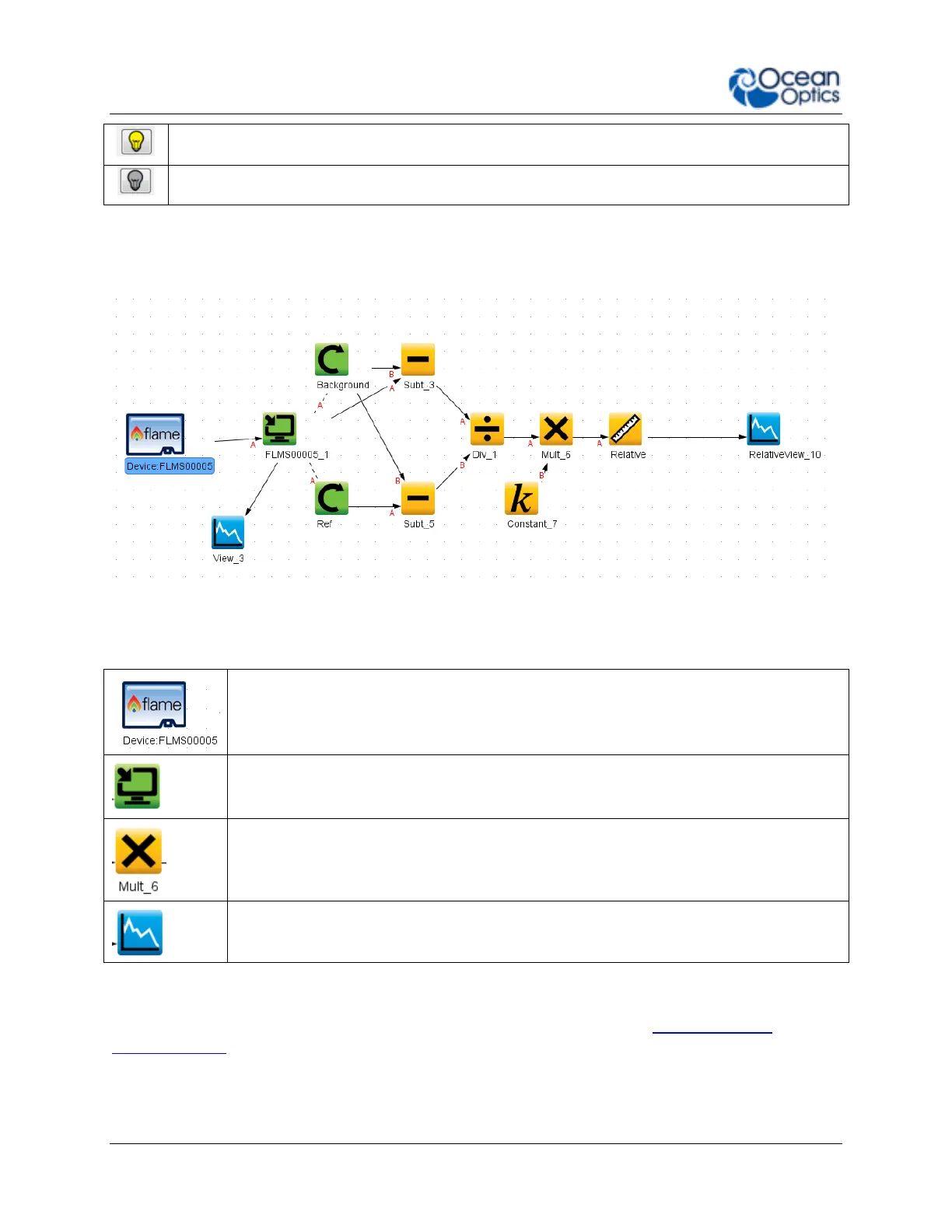
Schematic View
The schematic view is a graphical interface that allows you to move from device through to
processed data. There are a few basic components to consider.
Devices – Each spectrometer will appear as a separate device. Right click to open a
menu that can generate an acquisition, control a TEC (if applicable) and add other
device controls.
Acquisitions – A spectrometer can output one acquisition per detector channel. Right
click to open menu.
Nodes – These are the building blocks of the schematic view. They are all various
functions that take data in and provide an output. To make a node, right click on the
schematic background. Each node can be configured by double clicking on the node.
To join nodes press ctrl, click and drag (windows).
Views – Are a type of window that displays data. To generate a new view right click on
the schematic background.
More information about schematic view including detailed descriptions of the available nodes
can be found in the
OceanView Installation and Operation Manual
(see Product-Related
Documentation and in the help section of the OceanView software.



 To Next Page