2: Installation
Configuring the NIR Spectrometer in OOIBase32
Once the NIR Spectrometer is installed, you must configure OOIBase32’s Configure Spectrometer
options so that the application recognizes the connected NIR Spectrometer.
The following sections contain instructions on initially configuring the NIR Spectrometer the first time
you start OOIBase32. Consult the OOIBase32 Spectrometer Operating Software Operating Instructions
for detailed instructions on configuring the spectrometer in OOIBase32 (see
Product-Related
Documentation
).
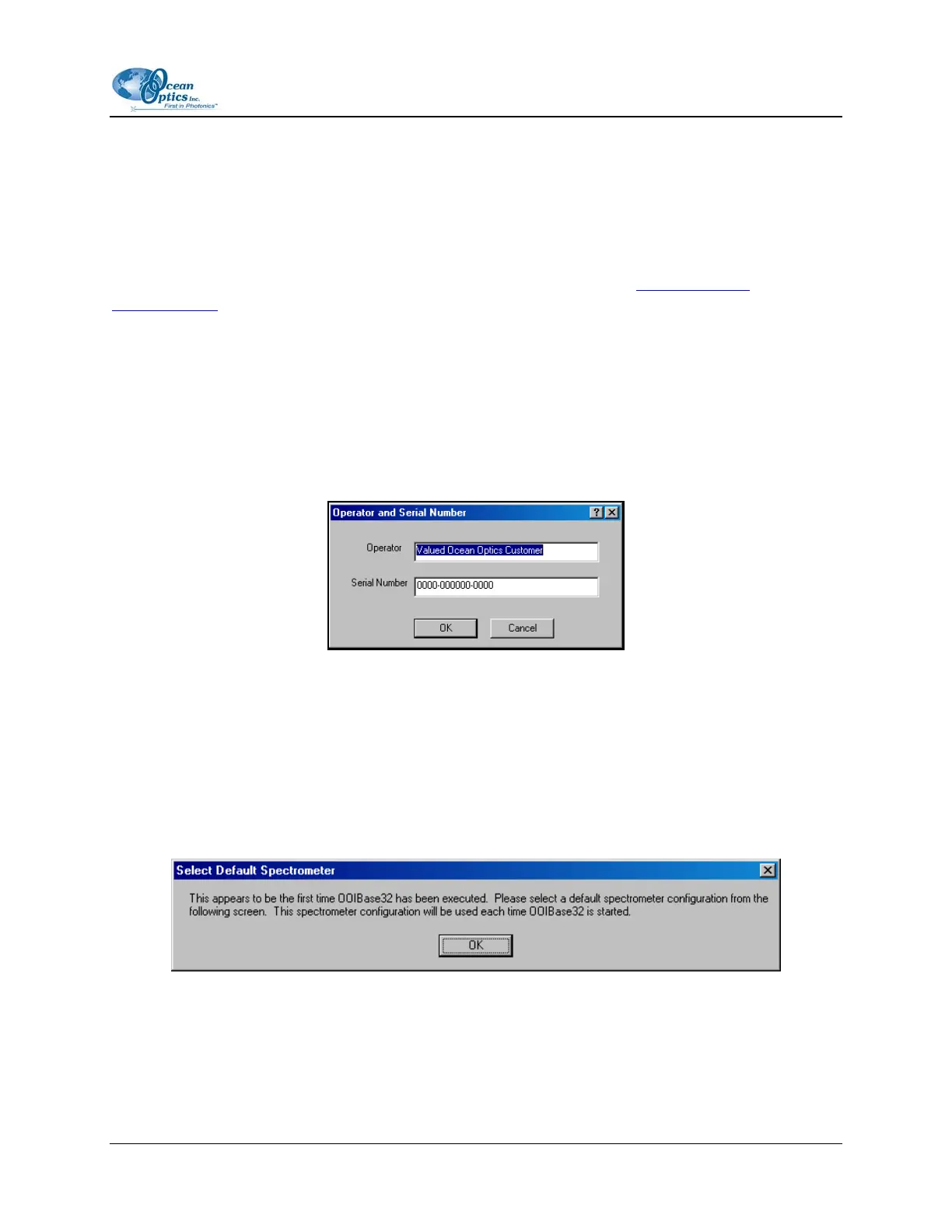
Start the OOIBase32 software application. The following configuration screens appear the first time
OOIBase32 runs with the NIR Spectrometer attached.
Operator and Serial Number Dialog Box
The operator and serial number dialog box prompts you to enter a user name and software serial number
into OOIBase32. Some data files use this information in the data file headers.
Default Spectrometer Configuration File
The default spectrometer configuration file screen prompts you to select a default .SPEC file to use with
the NIR Spectrometer. The .SPEC file extension is preceded by the unique serial number of the NIR
Spectrometer (for example, HRA001.SPEC).
Navigate to the OOIBase32 installation directory and select the default .SPEC file, then proceed. Do not
specify a .SPEC file located on removable media (e.g., a floppy disk).
197-00000-512-02-0305 7



 To Next Page