46
OCi OPERATING MANUAL
© 2002 Design, 2013 Doc. No. 12-5335-r02 (9/12/13)
GAUG MODE TMT SWITCHING (Transmitters/Tanks)
> All dives begin with TMT 1.
> The TMT defaults to # 1 after 10 minutes on the surface.
> Can only switch when a Dive Main screen is displayed.
> Cannot switch while on the surface.
> Cannot access the Switch Menu or perform a switch during the sounding of alarms.
> If an alarm strikes while in the Switch Menu, the Switch operation is terminated reverting to the Main.
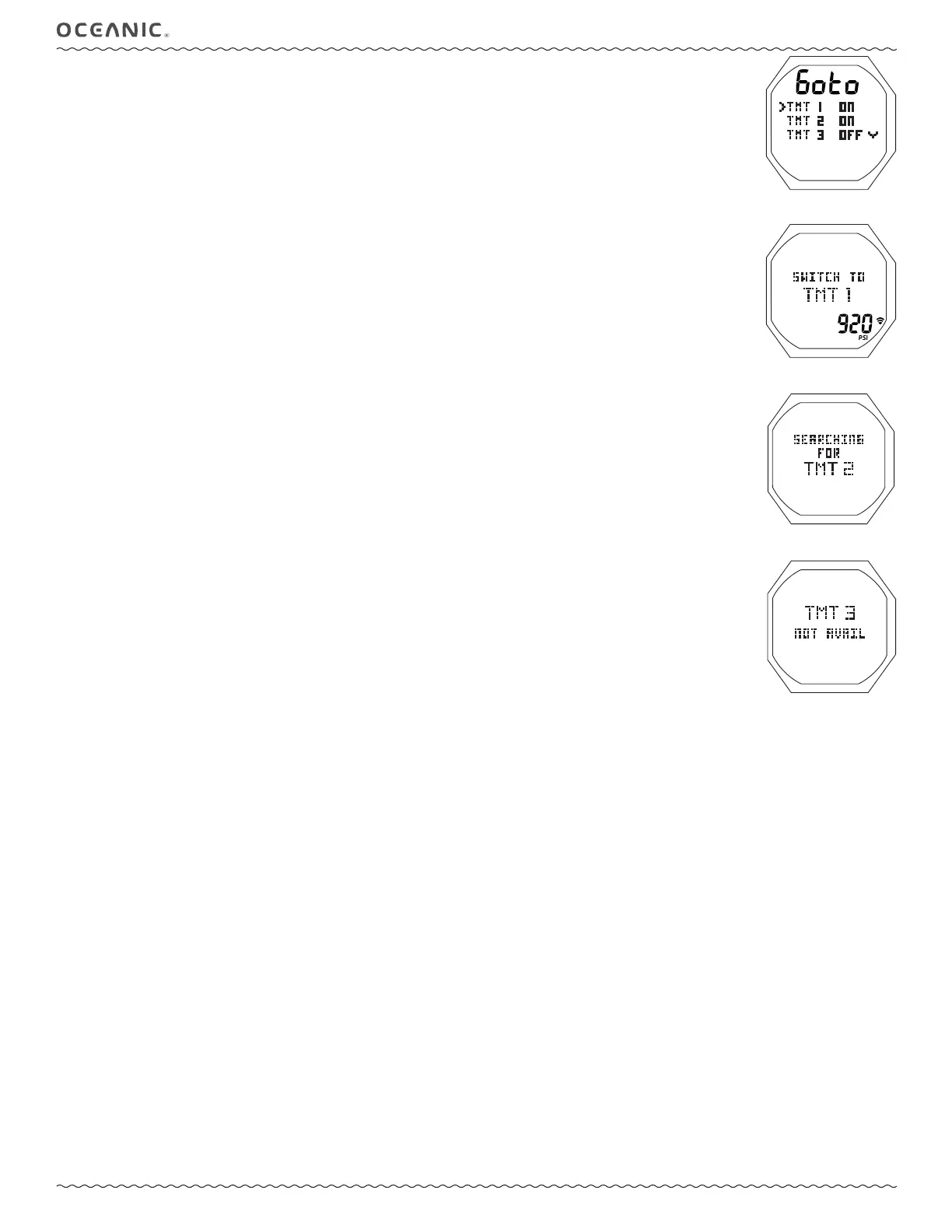
TMT SWITCH MENU, information includes (Fig. 111):
M (< 2 sec), while a Dive Main is displayed - to access the Switch Menu, if 2 or more TMTs are set for use.
> Graphic Goto.
> Graphic selections TMT 1, TMT 2, TMT 3, TMT 4 with OFF/ON settings.
The Arrow icon ( > ) next to the TMT in use.
A (< 2 sec) - to step forward (down) through the selections.
M (< 2 sec) - to step back (up) through the selections.
S (< 2 sec) - to access the Switch To screen for the TMT indicated by Arrow icon ( > ).
No access is provided if OFF.
TMT SWITCH TO, information includes (Fig. 112):
> Graphics SWITCH TO TMT 1 (or 2, 3, 4).
> Tank Pressure for that TMT with PSI (or BAR) and Link icons.
• S (< 2 sec) - to initiate a Switch from the TMT in use to the TMT indicated,
> After 2 seconds, a TMT Search screen (Fig. 113A) will appear for 10 seconds, then revert to the Main with the new TMT
selected.
> If the TMT is not reporting, a message will be displayed for 10 seconds (Fig. 113B) and the Switch will be canceled.
Fig. 111 - TMT SWITCH MENU
Fig. 112 - GAUG DV 3 MAIN
(Run Timer set OFF)
Fig. 113A - TMT SEARCH
Fig. 113B - TMT NOT
REPORTING



 To Next Page