30
POST DIVE SURFACE MODE
When you ascend to 3 feet (1 m) or shallower, the unit will
enter Surface Mode and begin counting your surface inter-
val.
TRANSITION PERIOD
The first 10 minutes is, in affect, a Transition Period during
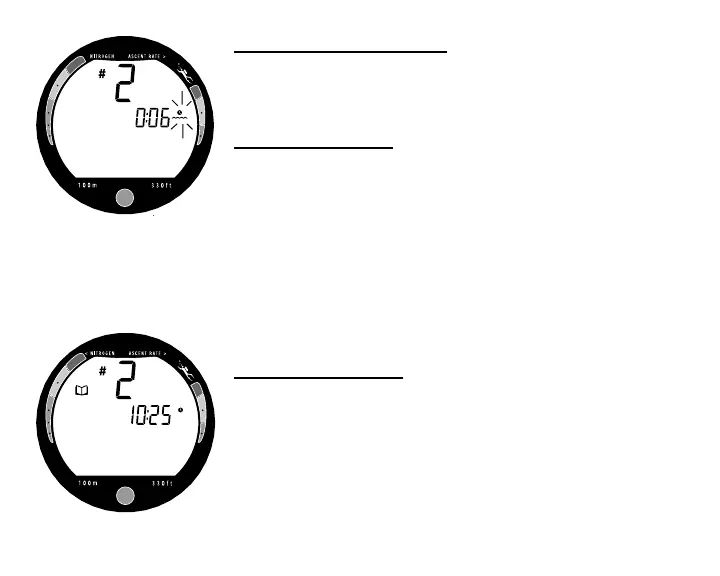
which time the following information is displayed (Fig. 30):
• 'Number' of that dive (during that activation period)
• Surface Interval time (colon flashing) and icon (flashing)
• Tissue Loading Bar Graph ( indicating current nitrogen
loading)
During the Transition Period, Log Mode can be accessed.
No other modes (e.g., Fly, Plan, Set) are accessible.
To view that dive's Log
Refer to page 33 for a description of the Log Mode displays.
• Press the Button to view the first display (Fig. 31).
• Press the Button again to view the Nitrogen data screen
• Press the Button again to return to Surface Mode.
• The unit will revert to Surface Mode after 2 minutes if the
button is not pressed.
Fig. 30 - Transition Period
Fig. 31 - Log Mode



 To Next Page