8
INFORMATIONAL DISPLAYS
Each numeric and graphic display represents a
unique piece of information. It is imperative that
you understand the formats, ranges, and values
of the information represented to avoid any pos-
sible misunderstanding that could result in error.
Depth Displays
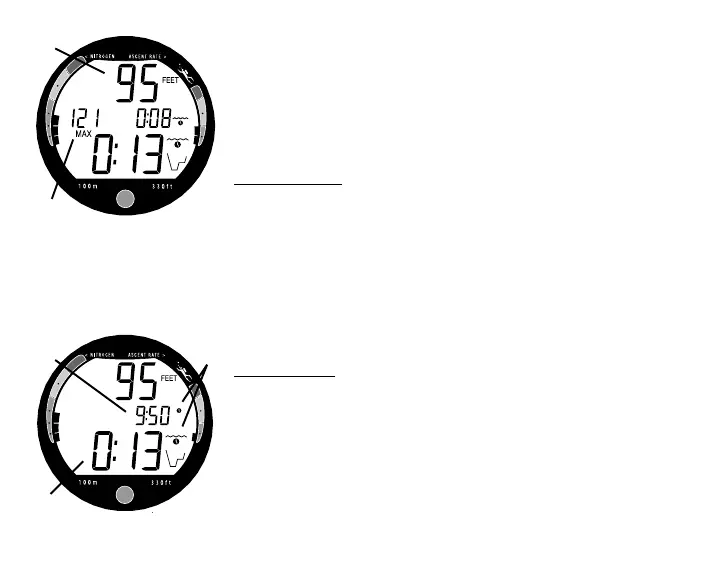
• During a dive, the Current Depth display (Fig. 3a), in-
dicates depths from 0 to 330 feet (99.9 meters) in 1 foot
(.1 meter) increments.
• By pressing the Button, the Maximum Depth reached
during that dive will also be displayed (Fig. 3b).
• During a Decompression Dive, the required Ceiling
Stop Depth is displayed in place of Maximum Depth
which can be viewed by pressing the Button.
Time Displays
• The Main Time display located in the lower portion of
the screen (Fig. 4a) is configured with large segments.
• A Secondary Time display is located in the center/
right portion of the display (Fig. 4b).
• Both displays are identified by clock icons (Fig. 4c).
Fig. 3 - Depth Displays
Fig. 4 - Time Displays
a
b
a
b
c



 To Next Page