3. ENGINE
3-
VSS Removal
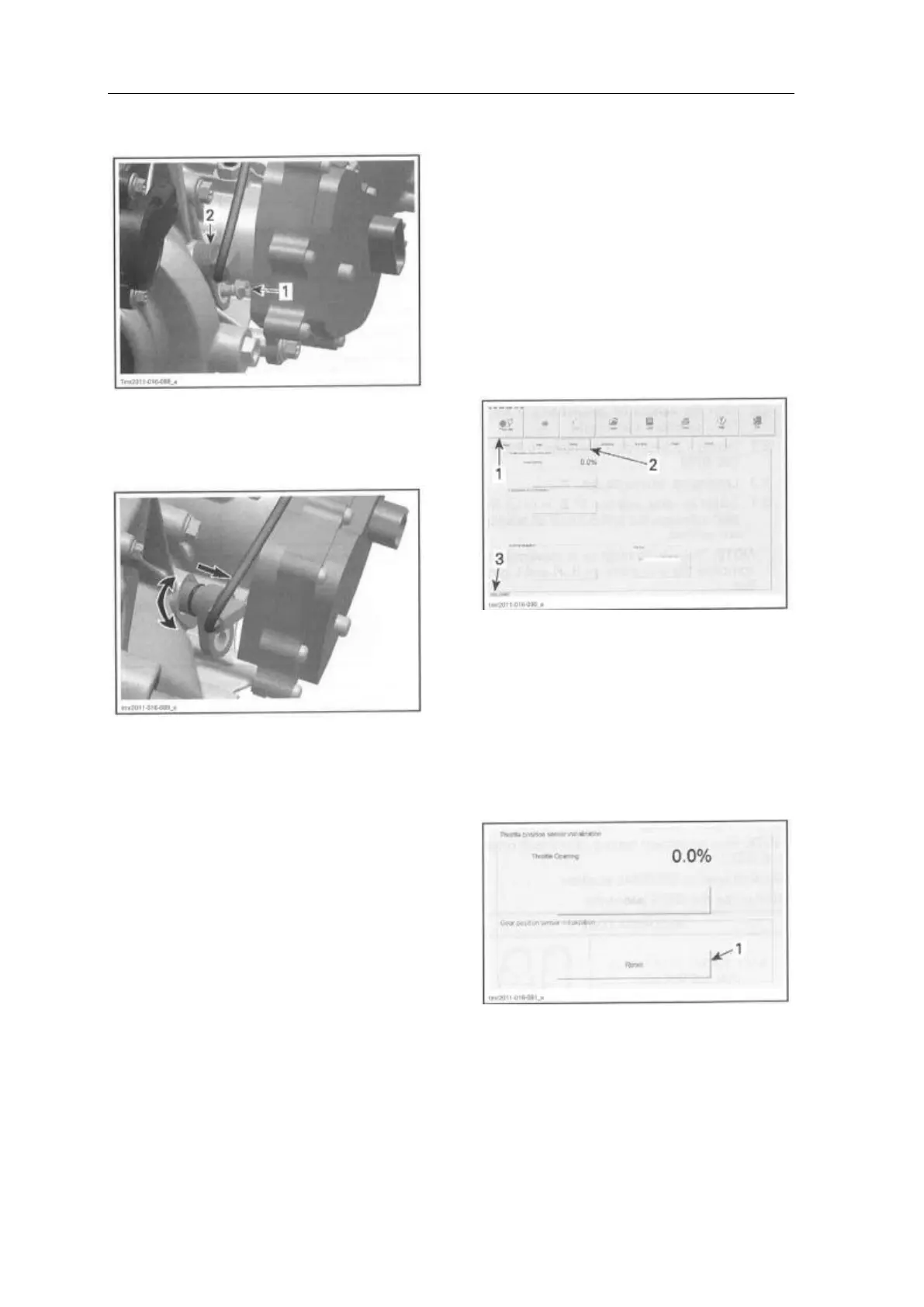
Remove screw retaining the VSS
1. Screw
2. VSS
Turn sensor and weave it out of the gearbox
right cover.
VSS Installation
For installation, reverse the removal procedure.
Pay attention to the following.
Apply SUPER LUBE GREASE (P/N293 550
030) on VSS O-ring.
GBPS (GEARBOX POSITION
SENSOR)
GBPS Reset
When replacing the gearbox position sensor
(GBPS), it is required to reset (re-zero) its
values for proper operation.
A reset must be carried out each time any of the
following parts has been replaced:
- Gearbox assembly
- Shift drum
- GBPS
- ECM.
1. Connect vehicle to the latest applicable
version
Of B.U.D.S. software, refer to
COMMUNICATION TOOL AND B.U.D.S.
subsection.
NOTE: Ignition key must stay 0N during the
reset procedure. If the key is turned off, the
procedure must be carried out again.
2. In B.U.D.S., select the following:
- Read Data button
- Setting page tab
- ECM tab.
1. Read data button
2. Setting page tab
3. ECM tab
3. Make sure that gearbox is set to
NEUTRAL position.
4. In the Gear Position Sensor
Initialization field, click on the Reset
button.
GEAR POSITION SENSOR
INITIALIZATION
1. Reset button
A message will be displayed if the
operation is successful.



 To Next Page