14
User and settings manual
ENG
Selected hydraulic scheme can be later changed with service parameter S1.1.
Controller RESET!
Disconnect the controller from the power supply.
Press and hold the button and switch on power supply.
The controller resets and goes to initial setup.
CAUTION!
By selecting ‘reset’ all previous controller settings are erased.
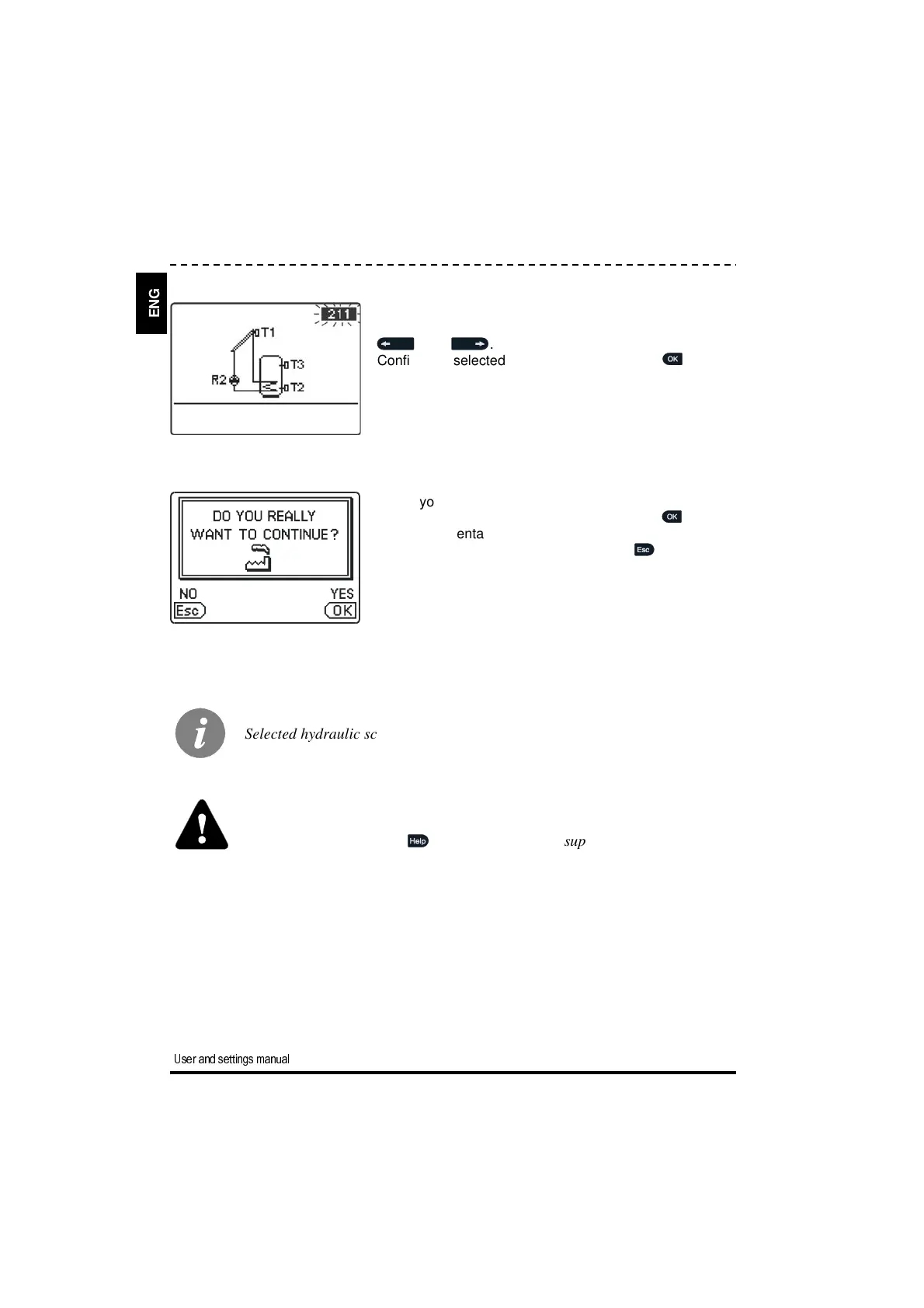
Next, you select a hydraulic scheme for the controller
function. Move between schemes by means of buttons
and .
Confirm the selected scheme by pressing the button.
STEP 2
After you selected the scheme, the controller requires
confirmation of the selection by pressing the button.
If you accidentally selected the wrong scheme, go back
to reset the scheme by pressing button .


 To Next Page