ENG
21
User and settings manual
First, by pressing buttons , and select the day whose time program
course you want to edit or copy it to other days.
Modifying the time programs:
To modify a time program first press buttons , to select and to open the
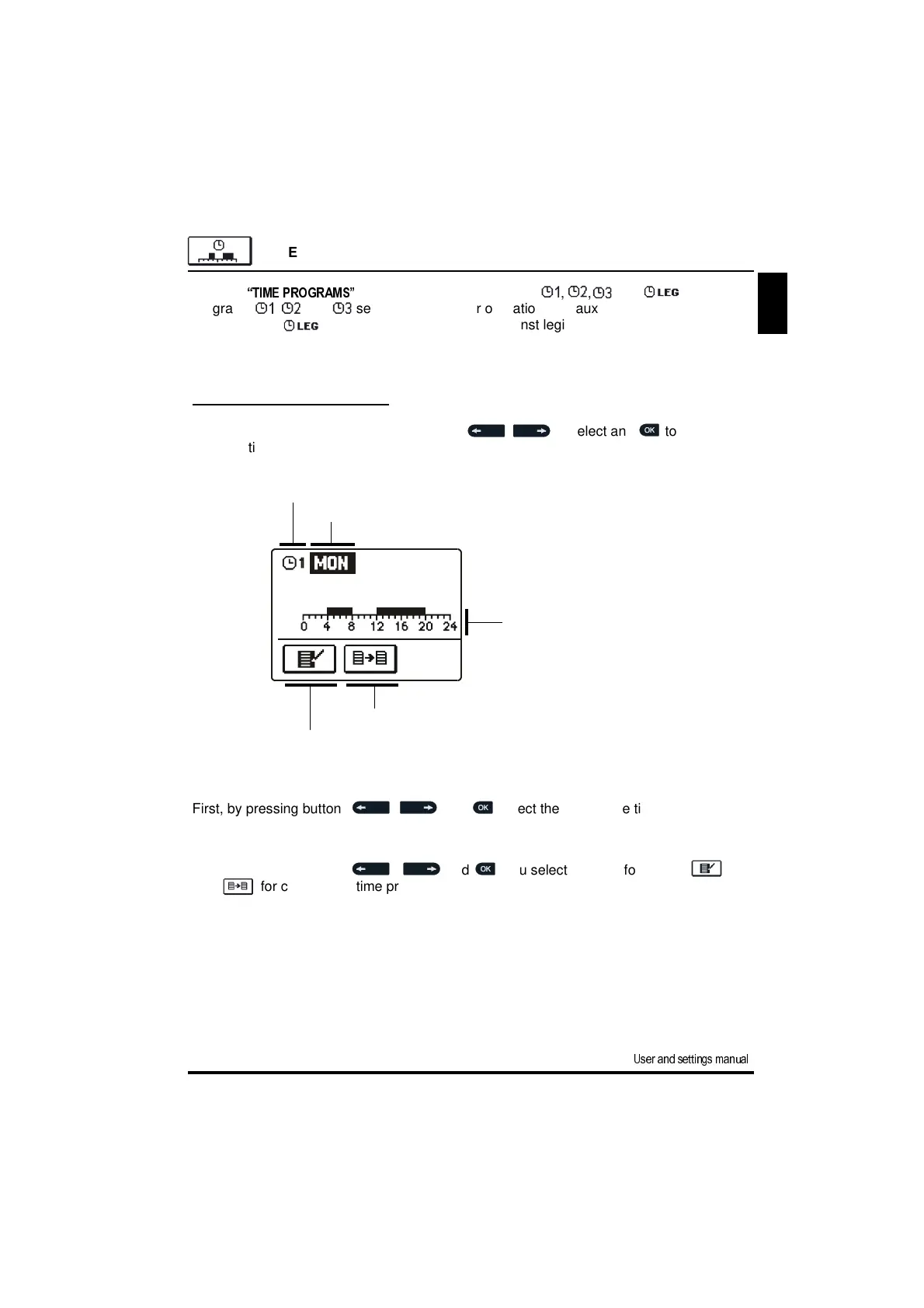
selected time program. A new window opens:
Now, by pressing buttons , and you select the icon for editing or
icon for copying the time program.
Time axis: - time program review for selected day
Time program editing
TIME PROGRAM SETTINGS
In menu
“TIME PROGRAMS”
you have four time programs , , and . Time
programs , and set time intervals for operation with auxiliary heat sources.
Time program sets the time for protection against legionella.
Number of time program
Selected
day
Time program copying



 To Next Page